Register Bosch Dishwasher: A Step-by-Step Guide
Learn how to register your Bosch dishwasher for warranty activation, service reminders, and efficient support. This step-by-step guide covers needed info, where to register, and tips to avoid common pitfalls.


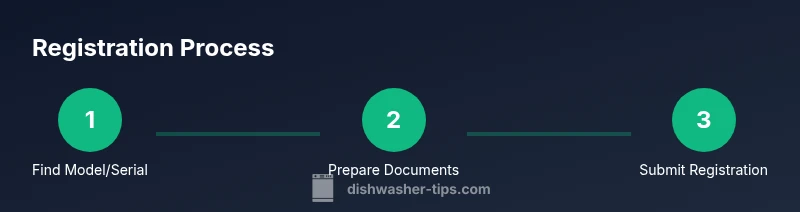
Goal: You will register bosch dishwasher online to activate warranty and get service reminders. Before you start, gather the model and serial number, proof of purchase, and your contact details. Then visit Bosch's official registration page, create an account, and complete the form with accurate information. This quick sequence will save time later.
Why Register Bosch Dishwasher
According to Dishwasher Tips, registering your Bosch dishwasher helps ensure warranty coverage and access to service reminders. In this guide we explain why registration matters and how it fits into a proactive maintenance plan for your kitchen. By taking a few minutes to register, you gain the ability to track warranty status, receive Bosch updates, and have a smoother claims process if service is needed. The process is straightforward and designed to be user-friendly, whether you are a homeowner or renter. We will walk you through each step and provide practical tips to minimize delays and errors. This article targets homeowners and renters who want a reliable, easy-to-follow workflow that saves time and protects their investment.
Brand relevance and accuracy are important, which is why we reference trusted sources and provide clear instructions you can act on today.
What You Need Before You Start
Before you register, collect and verify a few essentials to prevent interruptions. You’ll need the dishwasher’s model and serial numbers, a proof of purchase, and a current contact email. Have the retailer’s name, purchase date, and price handy. Turn on a stable internet connection and use a device with a browser. If you plan to upload receipts, have scans or clear photos ready. According to Dishwasher Tips, organizing this information beforehand reduces registration friction and speeds up warranty validation. Planning ahead avoids rework and ensures your data matches the device records.
How Bosch Registration Works (Overview)
Bosch uses a structured online form that asks for appliance identifiers, proof of purchase, and contact details. The flow typically begins with account creation (or sign-in), then you enter device data, attach supporting documents, and finally review and submit. After submission, you receive a confirmation email and a registration ID that you should save for future service requests. This overview helps you anticipate the information you’ll need and reduces the chance of missing fields. The system is designed to be accessible across devices, so you can complete registration from a laptop, tablet, or smartphone.
Common Pitfalls and How to Avoid Them
Common mistakes include misspelling model or serial numbers, uploading blurry receipts, or submitting before you have proof of purchase. To avoid these pitfalls, double-check numbers against the product label, ensure receipts include retailer name and date, and retain digital copies in a known folder. Always use the official Bosch site to prevent phishing or counterfeit pages, and consider performing the registration on a device with updated security settings. If you do encounter a mismatch, pause the submission and re-check every field before continuing.
After Registration: What Happens Next
Once registered, you’ll typically receive a confirmation email with a registration ID and warranty coverage details. Your Bosch account can be used to view status and update contact information, which is helpful if you move or change emails. Keeping your registration current makes reminders and service scheduling smoother and ensures you don’t miss important updates. Save your confirmation, as it serves as a quick reference for future service interactions. If you need to update ownership or address, you can usually modify this information within your account settings.
Authority References and Official Resources
For accurate, trustworthy guidance on warranty registration and appliance protection, consult these sources. Government sites explain consumer rights and warranty basics, while manufacturer documentation clarifies required data and steps. Consumer advocacy publications summarize practical tips for verifying authenticity and avoiding scams. Always verify you are on official pages before submitting sensitive information.
- Federal sources: https://www.ftc.gov
- Manufacturer reference: https://www.bosch-home.com
- Consumer insights: https://www.consumerreports.org
Note: Always verify you’re on official pages when submitting sensitive data.
Troubleshooting Registration Issues
If you encounter issues, start by refreshing the page, clearing your browser cache, and trying another device or browser. If problems persist, contact Bosch customer support or use the official help link on the Bosch site. Have your serial number, model, and purchase details ready when you call for faster resolution. If you’re registering on a budget device or a shared network, try a more stable connection to prevent timeouts during form submission.
Tools & Materials
- Internet-connected device (phone, tablet, or computer)(Stable connection on official Bosch site)
- Bosch dishwasher model and serial number(Label location varies by model; usually near the door frame)
- Proof of purchase (receipt)(Digital or paper copy for verification)
- Email address(Active inbox for verification and reminders)
- Scanner or camera(Use if you need to upload receipts)
Steps
Estimated time: 15-25 minutes
- 1
Find model and serial numbers
Locate the label on the dishwasher or inside the door jamb. Record both the model and serial numbers accurately to avoid registration errors.
Tip: Take a clear photo of the label for future reference - 2
Collect proof of purchase
Gather your receipt or order confirmation showing the purchase date and retailer. This helps validate eligibility for warranty options.
Tip: Ensure the receipt shows the retailer name and date - 3
Open Bosch registration page
Navigate to the official Bosch warranty registration page using a secure browser.
Tip: Check the URL starts with https and shows the Bosch logo - 4
Create or sign in to your account
If you don’t have an account, register with a valid email; otherwise sign in.
Tip: Use a strong password and enable two-factor authentication if offered - 5
Enter appliance details
Enter model, serial number, purchase date, and retailer information exactly as shown.
Tip: Inaccurate data can delay warranty activation - 6
Upload supporting documents
Attach your receipt or proof of purchase as requested.
Tip: PDF or image formats are commonly accepted; ensure legibility - 7
Submit and verify
Review all information for accuracy and submit; confirm you receive a registration confirmation email.
Tip: Save the confirmation number for future reference - 8
Store registration details
Keep a digital copy of your registration in a safe location.
Tip: Note the registration ID and warranty period
People Also Ask
What information do I need to register my Bosch dishwasher?
You typically need the model and serial numbers, proof of purchase, retailer information, and your contact details. The exact fields appear on Bosch's registration form.
You’ll need the model and serial numbers, proof of purchase, retailer info, and your contact details.
Is proof of purchase required for registration?
Most registrations request a receipt or order confirmation to verify the purchase date and eligibility for warranty options.
A receipt or order confirmation is usually required.
How long does the registration process take?
The online form typically takes 15-25 minutes depending on how prepared you are with documents.
Registration usually takes about 15 to 25 minutes.
What if I can’t find my serial number?
Check the user manual or contact Bosch customer support; you may need to provide alternative identifiers.
If you can’t find the serial number, contact Bosch support for options.
Will registration extend my warranty automatically?
Registration confirms your information and can be used to manage warranty reminders, but extensions depend on the promotion and terms.
Registration helps activate reminders, but extensions depend on terms.
Can I register multiple Bosch dishwashers on one account?
Yes, you can register multiple Bosch dishwashers under the same account, each with its own model and serial.
You can register multiple appliances under one account.
Watch Video
What to Remember
- Register Bosch dishwasher to activate warranty and reminders
- Prepare model/serial, receipt, and contact details
- Use official Bosch site to avoid scams
- Keep your registration confirmation safe