Can You Run a Dishwasher While Not Home: A Practical Guide
Learn whether you can run a dishwasher unattended, how to set up safe delay-start cycles, and best practices to prevent leaks and wasted energy.


Yes, you can run a dishwasher while you're away, but only if your unit supports delay-start or remote start and your home’s plumbing and electrical setup are secure. Ensure the dishwasher is in good condition, there’s no leak risk, and you have a reliable timer or smart app. This guide covers how to do it safely.
Practical realities of running a dishwasher when away
According to Dishwasher Tips, the basic answer to can you run dishwasher while not home depends on your model and your home’s safety setup. In many modern households, unattended operation is feasible when the dishwasher includes delay-start or remote-start features, when your water supply is secure, and when you can monitor progress remotely. Before attempting it, confirm your appliance is in good working order: no doors seals damaged, no visible leaks, and the drainage line clear. If you discover any fault, do not attempt unattended cycles; fix it before leaving. If your household has pets or small children, ensure the machine is behind a childproof barrier and that the door cannot be opened mid-cycle. Also verify that the electrical circuit feeding the dishwasher is not overloaded and that the circuit’s GFCI safety switch is functioning. With these precautions, can you run dishwasher while not home becomes a practical possibility rather than a risk.
Understanding dishwasher timers and delay-start features
Most modern dishwashers offer a delay-start feature or programmable timer. This allows you to load the dishwasher, select a finish time that aligns with your schedule, and have the machine start automatically later. Check the user manual to confirm the exact method (controls on the panel, app-based scheduling, or smart home integration). Delay-start reduces the need for you to be present at the moment the cycle begins and can help align a wash with off-peak electricity rates. If your model lacks this feature, unattended operation is not advisable. Always verify the appliance is configured correctly before you leave.
Risks: leaks, overflow, and flood insurance considerations
Leaving a machine running unattended increases the risk of leaks or overflows, especially if seals wear or hoses become loose. A small leak can lead to water damage in kitchens or adjacent spaces, potentially triggering insurance claims. Ensure there is a functioning water shut-off valve that you can access remotely or ensure a reliable local shut-off is in place. Install or verify a working leak detector or moisture sensor near the dishwasher to alert you if water is detected outside the unit. Consider the age of your home’s plumbing and the water pressure in your area; older systems may be more prone to issues during unattended operation.
Energy efficiency and electricity costs when you leave the home
Unattended cycles still consume energy and water, though modern machines are designed to be efficient. If your goal is to minimize cost while away, choose an energy-saving or eco cycle if your model offers it, and schedule the start to run during off-peak hours when electricity is cheaper. Track cycle duration and energy usage via the appliance app if available, and verify that the dishwasher’s standby consumption remains low when idle between loads. Always balance convenience with the potential incremental cost of running a cycle while you’re not home.
How to set up safe, remote, or unattended cycles
The safest approach is to use a built-in delay-start or remote-start feature. Load the dishwasher properly, close the door securely, and select a start time that aligns with your absence window. Confirm that the water supply valve is fully open and the drainage line is clear. Enable notifications so you receive a completion alert. If your home lacks reliable internet connectivity, you may need to rely on a timer or a dedicated smart plug (see Tools & Materials). Always perform a test run with someone present before relying on unattended operation for extended periods.
Smart home integration and automation options
If your dishwasher supports smart home integrations, you can automate cycles through your preferred platform (e.g., a mobile app, voice assistant, or automation routine). Create a routine that starts the wash when you depart and sends a status update to your phone. Ensure your network is secure and that you use strong authentication for your accounts. Some systems can pause cycles if a fault is detected or if water pressure drops, adding an extra safety layer.
Troubleshooting common issues that could occur while away
If the cycle doesn’t start, check Wi-Fi connectivity and that the app has permission to control the appliance. If you notice a leak alert without a corresponding fault, inspect hoses and seals immediately and contact support if needed. Power outages can disrupt delayed starts, so verify the cycle will resume or reset when power returns. Keep a backup plan for emergencies, like a quick manual shut-off valve or a neighbor who can check in if you’re away for an extended period.
Real-world scenarios and best practices
In apartments with compact plumbing, ensure hoses are rated for your water pressure and the drain line has an appropriate loop to prevent backflow. In homes with pets, place the dishwasher in a location less accessible to animals, and ensure the door is fully closed before initiating an unattended cycle. Use this practice for typical weekly loads rather than large, heavily soiled cycles when you won’t be home to observe potential issues.
Alternative approaches: using a countertop or portable dishwasher
If your dishwasher is old or not built for unattended operation, consider a countertop or portable model with clear status indicators and simpler water hookups. These units can be scheduled to run during specific windows and are easier to monitor while you’re away. They are also often easier to move and inspect for leaks or malfunctions.
Tools & Materials
- Smartphone or computer with internet access(To start/cancel cycles via app or web interface)
- Dishwasher with delay-start or programmable timer(Feature must support unattended operation)
- Stable Wi‑Fi connection or cellular data(Needed for remote control and notifications)
- Access to dishwasher status indicators or app(Monitor progress remotely)
- Leak detector or moisture sensor (optional)(Adds safety monitoring near the appliance)
Steps
Estimated time: 20-60 minutes
- 1
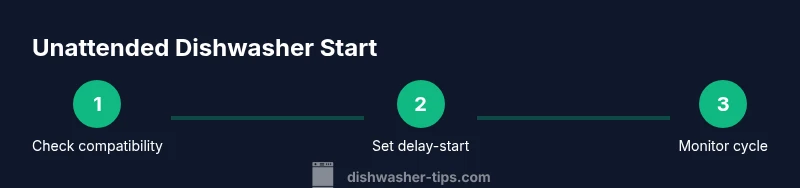
Check compatibility and safety
Confirm your dishwasher supports delay-start or remote-start and inspect for obvious safety issues such as damaged door seals, loose hoses, or visible leaks. Verify the circuit feeding the dishwasher is not overloaded and that a working GFCI is in place. This upfront check reduces the chance of a flood.
Tip: Run a quick test cycle with someone home to ensure the feature works as expected. - 2
Enable delay-start or remote start
Access the dishwasher settings or companion app and enable the delay-start/remote-start function. Choose a start time that aligns with when you’ll be away, and ensure the cycle duration fits your absence window. This step ensures the machine starts autonomously.
Tip: Double-check that the start time is 1–2 hours before you leave to avoid last-minute issues. - 3
Program start time and load safely
Load dishes properly, close the door securely, and set the cycle to a mode appropriate for unattended operation (eco or normal). Leave enough room for water spray and ensure items aren’t obstructing spray arms. Confirm the detergent and rinse aid are correct for the chosen cycle.
Tip: Avoid overloading; misloaded dishes can cause drainage problems or poor cleaning. - 4
Confirm water supply and drainage
Ensure the water shut-off valve is fully open and the drain hose is properly installed with a high loop to prevent backflow. Check hoses for signs of wear and ensure clamps are tight. A secure water path reduces flood risk.
Tip: Inspect hoses for kinks or wear before leaving; a small pre-flight check saves major headaches. - 5
Start cycle and monitor remotely
Begin the cycle and enable notifications so you receive updates on completion or errors. Use the app to confirm that the cycle started, finishes, and shows no fault codes. If your setup allows, set up a backup alert in case connectivity drops.
Tip: Keep your phone handy and ensure you have mobile data access as a fail-safe. - 6
If you need to cancel, stop safely
Know how to pause or cancel the cycle via the app or panel in case an issue arises. Do not open the door mid-cycle, as this can cause spray and debris to splash or a flood delay. After stopping, verify that water is not escaping and inspect for leaks.
Tip: If you suspect a leak, shut off the water valve immediately and contact support.
People Also Ask
Can you run a dishwasher while not home?
Yes, if your dishwasher supports delay-start or remote-start and your home is prepared for unattended operation. Always check for leaks and ensure you can monitor the cycle remotely.
Yes, you can run it away from home if you have the right features and safety setup.
What features should I look for to enable unattended operation?
Look for delay-start, remote-start via an app, and, if possible, smart home integration. These features let you schedule, start, and monitor cycles without being at home.
Look for delay-start or remote-start features and app control to operate unattended.
What should I do if there’s a leak while I’m away?
If you detect a leak, do not ignore it. Shut off the water supply if possible, evacuate the area, and contact professional support. Use leak detectors to alert you in the future.
If you see a leak, act quickly—shut off water if you can and seek help.
Is it safe to use a smart plug to control a dishwasher?
Smart plugs can work for certain models, but ensure the dishwasher’s energy and timing needs are compatible with a plug-based control. Prefer built-in delay-start when possible.
Smart plugs can work for some models, but built-in features are usually safer for unattended use.
What if the power goes out during a cycle?
Power outages can interrupt cycles. Ensure the machine resumes correctly after power returns, or be prepared to restart safely. Have a contingency plan for fully unattended days.
If power cuts happen, you may need to restart the cycle once power returns; plan ahead for contingencies.
Watch Video
What to Remember
- Verify compatibility and safety before leaving
- Use delay-start/remote-start to automate cycles
- Ensure water supply and drainage are secure
- Enable notifications to monitor remotely
- Never ignore signs of leaks or malfunctions