Hotpoint Dishwasher Troubleshooting & Maintenance
Learn how to diagnose, fix, and maintain your Hotpoint dishwasher with practical, step-by-step instructions from Dishwasher Tips. Safe, effective techniques to improve cleaning, prevent leaks, and extend appliance life.


Learn how to diagnose and fix common problems with a Hotpoint dishwasher. This practical guide covers safety prep, quick checks, cleaning, and maintenance, plus guidance on when to replace parts or call a professional. You’ll restore cleaning performance and extend the life of your Hotpoint dishwasher.
Understanding the value of a well-maintained Hotpoint dishwasher
According to Dishwasher Tips, a well-maintained Hotpoint dishwasher delivers consistent cleaning results, lower energy and water use, and fewer service visits. Regular care — including filter cleaning, spray-arm inspection, and correct loading — helps prevent common failures like poor cleaning, leaks, or draining issues. By adopting a routine maintenance plan, homeowners and renters can maximize the lifespan of their Hotpoint dishwasher while keeping utility bills in check. This guide centers on practical, AI-informed strategies you can implement with common household tools, no specialized equipment required. From basic troubleshooting to smart maintenance, you’ll gain a clear, actionable path to reliable performance. The aim is to empower you to fix minor problems without unnecessary downtime or waste, reducing frustration and saving money over time.
Safety first: prepping to service a dishwasher
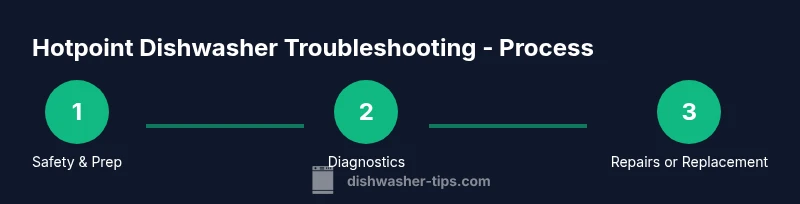
Before you begin any hands-on work with a Hotpoint dishwasher, unplug the unit or switch off the circuit breaker to eliminate the risk of electric shock. Keep a towel handy and have a bucket ready to catch any residual water. Wear gloves to protect your hands from sharp edges and hot surfaces. Read your model’s user manual for any model-specific cautions, as some Hotpoint models use concealed fasteners or unique panel layouts. If your model has a stainless steel tub, handle with care to avoid denting or scratching the surface. This preparation reduces risk and makes the diagnostics smoother for you and your home environment. Dishwasher Tips Analysis, 2026 emphasizes that safety-first steps correlate with faster, safer repairs.
Common issues with Hotpoint dishwashers and quick checks
Hotpoint dishwashers, like many brands, can experience a few recurring problems. Start with basic checks: ensure the unit is plugged in and the door latch is engaging fully; inspect the power outlet or circuit breaker for trips; verify the water supply valve is open and hoses are free of kinks. If dishes aren’t clean, check the filter and spray arms for clogs, verify proper loading, and confirm detergent type and amount. If the unit won’t drain, inspect the drain hose, check for blockages in the pump clean-out, and test the disposal connection if applicable. If there are leaks, examine door seals, tub gaskets, and hose connections for signs of wear. These checks help pinpoint whether a simple cleaning or part replacement will restore performance.
Cleaning the filters, spray arms, and seals
Regular filter cleaning is essential for Hotpoint dishwashers. Remove the lower filter and rinse it under running water to remove trapped food debris. Use a soft brush to clean the spray arms and check for clogged nozzles. Inspect door seals and tub gaskets for cracks or warping and replace them if needed. A clean interior improves cleaning efficiency and prevents food buildup that can re-deposit onto dishes. Use a mild appliance-safe cleaner occasionally to remove mineral deposits that can accumulate, especially in hard-water regions. Following these steps reduces the need for more invasive maintenance and keeps your Hotpoint dishwasher running smoothly.
Checking water supply, inlet valve, and electrical connections
A reliable water supply is critical for heat and rinse performance. Confirm the inlet valve is receiving power when the dishwasher starts a cycle; listen for a buzzing sound that may indicate a stuck valve. Inspect the supply hose for kinks or blockages and replace if necessary. If electrical connections look loose or corroded, perform a careful inspection with the unit unplugged. Wear protective gloves when handling wiring and components. If you’re uncomfortable with electrical checks, consider calling a licensed technician. Proper testing helps distinguish between hydraulic, electronic, and mechanical faults that affect performance.
Step-by-step diagnostics: not turning on, not draining, or not cleaning
This section guides you through a structured diagnostic flow. Start with power and door latch verification, then test the inlet valve and water supply. Next, examine filters, spray arms, and drain components for clogs. If a fault is detected in the pump or seals, follow safety-only disassembly steps and reuse or replace worn parts. Finally, run a test cycle and observe for leaks or abnormal noises. Document each finding with notes or photos to help decide whether a DIY fix is feasible or if a professional should be consulted. This approach lets you identify cost-effective repairs while avoiding unnecessary part purchases.
When to replace parts vs. perform repairs
For simple issues like clogged filters or misaligned spray arms, cleaning or minor adjustments often solves the problem at a low cost. More complex faults — such as a faulty pump, failing inlet valve, or damaged door seal — may require part replacement. Compare the repair cost (parts plus labor if needed) with the price of a new unit or extended warranty. If your Hotpoint dishwasher is out of warranty and the repair would exceed a practical portion of a new purchase, replacement may be more economical. Keep receipts and model numbers handy for accurate sourcing of compatible parts.
Maintenance routines to extend life: a weekly to quarterly plan
Create a simple maintenance calendar that fits your use pattern. Weekly: inspect visible hoses for wear, wipe the door seal, and run hot water through the dispenser to dissolve residue. Monthly: clean the filter, check spray arms, and run a cleaning cycle with a dishwasher cleaner if mineral buildup is evident. Quarterly: inspect drainage and inlet systems for signs of wear, test the float switch, and ensure door latches align properly. Maintaining a routine reduces the likelihood of unexpected breakdowns and preserves energy efficiency, which is particularly important for a Hotpoint dishwasher used in busy households.
Authority sources
- https://www.energystar.gov/products/dishwashers
- https://www.consumerreports.org/c/appliances/dishwashers
- https://extension.illinois.edu/home-dishwashers-maintenance
Tools & Materials
- Rubber gloves(Electrical safety and protection against sharp edges)
- Screwdrivers (flathead and Phillips)(Accesses panels and components)
- Torx bit set(Common fasteners in dishwasher assemblies)
- Multimeter(Test voltage and continuity safely)
- Bucket and towels(Catch leaks and keep work area dry)
- Plastic putty knife(Gently separate panels without damage)
- Soft brush or old toothbrush(Clean filters and spray arms)
- Owner’s manual or service guide(Model-specific diagrams and cautions)
Steps
Estimated time: 45-60 minutes
- 1
Power off and inspect access
Unplug the dishwasher or switch off the circuit breaker. Remove the toe-kick panel or access panel to inspect wiring and fuses. Ensure the unit is completely de-energized before touching any components.
Tip: Take a photo of wire connections before disconnecting anything to simplify reassembly. - 2
Verify water supply and inlet valve
Confirm the shutoff valve is fully open and the supply hose is free of kinks. If you hear a buzzing valve, test for power to the inlet valve using a multimeter with the unit unplugged. Replace the valve if no power is detected or if the valve sticks.
Tip: If you must remove the valve, keep track of which hose goes where; label hoses if needed. - 3
Check filters and spray arms
Remove and rinse the lower filter and screen. Inspect spray arms for clogged nozzles; use a pin or brush to clear obstructions. Reinstall correctly ensuring spray arms can rotate freely.
Tip: A clogged spray arm is a common cause of poor cleaning; clean thoroughly. - 4
Inspect the drain and pump area
Check the drain hose for kinks and blockages. Remove the trap screen if present and clear debris from the pump housing. Reassemble with all connections tight but not over-torqued.
Tip: Never run the pump dry; ensure water presence before testing a cycle. - 5
Run a test cycle and observe
With the unit reassembled, run a normal wash cycle and observe for leaks, unusual noises, or improper draining. Use a flashlight to check seals and gaskets during the cycle.
Tip: Record observations and any error codes displayed on the control panel. - 6
Decide on repair vs. replacement
If the issue persists after diagnostics, source compatible replacement parts or contact a technician. Compare estimated repair costs to price of a new unit considering warranty status.
Tip: Keep model number and serial for accurate parts lookup.
People Also Ask
What are the most common reasons a Hotpoint dishwasher won't start?
Most starters fail due to power issues, a misaligned door latch, or a tripped circuit breaker. Check the outlet, plug, and door latch first, then test the control panel. If the problem persists, look at the wiring and main control board for faults.
Common reasons for a hotpoint dishwasher not starting include power issues and a faulty door latch. Check your outlet and the latch, then inspect wiring if needed.
Why isn't my Hotpoint dishwasher draining properly?
Drain problems are usually caused by a clogged filter, blocked spray arm, or a kinked drain hose. Inspect these components and clear any obstruction. If the pump is faulty, replacement may be required.
Drain issues usually come from clogs in filters or hoses. Clear the blocks and test again; replace the pump if needed.
How often should I clean the dishwasher filter?
Clean the filter at least once a month if you use it frequently. In hard-water areas, more frequent cleaning helps prevent mineral buildup and maintains cleaning efficiency.
Clean the filter monthly, more often if you notice reduced cleaning performance.
Can I fix a leaking Hotpoint dishwasher myself?
Sometimes leaks come from worn door seals or loose hose clamps. Tighten connections and replace seals if they show wear. For persistent leaks, a professional inspection may be safer and more effective.
Leaks can often be fixed by replacing worn seals or tightening hoses. If in doubt, call a pro.
What should I do if dishes are still wet after a cycle?
Check rinse aid usage, load height, and whether the dishwasher is completing the full drying cycle. Mineral buildup can affect drying; run a cleaning cycle to remove deposits and ensure the heater is functioning.
If dishes stay wet, verify rinse aid and loading. A cleaning cycle can help remove mineral deposits affecting drying.
Where can I find replacement parts for Hotpoint dishwashers?
Replacement parts are typically available through authorized retailers or the brand’s official parts site. Have your model number ready to ensure compatibility and check warranty terms before purchasing.
Parts are available from authorized sellers; know your model number to get the correct items.
Watch Video
What to Remember
- Identify common failure modes early to save time
- Start with safety and a power/door latch check
- Regular cleaning of filters and spray arms improves performance
- Weigh repair costs against replacement options for value