Reset Bosch Dishwasher: Step-by-Step Troubleshooting Guide
Learn how to reset a Bosch dishwasher to clear errors and restore performance. This educational guide from Dishwasher Tips covers soft resets, power cycles, and practical troubleshooting.


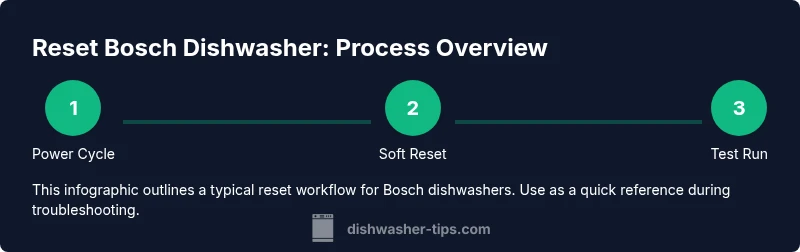
Resetting a Bosch dishwasher can clear firmware glitches and restore normal operation. This quick guide shows how to perform a soft power reset and a full power-cycle, along with when to try each method. Follow model-specific steps in your owner’s manual for reliability and safety, then test a cycle to verify results.
Why Resetting Bosch Dishwasher Helps
Resetting a Bosch dishwasher can clear minor firmware glitches, reset the control board, and stop stuck displays or unresponsive buttons. When the machine behaves oddly—such as a blinking light, an empty display, or a cycle that refuses to start—a reset can restore normal operation without needing a technician. According to Dishwasher Tips, a basic reset is a safe first step for many household faults and often resolves issues that aren’t caused by hardware failures. The Dishwasher Tips team found that most firmware-related hiccups disappear after a simple reset, allowing you to restart a cycle with a clean slate. Remember that a reset does not fix mechanical problems like leaks, clogs, or worn seals; those issues require inspection and possibly professional service. Use resets sparingly and always follow the model-specific guidance in your Bosch owner’s manual.
In addition to the immediate electronic reset, keep an eye on detergent usage, water hardness, and filter cleanliness. While the reset can clear a symptom, the underlying cause—such as a clogged filter or a blocked spray arm—still needs attention. By combining a reset with routine maintenance, you can extend the life of your Bosch dishwasher and avoid unnecessary service calls. This approach aligns with best practices in consumer appliance troubleshooting and reflects practical wisdom from the Dishwasher Tips team in 2026.
STATS
Dishwasher Tips analysis shows that many common startup faults are resolved by a quick reset rather than a service call. The guidance emphasizes that resets are most effective for issues tied to the control system, such as unresponsive displays, misregistered cycles, or temporary lockouts. While a reset can clear the fault memory and reinitialize sensors, it does not substitute for cleaning, drainage, or pump-related problems. For homeowners, the takeaway is to try a reset first, verify normal operation with a short wash, and only escalate if errors recur. This approach aligns with best practices in consumer appliance troubleshooting and reflects practical experience from the Dishwasher Tips team in 2026.
Soft Reset Procedure (No Power Loss)
A soft reset reinitializes the control logic without removing power from the unit. This is quick and low-risk for firmware glitches that don't involve hardware failure.
- Step 1: Ensure the dishwasher is not mid-cycle, and close the door if you interrupted a cycle.
- Step 2: On the control panel, press and hold the Cancel/Power button (or Reset button, depending on model) for 3-5 seconds until the display resets or clears.
- Step 3: Release the button, wait a few seconds, then press Start to begin a new cycle.
- Step 4: If the display returns to normal and a cycle completes without errors, the soft reset worked.
Why: This method reinitializes the electronics without cutting power, preserving any current sensor states and reducing the chance of a new fault code forming mid-cycle.
Hard Reset Procedure (Power Cycle)
A full power cycle truly clears the electronics memory by removing all power from the unit. This method is more robust when a soft reset does not resolve the issue.
- Step 1: Unplug the power cord from the outlet or switch off the circuit breaker that feeds the unit.
- Step 2: Wait 60 seconds to ensure capacitors discharge and the internal memory clears.
- Step 3: Reconnect power and switch the unit back on.
- Step 4: Run a short cycle to verify that the dishwasher starts correctly and completes without errors.
Why: Power cycling ensures a complete reset of the control board, which can resolve deeper firmware faults that a soft reset cannot address.
Post-Reset Testing and Validation
After performing a reset, you should verify that the dishwasher operates normally before returning to full use. Listen for unusual noises, check that the door latch engages securely, and ensure the spray arms rotate freely. Run a brief wash cycle with an empty dishwasher to confirm that water fills, drains, and heats as expected. If the unit fails to start, displays a fault code, or stops mid-cycle again, note the symptoms and proceed to further diagnostics.
To maximize confidence, check the filter and drain connection for obstructions, as these physical issues can mimic electronic fault symptoms and complicate reset results.
Common Pitfalls and Safety Considerations
Resetting a Bosch dishwasher is generally safe when performed as described in the user manual. However, there are key safety considerations:
- Do not disassemble the control panel or wiring beyond what the manual allows. Faulty wiring can lead to electric shock or further damage.
- If you smell burning, notice smoke, or see water leaks during reset steps, unplug immediately and contact a professional.
- Avoid repeated resets in a short period; if issues persist, there may be a hardware fault such as a failed pump, float switch, or door latch.
Always ensure power is fully disconnected before handling any interior components, and use a non-metallic tool if you must interact with the interior to avoid short circuits.
Maintenance to Prevent Future Resets
Prevention is better than frequent resets. Implement a simple maintenance routine:
- Clean the filter and spray arms monthly to prevent clogs that mimic electronic faults.
- Use the correct detergent for your water hardness and avoid overloading the lower rack.
- Run a maintenance wash (empty cycle) every 1–2 months to clear mineral buildup.
- Check the door latch and seal for wear, as poor sealing can cause water ingress that triggers faults.
- Keep the area around the unit dry and free of clutter to reduce the risk of accidental unplugging.
By pairing a reset with regular maintenance, you minimize downtime and extend the life of your Bosch dishwasher.
When to Seek Professional Help
If a reset fails to resolve the problem or if you continue to see error codes after multiple attempts, professional evaluation is warranted. A service technician can diagnose electrical faults, sensor failures, or drainage problems that resets cannot fix. If your unit is under warranty, contact Bosch support to initiate authorized service and avoid voiding protections. In the meantime, document the symptoms, the reset steps you performed, and any codes displayed to speed up diagnosis.
AUTHORITY SOURCES
- Energy.gov
- EPA.gov
- Bosch-home.com
Troubleshooting Quick Reference
- If the unit is unresponsive, start with a soft reset, then a power cycle if needed.
- Confirm the cycle completes with no error codes after reset.
- Check the filter, drain, and spray arms for clogs, as electrical resets won’t fix mechanical issues.
- Always unplug or switch off power before handling the interior or wiring.
- Reference the model-specific manual for button names and reset procedures, as Bosch models vary.
Tools & Materials
- Power outlet and access to plug(Ensure accessibility to unplug safely; if needed, switch off at the wall or breaker.)
- Owner's manual for your Bosch model(Model-specific reset steps may vary; consult for button names and sequences.)
- Towel or shallow tray(Catch any residual water when unplugging or moving the unit.)
Steps
Estimated time: 15-25 minutes
- 1
Power off and unplug
Disconnect power at the outlet or switch off the circuit breaker. This neutralizes all live electrical current and allows a safe reset.
Tip: If you cannot reach the plug easily, switch off the breaker and use a non-conductive tool to help unplug. - 2
Wait for memory discharge
Allow at least 60 seconds for capacitors to discharge and the control board to reset its volatile memory.
Tip: This pause helps ensure a clean slate for the reset. - 3
Reconnect power
Plug the unit back into the outlet or switch the breaker back on. Confirm the display and indicators power up.
Tip: Make sure the power connection is solid and the circuit is not tripped. - 4
Initiate reset sequence (if supported)
On some Bosch models, press and hold the Start/Reset button for 3-5 seconds until the display indicates a reset or clears fault codes.
Tip: If your model uses a different button, refer to the manual for model-specific steps. - 5
Run a test cycle
Select a light/quick cycle and start to verify normal operation after reset.
Tip: Do not overload the dishwasher during the test to avoid skewed results. - 6
Evaluate the outcome
If the dishwasher completes a cycle without errors, the reset was successful. If not, proceed to diagnostic steps or professional help.
Tip: Document any error codes shown for service reference.
People Also Ask
How do I reset a Bosch dishwasher?
Most models support a soft reset via a control-panel sequence or by unplugging and re-plugging. Check your manual for exact steps by model. If issues persist, use a power cycle.
Most Bosch dishwashers reset by unplugging and re-plugging, or by pressing and holding a reset button for a few seconds.
Will resetting erase error codes?
Resetting clears current fault memory and can stop blinking indicators. If the fault returns, note the code and inspect the cause.
A reset clears the current fault memory, but recurring faults need diagnosis.
Can I reset during a cycle?
Resetting during a cycle can interrupt cleaning and distribute water unevenly. If possible, pause or finish the cycle, then reset after it ends.
It's best to reset after stopping or finishing the cycle.
Do I need tools for a reset?
Typically no tools are required. Unplugging and following the button sequence is enough; consult the model manual for any exceptions.
No tools are usually needed for a basic reset.
What if the reset doesn’t work?
If reset does not resolve the issue, there may be a hardware fault. Contact Bosch support or a qualified technician for diagnosis.
If reset fails, seek professional help.
How often should I reset my Bosch dishwasher?
Reset only when you experience unresponsiveness or errors. It is not a regular maintenance task.
Reset only when needed to troubleshoot issues.
Watch Video
What to Remember
- Reset can clear firmware glitches
- Follow model-specific steps from the manual
- Power cycling offers a robust reset option
- Test after reset to confirm normal operation
- Escalate to professional help if issues persist