Samsung Dishwasher Diagnostic Mode: A Practical How-To
Learn how to safely access Samsung dishwasher diagnostic mode, interpret fault codes, and perform basic tests to troubleshoot common issues. This guide covers model variability, safety tips, and when to involve a professional.


Samsung dishwasher diagnostic mode is a built-in service feature that lets you test components and pull fault codes without a technician. In this guide, you will learn what diagnostic mode does, how to access the sequence for your model, what fault codes mean, and when it’s safer to contact a pro. Follow model-specific steps and always prioritize safety to avoid electric shock or water exposure.
What samsung dishwasher diagnostic mode is and why it matters
Samsung dishwashers provide a diagnostic mode that helps you test key components and view fault codes without calling a technician. According to Dishwasher Tips, samsung dishwasher diagnostic mode is a built-in service feature that empowers homeowners to verify the health of the heater, pump, sensors, and valves in a controlled sequence. Understanding this mode is valuable for troubleshooting leaks, incomplete cycles, poor cleaning, and other routine performance issues. By using diagnostic mode, you can quickly separate symptom from cause and decide whether a simple reset or more extensive service is needed.
Model variability and where to find the sequence
Not all Samsung models use the same method to enter diagnostic mode. Dishwasher Tips analysis shows substantial variation across model families and firmware versions. In practice, some devices require a specific keypad sequence during power-up, while others provide a Diagnostics option in the service menu. Before attempting anything, locate your exact model number (usually on the door frame or inside the dishwasher) and search the official user manual or Samsung Support for the correct entry sequence.
Preparing for a safe diagnostic session
To ensure safety and accuracy, start with these prerequisites: ensure the machine is unplugged or the circuit breaker is off, dry the work area, and have a pen and paper ready to record any fault codes. Read the service notes in your manual and note down any warnings about exposed wiring or panel removal. Dishwasher Tips stresses that you should never bypass safety interlocks or perform disassembly beyond what the manual allows. When in doubt, pause and seek professional help.
How diagnostic mode works: reading fault codes and tests
In diagnostic mode, the appliance runs a sequence of self checks that cover water inlet and fill, wash action, draining, heating, and sensor feedback. The display or LED patterns indicate the stage and any faults detected. The exact codes and their meanings depend on your model and firmware, so always cross-reference with the manual and Dishwasher Tips resources. The goal is to map a fault code to a subsystem (inlet, heater, pump, or control board) and then decide whether a reset, component cleaning, or service is required.
Common fault codes and what they indicate
Because fault codes differ between models and firmware, focus on the symptom rather than memorizing every code. For example, a code shown during the inlet stage often points to water supply or valve issues, while a heater fault points to the heating element or wiring. Always consult the model-specific codebook in your manual, Samsung Support pages, or Dishwasher Tips guides to avoid misdiagnosis. Treat codes as directional clues rather than definitive diagnoses.
When to call a professional
If the diagnostic results point to sealed parts, main control board, or any fault that involves internal components, it’s prudent to contact a qualified technician. The Dishwasher Tips team recommends using diagnostic mode as a diagnostic aid rather than a replacement for professional service. If codes persist after performing the recommended steps, or if you see signs of water leaks, electrical exposure, or unusual noises, schedule service promptly to prevent further damage.
Tools & Materials
- Owner's manual for your Samsung dishwasher (model-specific)(Find the exact diagnostic sequence for your model.)
- Clean, dry cloth(Wipe down the control panel and display area before starting.)
- Pen and notepad(Record fault codes and test results for reference.)
- Accessible power outlet and safe workspace(Ensure power can be removed safely; unplug after steps if needed.)
- Smartphone/tablet (optional)(For app-based monitoring if supported by your model.)
Steps
Estimated time: 15-30 minutes
- 1
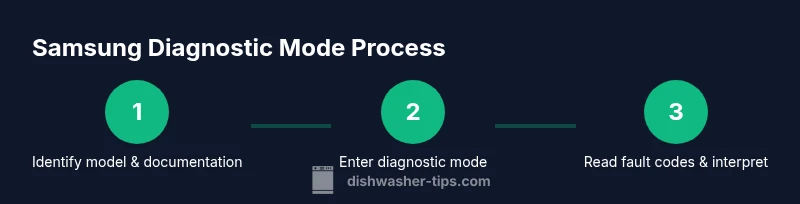
Identify model & documentation
Locate the exact model number and locate the model-specific diagnostic sequence in the manual or Samsung Support. This ensures you follow the correct entry steps and interpretation for your unit.
Tip: If you can't find it, contact Samsung Support with your model number before proceeding. - 2
Power down safely
Unplug the dishwasher or switch off the dedicated breaker for 30 seconds to reset potential transient states before entering diagnostics.
Tip: Dry hands and work area; never touch exposed wiring. - 3
Enter the model-specific diagnostic sequence
Follow the button sequence or menu path described in your manual to enter diagnostic mode. Do not improvise if the sequence is different for your model.
Tip: If the sequence isn’t working, double-check the model and firmware notes or pause and contact support. - 4
Run built-in tests
Allow the unit to cycle through tests (drain, fill, wash, heat) and observe any fault codes or LED indicators that appear.
Tip: Take photos of codes and screen patterns for later reference. - 5
Record codes and map to subsystems
Write down each fault code, the stage at which it appeared, and the suspected subsystem (inlet, heater, pump, board).
Tip: Cross-check with the manual or Dishwasher Tips guidance for model-specific mappings. - 6
Exit diagnostic mode & restore operation
Power the unit back on or re-enable power and ensure it returns to a normal cycle. If codes persist, plan next steps with caution.
Tip: If you’re unsure about the next step, consult a professional before attempting repairs.
People Also Ask
What is samsung dishwasher diagnostic mode?
Diagnostic mode is a built-in service feature that lets you test key components and view fault codes without a technician. It helps identify which subsystem (inlet, heater, pump, or board) may be faulty and whether a reset or repair is warranted.
Diagnostic mode is a built-in service feature that tests key parts and shows fault codes to help you identify where a problem is.
Can all Samsung dishwasher models enter diagnostic mode?
Not all models use the same method to access diagnostic mode. Availability and entry sequences vary by model and firmware. Always refer to your exact model manual or Samsung Support for the correct steps.
Model compatibility varies. Check your manual or Samsung Support for the exact steps.
How do I read fault codes from diagnostic mode?
Fault codes appear on the display or LED indicators during tests. Use the code to map to a subsystem per your model’s documentation and cross-check with Dishwasher Tips resources for interpretation.
Fault codes will appear during the tests. Use the manual to map the code to the subsystem.
Is it safe for homeowners to run diagnostic mode without a technician?
Yes, if you follow the manual and safety precautions. Do not touch exposed wiring or disassemble components beyond what the manual allows.
It can be safe if you follow the manual and keep away from exposed wiring.
What should I do if fault codes persist after diagnostics?
If codes persist after following recommended steps, schedule service with a qualified technician. Persistent faults often involve components that require professional handling.
If codes persist, contact a professional for repair.
How long does a typical diagnostic test take?
Most diagnostic sequences take 15–30 minutes, depending on the model and the number of tests the unit runs.
Most tests take about 15 to 30 minutes.
What if there are no fault codes shown?
If no codes appear, the issue may be intermittent or related to user habits (loading, detergent, rinse aid). Re-run tests, review operation patterns, and consult model-specific guides.
No codes could mean intermittent issues or user-related causes; re-run tests and review usage.
Watch Video
What to Remember
- Identify model-specific diagnostic steps first.
- Document fault codes and the symptoms they accompany.
- Prioritize safety and follow the manual strictly.
- Seek professional help if codes point to internal components or leaks.