Samsung Dishwasher Light Flashing: Troubleshooting Guide
Learn to diagnose and fix a flashing light on Samsung dishwashers with an urgent, practical troubleshooting guide. Safe steps, common causes, and when to call a pro.


Most often, a flashing light on a Samsung dishwasher signals a drainage, door latch, or sensor fault. Start with quick, safe checks: inspect the door latch and gasket, clear the drain and filter, and power-cycle the unit. If the light persists, read the error code from the control panel and proceed with the diagnostic flow.
What the flashing light on your Samsung dishwasher means
A blinking LED or flashing indicator light on a Samsung dishwasher is usually a fault signal rather than a random anomaly. It can indicate a drainage problem, a door latch issue, a sensor fault, or an aborted cycle. Samsung dishwashers use lights to convey error codes; if you see a pattern, consult the control panel for an error code or blinking sequence. In 2026, homeowners report drainage and door latch faults as two of the most common reasons for a flashing light. The key is not to ignore the warning: a persistent flash can mean water won’t drain or a cycle was interrupted, which could lead to leaks. Start with the most accessible checks: make sure the door is fully closed and latched, verify the drain is clear, and perform a safe power cycle to reset transient errors. According to Dishwasher Tips, addressing the root cause early reduces risk of bigger failures and costly repairs.
Quick checks you can perform safely
Before you call for service, perform a few safe checks to rule out simple causes. Always unplug the unit before sticking your hands inside any components.
- Inspect the door latch and door seal; a misaligned latch or damaged gasket can trigger a fault code. Make sure nothing is obstructing the latch.
- Check the drain filter and sump for debris. A clogged filter is a frequent reason for drainage-related flashing.
- Look over the drain hose for kinks or a trap that’s blocked. A blocked drain can prevent proper water flow and trigger warnings.
- Confirm the detergent-drawer isn’t jammed or leaking, which can affect sensors and cycles.
- If your model has a reset or cancel option, try a gentle reset after letting the unit sit unplugged for a minute.
- After each check, plug the unit back in and run a quick cycle to see if the light behavior changes.
If this doesn’t resolve the issue, move to deeper diagnostics. The flashing light is a signal; follow the diagnostic flow to isolate the exact fault. The Dishwasher Tips team emphasizes documenting any error codes you see and the steps you took, so you have a clear record when you contact support.
Common culprits behind a flashing light
There are several frequent causes behind a Samsung dishwasher light flashing. Knowing the likely culprits helps you prioritize fixes.
- Door latch or switch problems: A faulty latch can stop a cycle and trigger a fault indicator. Likelihood: high.
- Drainage problems or a clogged filter: If water can’t drain, the machine may flash to signal an issue. Likelihood: high.
- Control board fault: A failed board or faulty wiring can flash intermittently or during certain cycles. Likelihood: medium.
- Water inlet valve issues: If water isn’t entering correctly, sensors may trigger. Likelihood: low.
- Float switch or sensor faults: A defective sensor can cause false fault codes. Likelihood: medium.
Tip: Note the exact pattern of flashing (e.g., a single blink, rapid blinks, or a constant glow) as it maps to specific error codes in your model’s manual.
Safe reset and cleaning routines to try now
Resetting and cleaning can clear transient faults without tools. Do these steps in order and stop if the light goes out or the cycle completes normally.
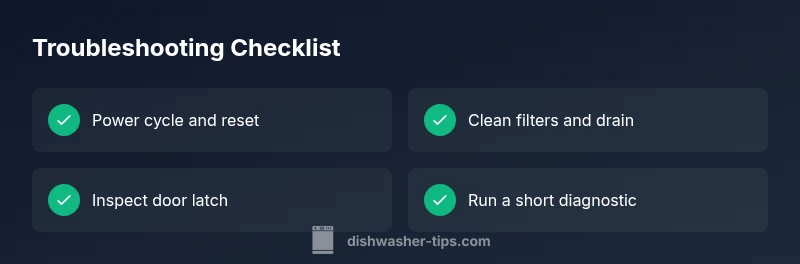
- Power cycle: Unplug the dishwasher for 60 seconds, then plug back in. This resets many minor faults and memory states.
- Clean filters and sump: Remove and rinse the filter, clean the sump and spray arms, and ensure there’s no standing water.
- Check the door latch: Confirm the latch engages fully and the door closes with a solid seal.
- Run a diagnostic or test cycle if your model supports it: Follow the manual’s instructions to initiate a short diagnostic cycle.
- Run a hot water wash: A quick 15–20 minute hot cycle can help clear minor sensor errors and test the drainage after cleaning.
If the flashing continues after a reset and cleaning, proceed to deeper diagnosis or call a pro. Safety remains top priority: never force components, and avoid touching live electrical parts.
When to call a technician and what to expect
If you’ve completed the quick checks and safe resets but the light still flashes, it’s time to involve a technician. A pro can confirm electrical integrity, inspect wiring harnesses, and test components with proper equipment. common service actions include latch replacement, drain pump inspection or replacement, and control-board diagnostics. Have your model number, any error codes, and a log of the steps you took ready for the technician. This helps shorten the visit and ensures the right part is ordered.
Prevention: keeping the LED steady
Preventing future flashing lights is easier with a simple routine. Consistency in maintenance reduces the chance of faults and unexpected outages.
- Clean filters monthly to maintain proper drainage and sensor readings.
- Use only the recommended detergent and rinse aid to prevent residue that can trigger sensors.
- Descale if you have hard water; mineral buildup can affect sensors and flow.
- Check door seals and gaskets during routine cleaning to prevent air leaks that confuse sensors.
- Maintain a regular cycle schedule to prevent stagnant water and ensure consistent performance.
Steps
Estimated time: 30-60 minutes
- 1
Power off and inspect door latch
Unplug the dishwasher. Open and close the door to ensure the latch engages fully. If the latch feels loose or the switch doesn’t click, replace the latch.
Tip: A loose latch is a common cause of false fault signals. - 2
Clean filters and drain
Remove the lower spray arm and filter assembly. Rinse debris, then reassemble. Run water-only drain checks to confirm proper drainage.
Tip: Even small debris can trigger drainage faults. - 3
Reset and test
Reconnect power and perform a factory reset or diagnostic test as per your model’s manual. Observe whether the light stops flashing after the reset.
Tip: Document any error codes shown during reset. - 4
Run a short diagnostic cycle
If available, initiate the built-in diagnostic mode and follow audible/visual prompts to identify faulty components.
Tip: Do not run diagnostic cycles with the unit unplugged. - 5
Escalate if unresolved
If the light persists, schedule service. A pro will test the control board, wiring, and sensors with specialized tools.
Tip: Having model and serial numbers ready speeds up service.
Diagnosis: Samsung dishwasher light flashing during or after cycles
Possible Causes
- highDoor latch issue
- highDrainage problem or clogged filter
- mediumControl board fault
- lowWater inlet valve issue
- mediumSensor or float switch fault
Fixes
- easyInspect and secure door latch; replace if damaged
- easyClean drain filter and sump; ensure proper drainage
- easyPower cycle and reset control; test cycle
- mediumTest water inlet valve and wiring; replace if faulty
- mediumCheck sensor/switch assemblies; replace if needed
People Also Ask
What does a flashing light mean on a Samsung dishwasher?
A flashing light typically signals a fault in drainage, door latch, or a sensor. Check the control panel for an error code or pattern and follow the diagnostic steps in your model’s manual.
A flashing light usually means a fault like drainage or a door latch. Check for an error code and follow the model’s steps.
Is it safe to reset the dishwasher when the light flashes?
Yes, perform a safe power cycle and any built-in reset. If the light returns, proceed with diagnosing drainage, latch, or sensor issues before calling a technician.
You can reset safely by power cycling, but if it keeps flashing, you should diagnose or call a pro.
What are the most common causes of a flashing light?
Door latch issues and drainage problems are among the top causes. Control board faults and sensor problems are less frequent but possible.
Most often it’s the door latch or drainage problems, with occasional control-board or sensor faults.
How do I reset my Samsung dishwasher to stop flashing?
Unplug for 60 seconds, then plug back in and run a diagnostic or a short cycle to verify stability. If it persists, proceed with deeper checks or professional help.
Unplug for a minute, plug back in, and run a short test to see if the light stays off.
When should I call a professional?
If the light continues after all safe checks and resets, or if you notice water leaks, unusual noises, or error codes that you can’t clear, a technician should diagnose the control board, wiring, or drainage.
Call a pro if the light won’t clear after tests or if you see leaks or other unusual signs.
What if the issue involves the door seal or drain pump?
Door seals can wear out and cause faults; drain pumps can clog or fail. Replacements may be needed and should be performed by a qualified technician.
Worn door seals or a failing drain pump may require professional replacement.
Watch Video
What to Remember
- Identify the flashing pattern and map to codes
- Start with power cycle, cleaning, and latch checks
- If unresolved, escalate to professional service
- Document error codes and steps taken
- Maintain regular cleaning to prevent future faults