E24 Code Bosch Dishwasher Troubleshooting: Urgent Fixes to Drain Again
Urgent guide to diagnosing and fixing the e24 code on Bosch dishwashers. Learn quick checks, common causes, step by step fixes, and safety tips to get your machine draining again.


An E24 error on a Bosch dishwasher signals a drainage fault preventing proper water exit. The fastest fix is to clear the drainage path: remove and clean the filters, inspect the drain hose for kinks or clogs, and ensure the sump pump can run freely. If water remains in the sump after a cycle, unplug the unit and perform deeper diagnostics, including pump testing and hose inspection for blockages.
What the e24 code bosch dishwasher Means
The e24 code bosch dishwasher indicates a drainage fault that prevents proper drainage of wastewater after a wash cycle. In Bosch models, this error appears when the dishwasher cannot evacuate water from the sump or the drain path within the appliance. Commonly, a clogged filter, a blocked or kinked drain hose, or a malfunctioning drain pump triggers this code. If the dishwasher cannot drain, it will not start the next cycle and may halt mid cycle with the error indicator illuminated. Understanding that the core issue is drainage helps you prioritize checks that restore flow without replacing components prematurely.
Brand context and practical steps from Dishwasher Tips emphasize starting with the simplest culprits before escalating to parts replacement. The goal is to restore proper drainage efficiently and avoid unnecessary service calls. The e24 code bosch dishwasher typically resolves with filter cleaning, hose inspection, and pump verification, but persistent faults may require pump or control board diagnostics. You should plan for a methodical approach rather than a quick guess, especially in kitchens where frequent use tests are needed.
Quick Checks You Can Do Before Calling for Help
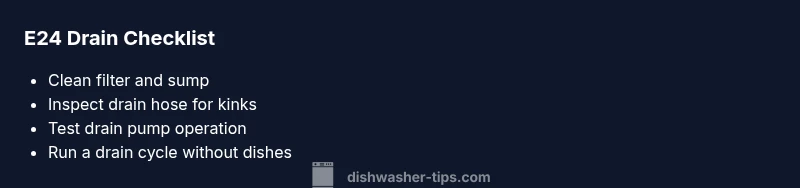
If you see the e24 code bosch dishwasher, you can perform several safe, quick checks to confirm the drain path is clear. First, unplug the appliance and pull it out enough to access the bottom panel. Remove the lower rack and locate the filter and sump. Clean the filter screen and remove debris from the sump area. Rinse with warm water to ensure smooth flow. Next, inspect the drain hose for kinks, clogs, or any compression that blocks drainage. If you find a blockage, disconnect the hose and flush it with water until clear. Finally, reassemble loosely and run a short drain test cycle without dishes to observe if water exits freely. If the error persists, you’ll want to progress to more thorough diagnostics or consider professional help.
Common Causes of E24 (In Order of Likelihood)
- Clogged drain filter or debris in the sump — high likelihood. A dirty filter is the most frequent cause of drainage problems and is easy to address.
- Drain hose blockage or kink — medium likelihood. A squeezed or clogged hose can stop water flow and trigger E24.
- Faulty drain pump or impeller jam — medium likelihood. A failing pump may not evacuate water even after clearing other paths.
- Control board or sensor fault — low likelihood. Electrical issues can mimic drainage faults and require professional assessment.
- Improper installation or detergent overload — low likelihood. In rare cases, misrouting of hoses or excessive foam can affect drainage.
Step-by-Step Fix for the Most Common Cause
The most common fix targets a clogged filter and sump. Start by unplugging the unit and pulling it away from the wall. Remove the lower access panel and take out the filter assembly. Clean the filter screen with warm water and scrub away any debris. Reassemble and run a test cycle to verify drainage. If the message returns, next inspect the drain hose for kinks or blockages. Detach the hose from the dishwasher and from the drain setup, then flush with water or a mild, non-caustic cleaner. Reattach and test again. If water still fails to drain, you should check the drain pump by listening for the pump operation during a drain cycle and inspecting the impeller for obstruction. Finally, reassemble all parts and perform a full cycle to confirm the issue is resolved. If the drain pump does not operate, replacing the pump or consulting a professional is advisable.
Other Possible Causes and How to Confirm
Beyond the common clog and hose issues, a partial sump blockage can prevent drainage. Inspect the sump interior for accumulated debris and wipe clean. A faulty pressure switch or water level sensor can misreport levels, causing the dishwasher to halt drainage cycles. If you suspect a sensor fault, you may need a diagnostic scan with specialized software to verify the signal from the control board. A damaged control board can also lead to erratic drain behavior; however, this is a less frequent cause and typically requires professional service. When evaluating these causes, run a test cycle with and without drain inhibitors engaged to isolate the issue more precisely.
Safety, Warnings, and When to Call a Pro
Always unplug the dishwasher before any disassembly and wear gloves to protect your hands from sharp edges. Do not force components or reconnect power while panels are removed. If you encounter a flooded base, leakage, or burning smell, stop immediately and call a licensed technician. If you cannot locate the drain pump or verify that the impeller moves freely, a professional repair may be necessary. For professional services, expect a range of costs for diagnosing and replacing drain components, with typical DIY savings on minor tasks but higher service charges for parts replacement and electronics.
Testing and Verification After Repairs
After completing any cleaning or part replacement, run a drain test by starting a cycle with no dishes and selecting a quick wash option. Observe the drain function: water should flow out within a few minutes and the drum should fill and drain smoothly without stopping prematurely. If the unit still shows E24 after these steps, recheck all connections and tighten hose clamps. A final full cycle should complete without interruption. Document the steps you took and the results so you can share them with a professional if needed. Regular checks will help you catch clogs early and keep drainage reliable.
Preventive Maintenance to Avoid E24 in the Future
Create a simple routine to prevent drainage issues. Clean the filter and remove debris from the sump at least once a month if you run the dishwasher frequently. Check the drain hose for kinks or compression and ensure the hose is routed to prevent siphoning. Use only the recommended detergent and avoid pouring large quantities that create excessive foam. If you notice slow draining after cycles, fix it early before it escalates to a full E24 fault. Keeping the drain pathway clear minimizes the risk and extends the life of the drain pump.
Steps
Estimated time: 60-90 minutes
- 1
Power off and unplug the unit
Pull the dishwasher away from the wall and unplug the power cord to eliminate shock risk before opening access panels.
Tip: Keep the plug accessible and use a flashlight to inspect internal parts. - 2
Access the drain area and remove the filter
Remove the lower rack, take out the filter screen, and carefully lift out any debris. Rinse under warm water to clear all clogs.
Tip: Be gentle with plastic parts to avoid cracking seals. - 3
Inspect and clean the sump and filter housing
Inspect the sump area for any stuck debris that could impede drainage. Use a soft brush to clean tight corners and ensure the housing is dry before reassembly.
Tip: Use towels to absorb residual water to avoid spills. - 4
Check the drain hose and its connections
Trace the drain hose from the dishwasher to the drain or disposal, looking for kinks, clogs, or loose clamps. Detach and flush to clear obstructions.
Tip: Secure hose clamps firmly after reattachment to prevent leaks. - 5
Test the drain pump operation
With panels reassembled, power on and start a drain cycle to listen for the pump. If you hear no sound or grinding, the pump may be faulty.
Tip: Do not run the unit without water in the sump beyond a brief test. - 6
Reassemble and run a full cycle
Reinstall all panels, reinsert racks, and run a full wash cycle with no dishes. Confirm proper draining and that no error reappears.
Tip: Observe for leaks during the cycle. - 7
Assess need for pump or board replacement
If drainage still fails, the drain pump or control board may require replacement. This is more complex and may need a professional.
Tip: Obtain model-specific part numbers before ordering replacements. - 8
Document results and next steps
Record the steps taken and results to aid future maintenance or to share with a technician if you seek professional help.
Tip: Keep receipts and warranty information handy.
Diagnosis: Error code E24 displayed, water won't drain
Possible Causes
- highClogged drain filter or sump debris
- mediumDrain hose kink or blockage
- mediumDrain pump failure or impeller jam
- lowControl board or sensor fault
Fixes
- easyClean the drain filter and sump area
- easyInspect and straighten or unclog the drain hose
- mediumTest drain pump operation and clear impeller
- hardReplace drain pump or diagnose control board
People Also Ask
What does the E24 code mean on a Bosch dishwasher?
E24 signals a drainage fault. It indicates water cannot drain properly due to clogs, hose issues, or pump problems. Start with the drain path checks and progress to pump testing if needed.
E24 means a drainage fault. Start with the drain path checks and then test the pump if necessary.
Can I fix E24 myself safely?
Yes for the common causes like clogged filters and hoses. Always unplug first and follow step by step checks. If you encounter pump or board issues, consider professional service.
Yes for simple fixes. Unplug first and follow the steps. If it involves the pump or control board, call a pro.
What are typical costs if I hire a pro for E24 repair?
Diagnostic service often ranges from modest to moderate, with pump replacement typically in the mid to high hundreds depending on parts and labor. Control board replacement can be higher. Always request an itemized quote.
Diagnostics run from low to mid range; pump or board replacement can be several hundred dollars depending on parts and labor.
When is replacement more sensible than repair?
If the drain pump or control board fails repeatedly after repairs, or the unit is old and inefficient, replacement may be more cost effective in the long run.
If repairs keep failing or the unit is old and inefficient, replacement may be more economical.
Will using a descaler or cleaning solution help with E24?
Cleaning solutions can help remove mineral buildup that can affect drainage, but they are not a substitute for mechanical cleaning of the filter, hose, and pump. Use according to manufacturer directions.
Cleaning solutions can aid but are not a replacement for mechanical cleaning.
Is E24 linked to installation problems?
Yes in rare cases where hoses are misrouted or the unit sits unevenly, drainage can be affected. Recheck install guidelines if the problem started after moving or setting up the dishwasher.
It can be related to installation if hoses are misrouted or the unit is not level.
Watch Video
What to Remember
- Power down before any inspection
- Start with filters and hose, then test drain
- If the pump or board seems faulty, seek professional help
- Regular cleaning prevents E24 recurrence