How to Reset an IFB Washing Machine: Step-by-Step Guide
Learn how to reset your IFB washing machine safely with a clear, model-agnostic guide. Covers power cycles, drain modes, factory resets, and when service is needed.


This guide walks you through resetting an IFB washing machine safely after an error or unresponsive cycle. You’ll need a stable power source and access to the control panel. Steps commonly involve a power cycle, selecting a reset or drain mode, and, if available, a factory reset option. Model variations may apply.
Resetting an IFB Washer: Why and When
Resetting an IFB washing machine can clear software glitches, stalled cycles, and sensor misreads that sometimes occur after an unresponsive cycle or error code. It is not a cure for mechanical faults like a broken pump, clogged hoses, or leaking seals. Use resets as a first-line, non-invasive troubleshooting step when the display shows an error or the unit won’t advance through a normal cycle. Before you reset, confirm there’s no standing water, the door is firmly closed, and you have a stable power supply. If you hear unusual noises or smell burning plastic, discontinue and seek professional help. By understanding what a reset does and when it’s appropriate, you avoid unnecessary service calls and potential damage. The goal is to reinitialize the control system so it can communicate with sensors and motors again, not to repair broken hardware. According to Dishwasher Tips, practical DIY diagnostics can save time and money when used properly, but knowing when to stop is equally important.
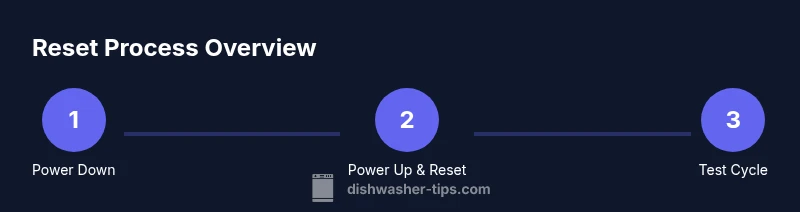
""
Tools & Materials
- IFB washing machine user manual (model-specific)(Keep on-hand for model-specific reset steps and code definitions)
- Stable power outlet and working power cord(Ensure safe grounding and proper voltage)
Steps
Estimated time: 15-30 minutes
- 1
Power down and unplug
Unplug the machine from the wall outlet. If possible, switch off the circuit breaker for 60 seconds to discharge residual energy from the control board. This helps ensure a clean restart and reduces the risk of short-circuits when you power back up.
Tip: Wait a full minute to allow capacitors to discharge and the microcontroller to reset. - 2
Check for model-specific reset sequence
Refer to the user manual for any button combinations to trigger a reset, drain cycle, or service mode. If there’s no explicit reset, proceed with the general power-cycle method.
Tip: If you can’t find a sequence, you can proceed with the generic steps and verify via a test cycle. - 3
Perform a drain/diagnostic cycle if available
With power restored, select a drain or diagnostic cycle if your model offers one. This helps clear water in the drum and reinitializes sensors that may be stuck.
Tip: Make sure the drum isn’t overloaded and that there’s no water around the unit’s base before starting. - 4
Execute factory reset if offered
Some IFB models provide a factory reset option in the menu or service mode. Follow the manual precisely to initiate it, noting that this may reset user settings.
Tip: Factory reset may erase saved preferences; note them beforehand if possible. - 5
Run a test wash to verify
Reconnect power and run a quick test cycle with a small load to confirm normal operation and monitor for error codes or leaks.
Tip: Watch temp, water level, and drum rotation closely during the test. - 6
Document results and plan next steps
Record what worked and what didn’t. If issues persist, contact service and provide model number, firmware version, and any error codes seen.
Tip: Having documentation helps the technician diagnose issues faster.
People Also Ask
What does resetting an IFB washing machine do?
A reset clears software glitches and reinitializes sensors, often solving unresponsive cycles. It is not a fix for mechanical faults like a failed pump or leaks.
Resetting clears software glitches and restarts the control system, but it won’t fix mechanical problems.
Can I reset IFB without the manual?
You can try a generic power cycle and common button combinations if the manual isn’t available, but model variations exist.
Yes, try a power cycle and look for common reset combos; if unsure, consult the manual or support.
What should I do if the error persists after reset?
If error codes persist after resetting, unplug, wait 60 seconds, and contact IFB customer service or a qualified technician.
If it keeps showing errors after resetting, stop using it and call service.
Is a factory reset safe for my settings?
A factory reset may restore defaults and erase saved preferences. Note any important settings before performing it.
Factory reset resets to defaults, so note your settings first.
How long should I test after a reset?
Run a quick cycle for about 15-20 minutes to ensure operation is normal and there are no leaks.
Test with a short cycle for about 15 minutes to verify operation.
When should I call a technician?
If reset doesn’t fix the issue or you notice leaks, noises, or non-draining, seek professional service.
If issues persist or you see leaks, call a technician.
Watch Video
What to Remember
- Power cycle first to reinitialize electronics
- Use model-specific reset if available
- Run a test cycle to confirm success
- If problems persist, seek service