How to Turn Dishwasher On: A Practical Start Guide
Learn how to safely turn on a dishwasher and start a cycle with confidence. This step-by-step guide covers power checks, control layouts, and practical troubleshooting for common issues.


By following this guide, you’ll confidently turn on your dishwasher and start a cycle safely. Begin with basic power checks, locate the correct control, and confirm the door is fully closed before pressing Start. This quick answer outlines the exact steps and common safety tips to help homeowners and renters get moving fast.
How your dishwasher powers on: a baseline
Dishwashers have a few common power states: idle standby, active cycle, and safety-locked mode when the door is open. Knowing these states helps you avoid starting the wrong mode or thinking the unit is broken. Start with a quick power check: ensure the unit is receiving power at the outlet or that the circuit breaker feeding the kitchen is on. The Dishwasher Tips team notes that model variations exist, but most machines share a similar control flow, so the steps outlined below apply broadly. This understanding helps you turn on the dishwasher with fewer surprises and reduces the chance of accidentally running a cycle when you don’t intend to.
Tip: If you’re on a shared circuit, consider temporarily turning off other high-draw appliances while testing the start sequence.
Safety and power checks before you press Start
Safety comes first. Verify the dishwasher is plugged in or connected to a live circuit. If a wall outlet or the kitchen breaker trips, the unit won’t start. Next, inspect the door latch: the door must close fully and click. Finally, look for responsive lights or a display on the control panel; if nothing responds, you may be dealing with a power issue or a blown fuse. If you notice signs of moisture near outlets or smelling burning plastic, discontinue use and consult a professional. The Dishwasher Tips team emphasizes that these checks prevent unsafe starts and protect your appliance.
Step-by-step: turning on and starting a cycle
-
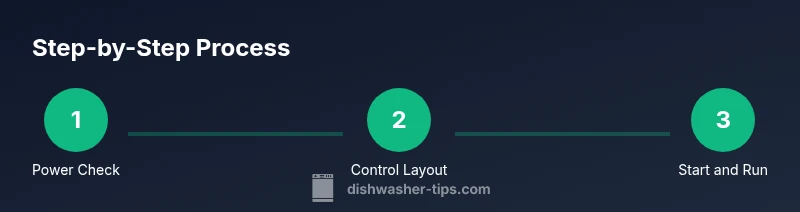
Verify power and safety: Confirm the dishwasher is plugged in or the circuit is on. Ensure the door is closed and the latch engages fully; without a secure door, the machine will not start. This baseline check reduces the chance of a false start and keeps you safe.
-
Locate and understand the control panel: Find the control panel on the front door and identify the power symbol or main dial. If the panel is dim or unresponsive, there may be a power issue requiring reset or a closer inspection of the outlet or breaker.
-
Close the door securely and select a cycle: Close the door firmly until the latch clicks. Choose the cycle you want using the keypad or dial, and confirm your selection before proceeding.
-
Start the cycle: Press Start or the equivalent button. Some models require you to hold the Start button for a second or two. You should hear a click or see the countdown begin.
-
Confirm the cycle has begun: Look for a cycle indicator LED or a countdown timer on the display to verify the machine is actively running. If you see no indication, proceed to reset.
-
If your model has a delay start: Disable delay if you want immediate start, or set the delay timer as needed. This ensures the machine begins when you intend.
-
If the dishwasher does not respond: Attempt a reset by unplugging for 60 seconds or flipping the circuit breaker, then restore power and try again. This is a safe way to clear minor control glitches.
-
When in doubt, consult the manual: Model-specific steps vary; use your owner's manual or the Dishwasher Tips guide for troubleshooting.
Pro tip: Keep a small notebook of your model’s quirks so you can follow the exact sequence quickly next time.
Troubleshooting when the unit won't turn on
If the unit refuses to start, start with the basics: power, door latch, and control responsiveness. Check if the outlet is live by testing another device, inspect the door latch for any damage or misalignment, and ensure the control panel responds when you touch it. If there are error codes on the display, refer to your model’s manual to interpret them. Common culprits include a tripped breaker, a blown fuse, or a damaged control board. In many cases, a safe reset resolves unresponsiveness, but persistent issues may indicate a hardware fault that requires professional service. The Dishwasher Tips team recommends documenting any error codes and recent changes to the unit to aid diagnosis.
Maintenance practices to prevent future issues
Regular maintenance reduces the likelihood of power and start problems. Clean the door latch and seal to prevent misreads of the closed-door signal. Inspect the power cord for wear and avoid running the dishwasher on damaged extension cords. Keep the area around the outlet dry and free from clutter to prevent electrical hazards. Periodically review the control panel for dirt or moisture buildup and wipe it with a dry cloth. A simple quarterly check can keep the start sequence smooth and reliable, preserving the longevity of your appliance.
Quick-start checklist you can print
- Verify power at outlet or circuit breaker is ON
- Confirm door latch engages fully when closed
- Locate and understand the control panel, power button, or dial
- Select the cycle you want and confirm your choice
- Press Start (or hold as required by model) until you see indicators
- If unresponsive, unplug for 60 seconds or reset at the breaker
- Check for error codes and consult the manual if needed
- If you still can’t start, contact support with model number
Note on model variations
Different brands may label the Start button differently or use a single button for all cycles. Always refer to your user manual for exact terminology and steps. The principles—power, door latch, cycle selection, and starting the cycle—are consistent, but the UI can vary. Keep this in mind when you troubleshoot across different units in your home.
Tools & Materials
- Owner's manual(Model-specific control layout and safety notes)
- Access to main power supply(Know your circuit breaker or wall switch to restore power if needed)
- Non-slip mat (optional)(Provides stability if you’re working near water)
- Flashlight (optional)(Helpful in dim utility areas)
Steps
Estimated time: 20-45 minutes
- 1
Verify power and safety
Confirm the dishwasher is plugged in or the circuit is on. Ensure the door is closed and the latch engages fully; without a secure door, the machine will not start. This baseline check reduces the chance of a false start and keeps you safe.
Tip: If the outlet feels warm, stop and inspect for overload; this could indicate a wiring issue. - 2
Find the control panel and power button
Locate the control panel on the front door and identify the power symbol or main dial. If the panel is dim or unresponsive, there may be a power issue requiring reset or a closer inspection of the outlet or breaker.
Tip: Consult the manual for model-specific layout; on touch panels, ensure you’re applying enough pressure. - 3
Close the door securely
Push the door closed firmly until the latch clicks. If the latch is damaged or misaligned, the unit may not start even when other steps are correct.
Tip: Check the door gasket for debris or warping that could prevent a clean latch. - 4
Choose the cycle
Select the cycle you want using the keypad, dial, or screen. Make sure you understand the cycle’s water and energy use before starting to avoid unnecessary waste.
Tip: If you accidentally select Delay, cancel it to start immediately. - 5
Start the cycle
Press Start or the equivalent button; some models require you to hold Start for a second or two. You should hear a click or see the countdown begin.
Tip: For sensitive touch panels, tap firmly and avoid gliding your finger across the surface. - 6
Confirm the cycle has begun
Look for a cycle indicator LED or a countdown timer to verify the machine is actively running. If there’s no indication, proceed to reset.
Tip: If the indicator is blinking in an unusual pattern, refer to the manual for error codes. - 7
Reset if unresponsive
Unplug for 60 seconds or switch off the breaker, wait briefly, then restore power and try again. This clears minor control glitches and often resolves the issue.
Tip: Avoid repeated power cycling in quick succession; give the system a moment to reset. - 8
When in doubt, seek help
Model-specific steps vary; use your owner's manual or the Dishwasher Tips guide for troubleshooting. If problems persist, professional service may be required.
Tip: Record the model number and any error codes before calling support.
People Also Ask
Why won't my dishwasher turn on even when the outlet seems fine?
Check the door latch, control panel, and power supply. Verify the circuit breaker hasn’t tripped. Try a reset by unplugging for 60 seconds or turning off/on the breaker.
First check the door latch, then the power supply, and finally try a reset.
What if the display is blank when I press power?
A blank display usually means no power or a blown fuse; check the outlet, GFCI, and breaker. If there is no power, reset may fix it.
If the display is blank, check power and the circuit breaker; reset if needed.
Can a dishwasher start without a water supply?
Most cycles require a water inlet; if the valve is closed or the filter is clogged, the unit may not advance; you may hear nothing or see an error.
Dishwashers need water to start; check the inlet valve and filters.
Is it safe to reset a dishwasher by unplugging it?
Yes, a standard reset is safe, but avoid excessive power cycling and ensure you’re in a dry, safe area before handling the plug.
Yes, you can unplug to reset; allow a moment and try again.
How do I cancel a delay start?
Open the panel, locate the delay option, and disable it; or press Cancel/Reset and then select cycle.
Turn off the delay, then start the cycle.
When should I call a professional?
If you cannot get power after resets, or you notice burning smells, leaks, or unusual noises, contact a pro.
If resets don’t fix it or there are signs of damage, call a technician.
Watch Video
What to Remember
- Verify power before anything else
- Close the door securely and select the right cycle
- Use a safe reset if the panel is unresponsive
- Watch indicators to confirm the cycle starts
- Consult the manual for model-specific steps