Why is My Dishwasher Not Turning On? An Urgent Troubleshooting Guide
Diagnose and fix a dishwasher that won't start with an urgent, step-by-step troubleshooting guide. Learn common causes and fast checks to get it running again in minutes.


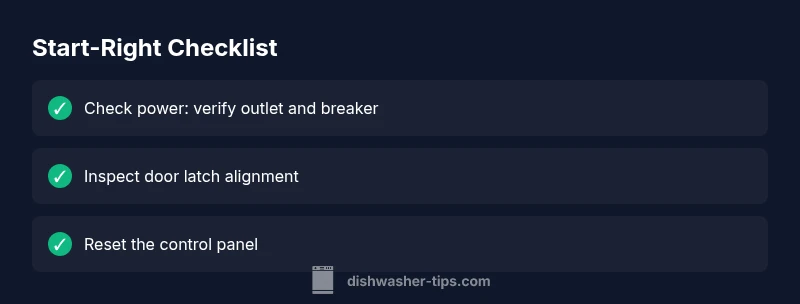
Start with the simplest checks: verify the unit is plugged in, the circuit breaker is on, and the door latch is firmly closed. If the display is blank, unplug for 60 seconds and plug back in to reset, or use the model’s reset sequence. If this doesn’t fix it, follow the diagnostic flow to isolate power, door, or control-panel issues.
Common Start-Blocking Issues and Urgent First Actions
When your dishwasher won't turn on, time matters: a non-start can mean standing water, wasted cycles, and frustration. If you’re asking "why is my dishwasher not turning on", the quickest answer is usually a power, door, or control-panel issue rather than a blown fuse in the house. In most homes the fix is simple and quick: verify power, confirm the door latch is engaged, and check the control settings. This article guides you through fast, repeatable checks you can do without specialized tools. Remember safety first: never poke around live components with wet hands or while the appliance is plugged in. If you detect burning smells, melted wiring, or visible damage, stop immediately and call a licensed technician. The goal is to determine whether the appliance is receiving power, whether it can be safely started, and whether the problem lies with the door switch or the control board. Following a structured approach helps you decide between a ready-to-replace part and a professional repair.
Power, Circuits, and Door Safety: The First Checks
The most common reason a dishwasher won’t turn on is something you can verify in a few minutes. Start with the basics: is the unit plugged in? Is the outlet protected by a GFCI or surge protector that could have tripped? Check the kitchen circuit breaker or fuse box for a tripped breaker and reset if needed. If your home has multiple circuits, a shared outlet or incorrect wiring can also cause a no-start. The next critical check is the door latch. Dishwashers are designed not to run when the door isn’t fully closed and the latch isn’t sensed as secure. Inspect the door seal for damage, confirm the door is latched shut firmly, and listen for a soft click when you close it. If the latch feels loose or sticky, it may fail to register the door as closed. In all cases, unplug the unit before touching power components.
The Control Panel and Display: Why a Blank Screen Signals Trouble
If you see a blank display or no beeps when pressing start, the issue is often downstream from power: the control panel, wiring, or panel lock. Begin by confirming the control lock or child lock isn’t engaged; some models disable the start function when activated. Look for a blinking indicator or error code in the display, then consult the user manual to interpret it. If there’s power to the unit but nothing responds, the control PCB (printed circuit board) could be faulty, or a loose ribbon cable might have come unplugged during a move or cleaning. In newer models, software glitches can also cause a no-start; a simple reboot by power cycling can clear glitches. If the display remains dark after a power cycle, professional diagnosis is likely required, especially if you hear faint hums or see intermittent lights.
Resetting Safely: Rebooting the Dishwasher
Resetting can clear minor software hiccups before you replace parts. Start by unplugging the dishwasher from the wall or switching off the circuit breaker for at least one minute. Reconnect power and try a basic test cycle. If your model has a dedicated reset sequence (such as holding a combination of buttons for seconds), perform that as specified in the manual. Do not use household devices to "force reboot" or bypass safety features. After resetting, observe whether the unit powers on and starts a cycle. If the door latch is fine but the unit still won’t respond, move to more in-depth checks or call a professional. If the display shows codes after reset, note them down for reference when seeking help.
Diagnostic Flow: From Symptom to Solution
A systematic approach helps you isolate the root cause quickly. Start with the symptom: no power or a non-responsive start button. Then consider likely causes: power supply issues, door interlock failure, or a faulty control board. For each cause, apply a corresponding fix and test. If a fix doesn’t resolve the symptom, re-check the previous steps, consider multiple problems, and move to the next probable cause. This flow reduces guesswork and speeds up repair—often saving a service call. Throughout, document any codes displayed and any audible clues (hum, click, beep) the machine provides. Always prioritize safety; when in doubt, stop and consult a professional.
Step-by-Step Diagnostic Tests You Can Perform
Once you’ve completed the initial checks, you can perform a focused set of diagnostic tests to pinpoint the failure. These tests are designed to be safe and repeatable, helping you verify whether the problem is electrical, mechanical, or software-related. Keep notes on what you observe during each test, and avoid digging into sealed electronics unless you are trained. If you encounter any sign of damage, overheating, or exposed wiring, stop immediately and contact a professional. This section complements the formal step-by-step guide by giving you a clear, test-driven path to follow.
Safety Notes and Common Mistakes to Avoid
Safety is non-negotiable when dealing with a powered appliance. Always unplug the dishwasher before inspecting internal components, and never touch live wiring with wet hands. Avoid using tools that could damage electrical parts or short the circuit. Don’t bypass door switches or safety interlocks to get a cycle started; this can create a fire hazard. Also avoid assuming the problem is one single cause—multiple issues can occur simultaneously, especially after a move or a power surge. If you’re unsure at any point, pause and call a qualified technician. Proper maintenance is the best prevention against future no-start problems.
Preventive Maintenance to Reduce Future No-Starts
A little routine maintenance goes a long way toward reliable starts. Regularly inspect the door latch for wear and replace if it feels loose. Clean the filter and sump area to prevent drainage or start errors. Periodically run a test cycle without dishes to confirm the appliance powers on and completes a cycle smoothly. Check the power cord and plug for cracks, and if the outlet smells burnt or shows discoloration, stop using it and have an electrician assess your kitchen circuit. Finally, keep the user manual handy and note any codes for quick reference during troubleshooting.
Steps
Estimated time: 30-45 minutes
- 1
Check power supply
Verify the dishwasher is plugged in and the outlet has power. If needed, test the outlet with a lamp or other device and reset the circuit breaker if it tripped.
Tip: Always unplug before inspecting electrical parts. - 2
Inspect the door latch
Close the door firmly and listen for a click. Check for a damaged seal or loose latch that prevents the switch from sensing a closed door.
Tip: A loose latch may require realignment or replacement. - 3
Assess the control panel
Look for a blank display or erratic lights. Check for a child lock and attempt a reset to clear minor software glitches.
Tip: Note any error codes shown after reset. - 4
Perform a power-cycle reset
Unplug for 60 seconds, then plug back in and attempt a basic cycle to see if the unit responds.
Tip: If the model has a reset sequence, use it exactly as described in the manual. - 5
Test cycle after reset
Run a normal wash cycle with no dishes and observe whether the unit starts and completes.
Tip: Avoid starting heavy-duty cycles on a first test. - 6
If no start, escalate
If the appliance still won’t start, document codes and symptoms and contact a professional.
Tip: Provide the technician with the steps you’ve already tried.
Diagnosis: Dishwasher won't turn on
Possible Causes
- highPower supply issue (outlet, breaker, or cord)
- highDoor latch interlock failure
- mediumFaulty control panel or clock
- mediumBlown thermal fuse or wiring fault
Fixes
- easyTest outlet with a known-good device; reset breaker; replace damaged cord
- easyInspect door latch and replace if misaligned or worn
- easyReset the control panel using power cycle or model-specific sequence
- hardConsult a technician if the control board or thermal fuse is suspect
People Also Ask
Why won’t my dishwasher turn on even when it’s plugged in?
Begin with power checks (outlet, breaker) and inspect the door latch. If power is present but nothing happens, the control panel or wiring may be at fault and require professional diagnosis.
Check power and door latch first. If nothing responds, the control panel or wiring could be at fault and may need a pro.
Could a faulty door latch prevent starting?
Yes. If the latch won’t sense a closed door, the dishwasher won’t start. Inspect for wear, misalignment, or a damaged seal and replace if needed.
A faulty door latch is a common start failure. Inspect and replace if worn or misaligned.
What does a blank display on the control panel mean?
It usually indicates power issues, a tripped lock, or a faulty control board. Try a reset and check for codes after power restoration.
A blank display often points to power or control-board problems. Reset and check any codes after power returns.
Is it safe to unplug and reset a dishwasher?
Yes, unplugging for about a minute or using the manufacturer’s reset sequence is a safe first step to clear minor software glitches.
Yes, safely unplugging or using the reset sequence can clear minor glitches.
When should I call a professional for a non-start?
If resetting and power checks don’t restore function, or you hear burning smells, see smoke, or detect damaged wiring, seek professional help.
Call a professional if resets fail or you notice damage or burning smells.
Why is my dishwasher making clicking sounds but not starting?
Clicking can indicate the relay or relay coil is engaging or a stuck motor. If it persists after basic tests, professional inspection is recommended.
If you hear clicking but nothing starts, the relay or motor could be involved; get a pro to check.
Watch Video
What to Remember
- Power and door checks first; they fix most not-start issues
- Use safe power-cycle resets before costly repairs
- Document codes for faster professional help
- Do not bypass safety features or touch damaged wiring
- Routine maintenance prevents future no-start failures