What to Do When Your Dishwasher Won't Start
Urgent, practical guide to diagnose why your dishwasher won't start. From power and door latches to control panels and resets, learn safe fixes and when to call a pro.


Most likely, a power issue or door latch is stopping your dishwasher from starting. Start with basics: check the outlet is live, ensure the door is fully closed, and verify the control panel isn’t locked. If these checks fail, follow the diagnostic flow to identify the fault.
What to Do When Your Dishwasher Won't Start: Why It Happens
If you’re wondering what to do when your dishwasher won’t start, the most common culprits are a power issue or a door latch, not a blown motor. Start with the basics: verify the outlet is live, confirm the door is fully closed, and ensure the control panel isn’t locked. If these checks don’t fix it, you’ll move to a deeper diagnostic flow to identify the fault. This urgent, practical approach helps you isolate the problem quickly and safely, reducing the need for guesswork and unnecessary service calls. Dishwasher startup problems almost always follow a simple pattern: power, door, control panel, then specialized components. By sticking to this order, you’ll pinpoint the issue faster and restore normal operation without risking damage to the unit or yourself.
The keyword that guides this process is clarity: what to do when your dishwasher won’t start isn’t a mystery when you break it into a small, reversible sequence. You’ll learn to separate cosmetic or nonessential checks from the core electrical and control-system checks, which saves time and prevents risky amateur repairs. Throughout, remember that safety comes first: never probe live electrical components without proper precautions, and never bypass safety switches.
Quick Power Checks and Safety First
Power problems top the list of startup failures. Begin with simple tests you can safely perform:
- Confirm the wall outlet is live by plugging in a lamp or phone charger. If the device doesn’t power up, the circuit may be dead.
- Check the nearby circuit breaker or fuse box for a tripped breaker or blown fuse. Reset or replace as needed.
- Ensure the dishwasher’s plug is firmly seated in the outlet and that the cord is intact with no visible damage.
- If your home uses a GFCI outlet, test and reset it if necessary.
If power checks are clear, you’ve cleared a major roadblock and can move to door and control-panel checks. Always unplug the unit before handling any internal components, and if you smell burning or see sparks, stop immediately and call a professional.
Inspecting the Door Latch and Lock System
A misaligned or faulty door latch is the second most common cause of a dishwasher that won’t start. The machine is designed to prevent operation unless the door is securely latched for safety. Use these steps:
- Look for visible signs of damage on the latch and strike plate. A loose, worn, or cracked latch can fail to engage reliably.
- Gently press on the door while attempting to start the cycle. If the latch only engages when pressed in a certain spot, the latch mechanism may be misaligned.
- If accessible, test the latch with a multimeter or replace the latch assembly if it feels sticky, loose, or broken.
If the latch is fine, the fault may reside in the control system. Proceed to reset procedures and check for error codes displayed on the unit.
Resetting the Control Panel and Handling Locks
Control-panel faults are common, especially after a power hiccup or a long idle period. A proper reset can clear minor faults and unlock the panel:
- For many models, a simple reset sequence involves holding the Start or Cancel button for several seconds, or unplugging the unit for about a minute and plugging it back in.
- Some models require specific button combinations to reset. Refer to your user manual for model-specific instructions.
- If an error code appears, write it down and consult the manual or the manufacturer’s website for code definitions and recommended actions.
After a reset, attempt to start a cycle again. If it still won’t boot, the fault may lie with a sensor, relay, or control board that warrants professional service.
Diagnostic Flow: From Symptom to Solution
Symptom: Dishwashing won't start.
Causes: Power issue (high), Door latch fault (high), Control panel lock or fault (medium), Tripped breaker (medium).
Fixes: Test outlet and breaker (easy); Inspect door latch (easy); Reset control panel (easy); If still no power, call a licensed technician (hard).
This flow helps you quickly separate routine checks from more complex electrical work. Document any error codes and sequence attempted, which helps a technician diagnose the problem faster.
Step-By-Step: Detailed Fixes for the Most Common Causes
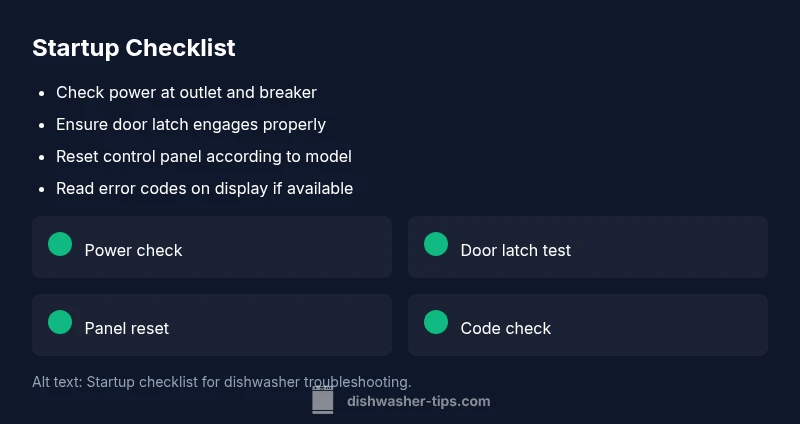
- Verify power supply and reset if needed.
- Inspect and test the door latch for security and alignment.
- Perform a full control-panel reset according to model.
- Check for error codes in the display and consult the manual.
- If problems persist, unplug the unit and schedule professional service.
- Keep the area dry and unplugged while inspecting electrical connections.
- After any fix, run a short cycle to confirm operation.
Tip: Always use manufacturer-recommended replacement parts to avoid compatibility issues. If you’re unsure about electrical work, seek professional help immediately.
Preventive Maintenance: Keep It Starting Smoothly
Routine maintenance minimizes startup issues and extends dishwasher life. Schedule a monthly quick check: ensure seal integrity, inspect the door latch, clean the spray arms, and verify that the filter is clean. Use a recommended dishwasher cleaner every few months to prevent mineral buildup, and avoid overloading the machine, which can hinder startup and performance. Regular cleaning reduces the likelihood of startup faults and ensures consistent performance.
Steps
Estimated time: 30-45 minutes
- 1
Confirm power at the outlet
Unplug the dishwasher. Plug in a lamp or phone charger to verify the outlet is live. If it isn’t, reset the circuit breaker and test again.
Tip: If the outlet is controlled by a wall switch, make sure it’s ON. - 2
Check the door latch engagement
Close the door firmly and listen for a solid click. If the latch feels loose or doesn’t latch, inspect for damage or misalignment.
Tip: Do not force the door; a damaged latch can cause further issues. - 3
Power cycle the dishwasher
Unplug the unit for 60 seconds, then plug it back in. For some models, you may also perform a reset using the Start/Cancel button sequence.
Tip: A 60-second reset clears minor glitches without disassembly. - 4
Read error codes if present
Turn on the dishwasher and observe any flashing lights or digits on the display. Consult the manual for code meanings and suggested actions.
Tip: Write down the code to reference when seeking help. - 5
Attempt a test run
Run a short wash cycle to see if the unit starts now. If it stalls, note when it stops and any codes.
Tip: Use a short cycle to minimize waste if it still fails. - 6
Evaluate for professional help
If startup issues persist after steps above, or you smell burning, call a professional. Do not attempt to repair high-voltage components.
Tip: Document everything you tried for faster diagnostics.
Diagnosis: Dishwasher won't start
Possible Causes
- highPower issue (outlet, circuit breaker, or power cord)
- highDoor latch or door switch failure
- mediumControl panel lock or fault
- mediumTripped circuit or faulty outlet
Fixes
- easyTest the outlet with another device and reset any tripped breakers; ensure the dishwasher plug is firmly seated
- easyInspect the door latch/lock for damage; replace if stuck or misaligned
- easyReset the dishwasher's control panel per model instructions; unplug if required, then plug back in
- hardIf power and latch are fine but still no power, consult a licensed electrician to inspect wiring safely
People Also Ask
Why won't my dishwasher start even though the outlet seems fine?
Power issues are the most common startup cause. Double-check the breaker, test with another device, and ensure the plug is secure. If power is confirmed, move on to the latch and control panel checks.
Power issues are common. Check the breaker and outlet, then confirm the plug is secure before moving to other checks.
How do I reset the dishwasher control panel?
Reset methods vary by model. Commonly you hold the Start or Cancel button for several seconds or unplug the unit for a minute and plug back in. Check the manual for exact steps.
Try a reset by holding Start or Cancel or by unplugging and re-plugging the unit.
What if the door latch looks fine but still won’t start?
If the latch is misaligned or stiff, it may prevent startup. Inspect for damage and replace the latch assembly if needed. A faulty latch is a common startup blocker.
A misaligned latch can prevent startup; inspect and replace if needed.
Can a tripped breaker stop the dishwasher from starting?
Yes. A tripped breaker or faulty outlet can stop startup. Reset the breaker and test. If it trips again, call an electrician to inspect the wiring.
A tripped breaker can stop it. Reset and test; call a pro if it trips again.
When should I call a professional for a startup issue?
If the basics fail, if you smell burning, or if you lack electrical safety confidence, it’s time to call a pro. They can diagnose electrical and control-board faults safely.
If basic checks fail or you’re unsure, call a professional.
Watch Video
What to Remember
- Start with power and door latch checks.
- Use a model-specific reset to clear minor faults.
- Document error codes for faster service if needed.
- Call a pro if safety or power concerns arise.