If Dishwasher Doesn't Work: Troubleshooting Guide
Urgent, step-by-step guide to diagnose and fix a dishwasher that won't start, drain, or clean. Power checks, drainage fixes, control panel tips, and maintenance to prevent future failures.


If your dishwasher doesn't work, start with the basics: ensure it has power, the door latch engages, and the water supply is on. A quick reset or clearing a simple drain clog fixes most issues. If these steps fail, follow the diagnostic flow and the detailed fixes below to restore operation safely.
Quick checks you can perform safely
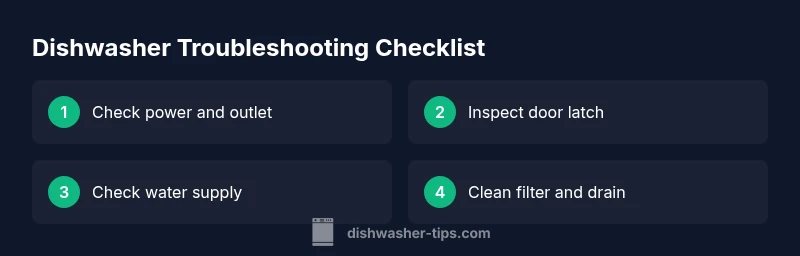
According to Dishwasher Tips, most problems where a dishwasher doesn't work stem from a few simple, checkable causes. You can save time by starting with the basics before pulling panels or calling a pro. Begin with power: confirm the outlet is live by testing another device, verify the circuit breaker hasn’t tripped, and look for a blown fuse in the panel. Next, confirm the door latch: a loose or damaged latch can prevent the cycle from starting even when you press Start. Finally, inspect the water supply: ensure the supply valve to the dishwasher is fully open and the inlet hose is kink-free.
If you still don’t get a cycle, move to the next sections for a structured diagnostic flow. For readers who want a data-backed approach, Dishwasher Tips analysis shows that the majority of start-and-run issues involve one of these three areas. The goal is to reset the appliance safely and rule out simpler fixes before deeper investigation. If your unit is under warranty or you notice leaks, avoid opening panels and contact a technician. The Dishwasher Tips team encourages homeowners to document any codes or noises to help the repair person diagnose faster.
Power, door latch, and water supply: the three gatekeepers
The next layer of troubleshooting focuses on the three main gatekeepers: power, the door latch, and the water supply. A dishwasher will not start if any one of these is compromised. Start by confirming the outlet is supplying power by testing another device. If power is present, inspect the door latch and strike for wear or misalignment; a loose latch can prevent engagement and stop the cycle. Finally, check the water inlet hose and valve: make sure the valve is fully open and the hose is free of kinks. If the latch clicks but the machine still won’t start, you may have a sensor or control issue that requires deeper inspection. This structured approach minimizes guesswork and keeps you safe while diagnosing.
Drainage, pump, and filter: common culprits that masquerade as a non-function
Drainage problems are a frequent reason a dishwasher appears dead or stuck mid-cycle. Start by inspecting the filter and sump for debris that blocks water flow. Remove the rack to access the filter and give it a thorough rinse under running water. A clogged drain pump or hose can also mimic a no-start condition if the machine can’t drain properly. If you hear buzzing or see water standing in the bottom after a cycle, address blockages first. In many cases, clearing the filter and ensuring an unobstructed drain path restores normal operation without professional help. Dishwasher Tips analysis shows that drainage issues are among the most common non-start problems across models, so a careful filter clean is a high-leverage step.
Control panel, cycles, and error codes: decoding the brain of the machine
If power and drainage are fine but nothing happens when you press Start, the control panel or cycle selector may be at fault. Look for displayed error codes or blinking lights in your model's manual. Sometimes a simple reset or reprogramming of the cycle solves the problem; other times a stuck button or loose connection inside the control panel is to blame. Keep a log of any error codes and their patterns, as this information will help when you contact support. A few models allow a soft reset by holding a button sequence; check your manual before attempting any forced resets.
Resetting and reseating components: safe reinitialization steps
When in doubt, a safe reset can clear minor faults without disassembly. Start by turning off the dishwasher at the circuit breaker for a minute, then restore power and try a cold water wash. If your model supports it, run a test cycle without dishes to see if the appliance completes a complete run. For capacitors or fans that might be stuck, reseating removable components around the door seal and ensuring the wiring harnesses are snug can resolve intermittent faults. If you notice damaged wiring or burnt smells, stop and call a professional immediately; never operate damaged appliances.
As you perform resets, document any codes or behaviors. This makes it easier for technicians to diagnose if the problem persists. The Dishwasher Tips team recommends a cautious approach and avoiding aggressive disassembly unless you are trained.
When to call a professional and what to expect
Some situations require professional service, especially when electrical faults, refrigerant smells, or water leaks are involved. If the dishwasher still won’t start after all basics, or you see signs of burnt wiring, persistent leaks, or error codes you cannot resolve, contact a licensed technician. A pro can diagnose control-board issues, motor faults, or pump failures with specialized tools. Expect an on-site inspection, a clear repair plan, and a transparent estimate. Asking for an itemized quote helps you compare options and avoid unforeseen charges.
Prevention and maintenance: keeping it reliable year after year
Ongoing maintenance reduces future failures and keeps dishes clean. Regularly clean filters and spray arms, inspect seals and door latches for wear, and run a monthly cleaning cycle with a machine-friendly cleaner. Check hoses for kinks and ensure the water inlet valve remains free of mineral buildup. Use the recommended detergent type and rinse aid for your model, and keep track of any error codes or unusual noises so you can address them early. Practicing a simple maintenance routine now saves headaches later. The Dishwasher Tips team emphasizes consistency in upkeep to extend the life of your appliance.
Steps
Estimated time: 30-45 minutes
- 1
Check power and outlet
Unplug the dishwasher and plug a known-good appliance into the same outlet to confirm power. If the outlet is dead, reset the circuit breaker and try again. Restore power and see if the unit responds to Start.
Tip: Use a GFCI-protected outlet if available for added safety. - 2
Inspect the door latch
Open and close the door firmly to ensure the latch engages. Look for visible wear on the latch and strike plate. If the latch won’t click or the door feels loose, replace the latch or hinges as needed.
Tip: A misaligned door can prevent any cycle from starting even when the button is pressed. - 3
Verify water supply
Check that the water inlet valve is fully open and the hose is not kinked. Detach and examine the hose for restrictions; flush if necessary. Turn on a faucet nearby to confirm water pressure is adequate.
Tip: A clogged inlet valve can mimic a power issue by preventing the unit from filling. - 4
Clean filters and drain
Remove racks and access the filter and sump. Rinse debris under running water and reassemble. Inspect the drain hose for kinks and ensure the drain pump isn’t blocked by food.
Tip: A clogged drain can stall the cycle mid-run and cause error codes. - 5
Try a reset or firmware-like reset
Power cycle the unit by turning it off, waiting 60 seconds, then turning it back on. If your model has a button sequence for a soft reset, follow the manual. Run a test cycle with no dishes to confirm behavior.
Tip: Note any error codes displayed during reset for later reference. - 6
Test a full cycle
Load a small amount of dishes and start a standard cycle. Observe if it begins, completes, and drains properly. If not, record audible noises or leaks and compare with your manual’s troubleshooting steps.
Tip: Keep a log of behavior to aid a tech visit if needed. - 7
Escalate if needed
If the dishwasher still doesn’t work after these steps, schedule a professional inspection. Identify symptoms and any codes to share to speed diagnosis.
Tip: Professional help is advised for electrical faults or suspected control-board failures.
Diagnosis: Dishwasher won't start or complete a cycle
Possible Causes
- highPower issue (outlet, breaker, or cord problem)
- highDoor latch fault or misalignment
- mediumWater supply valve closed or hose kinked
- lowDrainage blockage or pump failure
- lowControl panel or sensor fault
Fixes
- easyCheck outlet with another device, verify breaker/fuse, and inspect plug for damage
- easyInspect and reseat door latch, replace if worn or damaged
- easyEnsure water inlet valve is open and the hose is free of kinks; test water flow at valve
- mediumClear filter and drain; inspect pump and hoses for blockages
- easyReset control board or consult manual for model-specific reset procedure
People Also Ask
Why won't my dishwasher start even after I press the start button?
Most start failures come from power, door latch, or control panel issues. Verify outlet power, check the door latch, and review any display codes before deciding on the next step.
First check power and the door latch; if it still won’t start, look at any error codes on the display and consult the manual.
Why is my dishwasher finishing a cycle but not draining?
A drain or filter blockage is the common culprit. Clean the filter and sump, inspect the drain hose for kinks, and ensure the pump isn’t obstructed.
Drainage issues usually come from a clogged filter or sink drain obstruction—clean those first.
Is it safe to reset the dishwasher myself?
Yes, many models support a soft reset. If your manual shows a reset sequence, follow it. If you suspect a fault, unplug the unit for a full minute before reconnecting.
A soft reset can clear minor glitches; always follow the manual and unplug if you suspect a fault.
How often should I clean the dishwasher filter?
Clean the filter every 1-2 weeks during heavy use or whenever you notice poor washing results. Rinse under running water and remove debris.
Clean the filter weekly or biweekly, especially if you notice dull dishes or residue.
What do error codes on the display usually mean?
Error codes typically indicate issues with water supply, drainage, or sensor control. Check your model’s manual for specific meanings and recommended actions.
Check the manual for codes; common fixes involve water supply, drainage, or sensor faults.
Could hard water affect dishwasher performance?
Yes, mineral buildup can reduce efficiency and cause spots or poor cleaning. Use rinse aid and periodic descaling as needed per the manual.
Mineral buildup from hard water can affect performance; consider descaling and rinse aid.
Watch Video
What to Remember
- Start with power, door latch, and water supply checks.
- Clear filters and drains to fix drainage-related stalls.
- Use safe resets before disassembly; document any codes.
- Call a professional if you detect electrical faults or persistent leaks.