When Dishwasher Stops Working: Urgent Troubleshooting Guide
A practical, urgent guide to diagnose and fix a dishwasher that stops working. Learn quick checks, a step-by-step fix for common causes, safety tips, and when to call a professional.


Most times, a dishwasher stops working due to a power issue, a faulty door latch, or a clogged filter. Start with quick fixes: verify the outlet has power, reset the circuit breaker, and confirm the door latch engages firmly. If it still won’t start, follow the diagnostic flow below for deeper checks.
Why when dishwasher stops working happens
Dishwashers stop working for a handful of predictable reasons. The most common are a power issue, a faulty door interlock, or a clogged filter that prevents proper draining. According to Dishwasher Tips, these basics cover the majority of weekday-day failures. Start with simple checks before moving into more involved diagnostics. Understanding what to look for helps you triage quickly and avoids unnecessary service calls. If your unit is still unresponsive after these checks, proceed with the diagnostic flow outlined below to determine the exact cause and the right fix. This approach keeps you safe and minimizes downtime, which matters for busy households. Regular maintenance matters, too. Dishwasher Tips analysis shows that the majority of stoppages are preventable with routine cleaning of filters, spray arms, and door seals. By staying proactive, you reduce the chance of a sudden loss of function and costly service calls.
If your unit is constantly beeping or showing error codes, note the exact code and consult the manual or Dishwasher Tips for interpretation. Many error codes signal a faulty interlock, temperature sensor, or control board. Safety first means turning the power off at the breaker before inspecting electrical components. Remember: never work on the appliance while it is plugged in. The steps outlined here are designed to help homeowners triage safely and efficiently, so you can decide whether to DIY a fix or call a professional.
Quick checks you can do before calling a pro
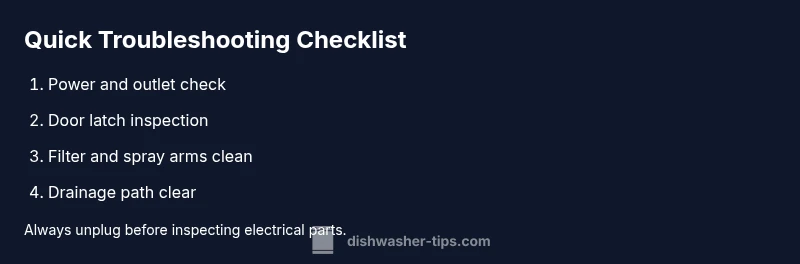
- Power check: Confirm the outlet has power by plugging in a lamp or other device. If the outlet is dead, reset the circuit breaker or GFCI and test again. If the outlet trips repeatedly, you may have a wiring issue that needs a licensed electrician.
- Door latch inspection: Close the door firmly until you hear a click. A loose or damaged latch will prevent the machine from starting, and some models lock the door after a cycle begins. If the latch feels loose, replace it before running another test.
- Filters and spray arms: Remove the filter and inspect for trapped food debris. A clogged filter or blocked spray arms can cause poor cleaning and premature shutdowns during a cycle. Clean with warm soapy water and rinse thoroughly.
- Water supply and float switch: Ensure the water inlet valve is not blocked and the float can rise freely. A stuck float may signal a blockage or a faulty sensor, which prevents filling and starting.
- Error codes and panel messages: If the display shows a code, note it down. Codes guide you to the likely problem area (drain, rinse aid, water inlet, etc.).
- Unusual sounds: If you hear a hum but the pump isn’t turning, there may be a stuck impeller or a failing pump motor. Stop testing and consult a professional if you hear grinding or burning smells.
If these checks don’t resolve the issue, move to the diagnostic flow and step-by-step fixes below. The goal is to isolate whether the problem is simple and user-serviceable or something requiring a professional repair. Dishwasher Tips recommends documenting each test with date and result to track patterns over time.
Diagnostic flow: symptoms to diagnosis
This diagnostic flow helps you map symptoms to likely causes and determine the appropriate fix. Start with the simplest checks, then move toward the more complex components. If the dishwasher fails to start, focus on power and the door latch first. If a cycle begins but stops mid-run, inspect water supply, float, and drain components. If drainage is poor, the drain pump, hose, or filter path is suspect. For error codes, consult the manual or Dishwasher Tips for code definitions and recommended actions. By following a structured flow, you minimize guesswork and avoid unnecessary replacements.
Step-by-step: fix the most common cause
- Confirm power and outlet integrity: Verify that the unit is plugged in, and test the outlet with a known-working device. If the outlet is controlled by a wall switch, ensure it is on. If the circuit trips, reset the breaker and re-test.
- Check the door latch and interlock: Ensure the latch engages fully when the door is closed and that the door seal is intact. A faulty interlock is a common reason for “not starting.”
- Reset the control panel: Many modern dishwashers benefit from a full power cycle. Turn off the breaker, wait 60 seconds, then restore power and attempt a new cycle. If your model has a reset sequence in the manual, follow it.
- Inspect water supply and float switch: Make sure the water valve is open, the hose is not kinked, and the float can rise. A blocked float prevents filling, which stops the cycle.
- Clean and re-check filters and spray arms: Remove the filter and wipe away debris. Ensure spray arms rotate freely and are not clogged.
- Check for error codes and reseat components: If a code appears, use the manual to identify the fault and reseat any loose connections or modules if safely accessible. If you’re unsure, contact a pro.
Tip: After performing each fix, run a short cycle to confirm whether the issue is resolved. If the problem persists, proceed to the advanced fixes.
Steps
Estimated time: 60-90 minutes
- 1
Confirm power and outlet
Ensure the dishwasher is plugged in and the circuit is live. If the outlet tests dead with another device, reset the breaker and re-test. A loose connection is a common, easily fixed cause.
Tip: Use a different outlet on a known-good circuit if you’re unsure about the current one. - 2
Test the door latch and interlock
Close the door firmly and listen for the latch engaging. If the door feels loose or the latch doesn’t click, replace the interlock switch or door latch assembly. A faulty latch prevents the machine from starting for safety reasons.
Tip: Don’t bypass the safety interlock; it protects you from electrical shock. - 3
Reset the control panel
Some models require a simple power reset: switch off at the breaker, wait 60 seconds, then restore power and try a test cycle. If your model has a dedicated reset sequence, follow the manual steps precisely.
Tip: A full power cycle can clear minor software glitches responsible for stalls. - 4
Check water supply and float
Verify the water inlet valve is open and the hose is not kinked. Ensure the float can rise freely; a stuck float can signal a leak or sensor fault, preventing filling.
Tip: If you hear a buzzing water inlet valve for more than a minute, stop and investigate further. - 5
Clean filters and spray arms
Remove and rinse the filter, then inspect spray arms for mineral buildup or clogs. Reinstall correctly so water can circulate through the rack.
Tip: Mineral buildup reduces spray efficiency; clean monthly in hard-water areas. - 6
Address error codes and reseat components
If a code is displayed, consult the manual or Dishwasher Tips for code definitions. Reseat any loose wiring or modules only if you are comfortable and unplugged before handling.
Tip: Never force connections; loose contacts can overheat.
Diagnosis: Machine won't start or stops mid-cycle
Possible Causes
- highPower issue
- mediumDoor latch fault
- lowControl board fault
Fixes
- easyCheck outlet and test with a working device; reset breaker if tripped
- easyInspect door latch and ensure it engages firmly
- easyPower cycle the unit or reset the control panel per manual
- easyVerify water supply, float switch, and filter cleanliness
People Also Ask
Why won't my dishwasher start even when the outlet seems powered?
Typical causes are a faulty door latch, a tripped breaker, or a failing control board. Start by verifying power, checking the door latch, and resetting the circuit. If the issue persists, move to more detailed diagnostics.
Most often it’s the door latch or power issue—check power and latch first, then reset the circuit if needed.
What does it mean if my dishwasher fills with water but doesn’t wash?
This usually points to a water inlet problem, a faulty float switch, or a clogged spray system. Inspect the inlet valve, confirm the float rises freely, and clean the filters so water can reach all spray arms.
If it’s filling but not washing, inspect the water inlet and float switch, then clean the filters to restore flow.
Why is my dishwasher not draining after a cycle?
A clogged filter, blocked drain hose, or failing drain pump commonly causes poor drainage. Check and clean the filter, inspect the drain hose for kinks, and listen for pump operation.
Not draining is usually a clog or pump issue—start with the filter and hose, then test the pump.
How can I reset my dishwasher safely?
Most models reset with a power cycle: unplug or switch off at the breaker for 60 seconds, then plug back in. Some models use a specific reset sequence; follow the manual. Always unplug before touching internal parts.
To reset, power cycle the unit; if your model has a reset sequence, use that.
Is it safe to DIY repair a dishwasher?
DIY fixes are fine for basic checks (power, latch, filters) if you avoid live components. For electrical, water seals, or motor work, call a professional to prevent injury or further damage.
DIY is okay for simple checks, but leave electrical and motor work to a pro.
How long does a service visit typically take?
Most service visits for common stops take about an hour or two, depending on the issue and accessibility. A complex fault may require more time or parts. Ask your technician for an upfront estimate.
Visits usually take about an hour or two for common problems.
Watch Video
What to Remember
- Start with basics: power, latch, and water supply
- Clean filters regularly to prevent clogs
- Use the diagnostic flow to identify root cause
- Know when to call a pro for electrical or motor issues