How to Start a Samsung Dishwasher
Learn how to safely start a Samsung dishwasher with our step-by-step guide. Verify power and water, load correctly, choose cycles, and troubleshoot startup issues. Practical tips from Dishwasher Tips for homeowners and renters.


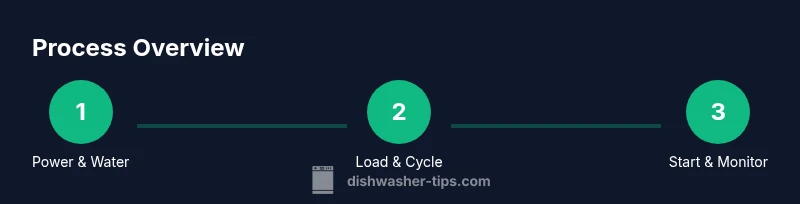
By the end of this guide, you will be able to safely start a Samsung dishwasher with confidence. You’ll verify power and water supply, load dishes correctly, select an appropriate cycle, and press Start. We also cover basic startup troubleshooting, error indicators, and quick maintenance steps to prevent future issues.
Preparing to start a Samsung dishwasher
If you’re looking for a reliable way to begin using a new Samsung dishwasher, understanding the basics of startup is essential. For many households, the question isn’t just which cycle to pick, but how to approach the first startup so you don’t trigger false error codes or water leaks. If you’re wondering how to start samsung dishwasher, this section sets the stage with practical, model-agnostic principles you can apply to most Samsung front-load and slimline units. The Dishwasher Tips team emphasizes that preparation is the foundation of a smooth wash. Before you press any button, confirm that the kitchen area is safe, the appliance is properly connected, and you have the user manual handy. A small amount of planning now saves time later and reduces the risk of needing a service call.
Key ideas to keep in mind:
- Read the manual for your exact model number; model-specific quirks exist across Samsung’s line.
- Confirm the door seal is clean and undamaged; a compromised seal can cause leaks during startup.
- Ensure the power cord and outlet are in good condition and that the circuit isn’t overloaded.
- Keep detergents, racks, and dishes ready to load so you can proceed smoothly after the startup checks.
Dishwasher Tips notes that a methodical approach reduces the chance of nuisance errors and helps extend the appliance’s life.
Verify power, water, and drainage
Before you start, run through a quick triage checklist that covers three critical systems: electricity, water, and drainage. First, verify that the dishwasher is plugged into a grounded outlet and that the circuit breaker hasn’t tripped. A sudden shutdown during startup can indicate an electrical fault or a loose connection. Second, inspect the water supply valve connected to the faucet under the sink. It should be fully open to allow the dishwasher to fill. If you notice reduced water flow, address it at the valve or check for kinks in the supply hose. Third, examine the drain hose and the nearby drain point to ensure there are no kinks or obstructions. A blocked drain can prevent the dishwasher from starting correctly and cause standing water after a cycle. Inconsistent water pressure or a weak fill can affect cleaning performance, so take a moment to verify smooth operation of each system.
Load dishes and use racks correctly
Loading the dishwasher correctly is a big part of starting off right. Begin by scraping off large food particles so the filter isn’t clogged from the start. Place plates and bowls facing downward or slightly angled to allow water to reach all surfaces. Avoid nesting bowls or stacking items tightly; this can prevent water from reaching the center areas. Utensils should be placed in the basket with handles down for safety and to maximize washing power. Glassware should be secured to prevent movement during the cycle. Detailing like saucepans and pots should face the spray arms to ensure full exposure. The goal is efficient use of water and energy while delivering clean dishes on the first run.
Select cycle and options for best results
Samsung dishwashers offer a variety of wash cycles for different loads. Start with a normal cycle for everyday dishes, but if you’re washing delicate glassware, choose a gentle or glass-care option. Heavier meals with baked-on food may benefit from a heavy-duty or auto-cycle setting. If your unit supports extra options like Steam, Half Load, or Quick Wash, choose them based on load size and time constraints. While selecting the cycle, consider water temperature and energy efficiency. In many models, you can enable Delay Start to run the wash at off-peak times, which can save energy. Your goal is to match the cycle to the soil level and item type while minimizing energy use.
Start the cycle and monitor indicators
With the door closed and loaded properly, press Start or the Start button. If your model uses a touchscreen, tap the Start icon and wait for the display to confirm that the cycle has begun. Some Samsung models show a countdown or a progress bar; others display cycle status as icons. If you see an error symbol or the display shows a code, stop the cycle, consult the manual, and address the issue before restarting. Avoid opening the door mid-cycle, as this can disrupt pressure and spray arms and may trigger an error. If you need to pause, use the Pause/Cancel option and follow the screen prompts.
Handling startup hiccups and common issues
Startup hiccups are common with new installations or after a power interruption. If the cycle won’t start, check that the door latch is fully engaged and the latch switch is functioning. A tripped breaker or a blown fuse will also prevent startup; reset as needed and attempt again. If the model displays an error code, consult the manual for the exact meaning and recommended action. For drainage or water-fill issues, ensure the height of the drain hose is correct and that the inlet valve is not obstructed. If you encounter persistent problems, note the error code and contact support with your model number.
Maintenance and quick prevention for future starts
Regular maintenance reduces startup friction. After a few runs, inspect the filter, spray arms, and door seals for debris or signs of wear. Clean the door seal with a damp cloth to prevent leaks and remove mineral buildup from jets using a descaler recommended by Samsung. Use a high-quality detergent and, if your water is hard, consider a rinse aid to improve drying. Periodically run an empty cycle with a dishwasher cleaner to remove grease and mineral deposits. Keeping the interior dry between uses minimizes odor and helps prevent mold.
Tools & Materials
- Samsung dishwasher owner's manual(Keep your model number handy (found on the door frame or user card).)
- Access to a grounded electrical outlet(Ensure you have a dedicated circuit for the unit; avoid overloads.)
- Cold water supply valve(Fully open the valve to ensure proper filling.)
- Drain hose connection(Check for kinks and proper elevation above floor level.)
- Dishwasher-safe detergents(Only needed for actual washing cycles; not required for startup checks.)
Steps
Estimated time: 15-25 minutes
- 1
Verify safety and power
Check that the door is closed, the unit is plugged in, and the circuit is not tripped. This ensures the control panel will respond and prevents electrical hazards during startup.
Tip: If the display is blank, reset the breaker for 30 seconds before trying again. - 2
Confirm water supply
Open the cold water valve fully and inspect the supply hose for kinks. A proper fill is essential for effective washing and to avoid cycling errors.
Tip: Run the tap briefly to purge debris from the line before connecting. - 3
Load dishes correctly
Arrange plates and bowls with space between items to allow water flow. Place cups and mugs securely so they don’t move during agitation.
Tip: Avoid overloading; leave 2–3 inches of clearance between items. - 4
Add detergent and adjust options
If using tablets or powder, add detergent according to the product directions. Choose cycle options based on soil level and load size.
Tip: Use the detergent amount recommended by Samsung for optimal results. - 5
Close door and select cycle
Close the door firmly and select an appropriate cycle. Use normal for everyday loads or a specialized cycle for delicate items.
Tip: Enable Delay Start if you want to run the wash at a specific time. - 6
Start and monitor
Press Start and watch the display for confirmation. If an error appears, pause, consult the manual, and address the issue before restarting.
Tip: Do not open the door mid-cycle unless you need to cancel the cycle.
People Also Ask
What should I do if my Samsung dishwasher won’t start after setup?
First, check the door latch and power supply. Ensure the breaker hasn’t tripped and that the door is fully closed. If the issue persists, consult the manual for fault codes or contact support with your model number.
If your dishwasher won’t start, check the door latch and power. Make sure the breaker is on, and close the door firmly. If it still won’t start, refer to the fault codes in the manual and contact support with your model number.
Is it necessary to run a cleaning cycle before loading dishes?
No, you don’t need to run a cleaning cycle before your first load. Start with a normal wash using dishwasher-safe detergent, and save the cleaning cycle for routine maintenance or deep cleaning sessions. Regular use of the appropriate cycle keeps performance consistent.
You don’t need a cleaning cycle before your first load. Just run a normal wash with detergent, and use the cleaning cycle as part of maintenance every so often.
What does it mean when a code appears on the display after starting?
Display codes indicate specific issues like blocked spray arms, drainage problems, or water fill faults. Refer to the user manual’s fault-code table to identify the meaning and recommended action for your model.
If a code shows up, check the manual’s fault-code table to understand what it means and what to do next.
Can I reset the dishwasher if it won’t start?
Yes. Most Samsung dishwashers allow a reset via a specific button sequence or by unplugging for a minute. After resetting, try starting the cycle again. If problems persist, you may need service.
You can try a reset by following your model’s sequence or unplugging for a minute, then attempting to start again.
How long does a typical cycle take?
Cycle duration varies by model and cycle selection but most normal cycles take about 1.5 to 2.5 hours. Quick cycles are shorter, but performance may vary with load and water conditions.
Most normal cycles run about 1.5 to 2.5 hours, but faster options exist. Results depend on load and water conditions.
Watch Video
What to Remember
- Verify power and water before starting
- Load dishes with proper spacing for optimal cleaning
- Select cycle matched to soil level and load
- Monitor start-up indicators and address errors promptly