Bosch Dishwasher Beeping Troubleshooting Guide
Urgent guide to diagnose and fix beeping on Bosch dishwashers. Quick resets, symptom-based checks, and professional help when needed.


Bosch dishwasher beeping is usually either an end-of-cycle alert or a simple fault you can clear with basic steps. Start by confirming the cycle finished and the door is fully closed, then reset the unit by cutting power for 30 seconds and restarting. If the beeping persists, work through the diagnostic flow to identify the exact cause and safe next steps.
Understanding Beep Signals on Bosch Dishwashers
Beeping on a Bosch dishwasher is the built-in way your machine communicates status and alerts. The sounds, paired with display icons, help you determine what the appliance needs without opening the door mid-cycle. According to Dishwasher Tips, the most common beeps fall into two broad categories: end-of-cycle notifications and simple fault alerts that you can address with basic checks. For many homeowners, a short, repeating beep is just the machine saying, “I’m done.” A longer or more urgent pattern often points to a user-facing alert (like a door not fully closed) or a sensor-related fault that isn’t dangerous, but does require action.
Because Bosch models vary, the exact beep pattern and its meaning can differ by model and firmware version. Always refer to your specific model’s manual or Bosch support resources for a definitive code list. If you’re hearing beeps from a relatively new unit, verify that the unit has no obvious mechanical obstruction or water-related alert. In all cases, treat beeps as a message to investigate rather than a sign of imminent danger.
In short, bosch dishwasher beeping usually indicates a routine notification or a solvable fault. Understanding the context—cycle status, door state, water supply, and filter condition—helps you narrow down the cause quickly, often without professional help.
Initial Quick Checks to Silence Beeps
Before diving into complex troubleshooting, perform a few safe, quick checks. These steps resolve many beeps caused by user-facing alerts or minor setup issues.
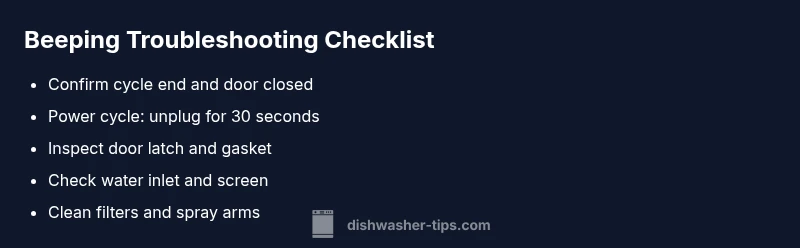
- Confirm the cycle has completed and the door is fully closed. A partially closed door is a common source of repeated beeps.
- Power cycle the dishwasher. Unplug the unit for 30 seconds, then plug back in and restart. This resets the control board and clears transient faults.
- Inspect the door latch and gasket for obstructions or misalignment. A latch that doesn’t engage fully can trigger a beeping alert.
- Check the water supply valve and ensure it’s fully open. A restricted supply can cause beeps related to water intake faults.
- Clean the filter and spray arms. A clogged filter or blocked spray path can produce alarms and affect cycle performance.
- Look for visible leaks or pooling water around the base. Leaks can trigger safety beeps and halt operation until addressed.
If these quick checks silence the beeping, you’re likely dealing with a benign issue. If not, proceed to symptom-based diagnostics and a more thorough reset.
Troubleshooting by Symptoms
Different beeps hint at different issues. Use these common symptom patterns as a guide to diagnosis, then proceed with targeted fixes.
- Beeping after cycle end with door fully closed: Likely an end-of-cycle alert or signal to unload. Double-check that the cycle completed cleanly and that the display shows End or a similar status.
- Beeps while dishwasher is filling or draining: Could indicate a sensor or valve fault, or a restricted water inlet. Inspect the inlet screen for debris and verify the supply valve is fully open.
- Repeating rapid beeps with a visual error icon: Often a fault code. Note the icon and search the model’s manual or Bosch support site for the exact meaning.
- Beeping with no visible error code: The control board may have a minor glitch. Perform a full power reset and run a short diagnostic cycle if available.
Pro tip: Keep a small notebook of beep patterns and their timing so you can compare against your model’s guidance. This makes it easier to communicate the issue if you need to contact support.
How to Reset and Test Your Dishwasher
A safe reset often clears transient beeps and resets the alert indicators. Follow this sequence to test whether the beep is a temporary fault:
- Power down: Unplug the unit or switch off the breaker for 30 seconds. This resets the control logic without opening any water lines.
- Reconnect and restart: Plug back in and run a short cycle or “test” wash if your model includes a diagnostics option.
- Observe the beep pattern: If the beep returns in the same pattern, record it and proceed with targeted checks described in the diagnostic flow.
- Check for residual errors: If a fault code appears, note it and consult the manual or Bosch support for model-specific guidance.
Note: If you’re uncomfortable with electrical work or cannot safely unplug the unit, contact a professional. Always ensure the machine is powered off before inspecting any internal components or water lines.
Safety Considerations and When to Call a Pro
Beeping is often benign, but safety is paramount. Do not reach into the machine when it’s connected to power or filled with hot water. If you smell burning, notice scorch marks on plugs or cords, observe steam, or see visible water leaks, stop using the appliance and call a professional immediately.
When the beeping persists after a safe reset and basic checks, or if a fault code remains visible on the display, it’s time to involve Bosch support or a certified technician. Do not attempt high-voltage repairs yourself. In many cases, a misbehaving control board or faulty sensors require factory service or a part replacement by a trained technician.
Regular maintenance helps prevent beeps and faults. Clean filters monthly, check spray arms for clogs, and ensure the door seal remains undamaged. If the issue recurs after maintenance, booking a service visit is the most reliable path to a long-term fix.
Maintenance to Prevent Future Beeps
Regular maintenance reduces the likelihood of beeping due to avoidable causes. Implement these habits to keep your Bosch dishwasher quiet and reliable:
- Clean the filter and spray arms every 1-2 months to prevent clogs that trigger alarms.
- Run a maintenance cycle periodically if your model offers one, or use a manufacturer-approved cleaner to remove mineral buildup.
- Inspect door latch alignment and gasket integrity; replace worn parts to avoid quick alert triggers.
- Use the correct rinse aid and detergent for your water hardness, ensuring consistent cycles and fewer alerts.
- Keep water supply lines clear and check for kinks or leaks that could trigger safety beeps.
Brand note: For homeowners and renters, following these preventive steps aligns with best practices recommended by Dishwasher Tips to minimize beeping and extend appliance life.
Steps
Estimated time: 45-60 minutes
- 1
Power down the unit
Unplug the dishwasher or switch off the circuit breaker for 30 seconds to reset the control board.
Tip: Safety first: ensure the area is dry before touching plugs or outlets. - 2
Check the door latch
Open and close the door firmly, inspect the latch and gasket for damage or obstruction, and ensure the door seals properly.
Tip: A misaligned latch is a common source of beeps. - 3
Inspect water inlet supply
Make sure the water valve is fully open and that the inlet screen is free of debris.
Tip: With some models, a kinked hose may restrict water flow. - 4
Clean filters and spray arms
Remove the lower rack and and clean the filters and spray arms to remove any buildup.
Tip: Clogs reduce water flow and can trigger alerts. - 5
Reset and restart
Plug back in, restore power, and run a short cycle to observe beep behavior.
Tip: Document any error codes you see on the display. - 6
Check for fault codes
If a fault code appears, consult the manual or Bosch support site for model-specific guidance.
Tip: Be precise with the model number when searching. - 7
Test another cycle
Run a full wash to ensure the problem is not cycle-specific and to confirm normal operation.
Tip: If it beeps only in one cycle, the issue may be cycle-specific. - 8
Escalate if unresolved
If the beep persists after steps, contact a technician for a definitive diagnosis and possible board replacement.
Tip: Do not attempt risky repairs beyond your comfort level.
Diagnosis: Dishwasher beeps repeatedly or continues beeping after cycle ends
Possible Causes
- highEnd-of-cycle alert or user alert (cycle completed but not acknowledged)
- highDoor latch not fully engaged or misaligned
- mediumWater inlet, sensor, or filter issue triggering fault beeps
- lowControl board glitch or software issue
Fixes
- easyVerify cycle completion and confirm the door is fully closed; reseat items if necessary
- easyPower cycle the unit (unplug for 30 seconds) and restart
- mediumInspect the door latch, hinges, and gasket for wear or obstruction; replace if needed
- mediumCheck the water supply valve and inlet screen for debris or kinks; clear or replace components
- easyRun a diagnostic or test cycle if supported by model; note any fault codes
- hardIf the beep persists, contact Bosch support or a licensed technician for board or sensor inspection
People Also Ask
Why is my Bosch dishwasher beeping after a cycle?
Beeping after a cycle usually signals an end-of-cycle alert or a door not fully closed. Verify cycle completion, ensure the door latches correctly, and reset if needed. If it continues, consult the model manual for fault codes.
Beeping after a cycle is typically an end-of-cycle alert or a door issue. Check the door latch and cycle status, then reset if necessary.
What do beep codes mean on Bosch dishwashers?
Beep codes vary by model, but most common beeps indicate end-of-cycle or sensor/valve faults. Refer to your manual or Bosch support for model-specific codes.
Beep codes differ by model; check the manual or Bosch support for your exact code.
Is it safe to reset a Bosch dishwasher beeping?
Yes, a safe power reset is generally okay. Unplug for 30 seconds, then plug back in and test. If the beeping persists, proceed with more detailed troubleshooting or contact support.
A power reset is safe and often effective. If beeping continues, move to deeper troubleshooting or contact support.
Can a dirty filter cause beeping?
A clogged filter can trigger fault alerts or reduce performance, potentially causing beeps. Clean the filter and rinse arms regularly to prevent recurring issues.
Yes, a dirty filter can trigger beeps. Clean the filter and arms to prevent it.
Should I call a professional for beeping sound?
If basic resets and quick checks don’t stop the beeping, or you notice leaks or burning smells, contact a licensed technician or Bosch support for a safe, accurate diagnosis.
If resets don’t help and you see leaks or smells, it’s time to call a pro.
Where can I find beep codes for my model?
Check your user manual and the Bosch support site for model-specific beep codes. Having your model number handy speeds up the lookup.
Consult the manual or Bosch site with your model number to find exact beep codes.
Watch Video
What to Remember
- Identify whether beeps indicate end of cycle or a fault.
- Reset with a safe power cycle before deeper troubleshooting.
- Inspect door latch, water inlet, and filters as primary checks.
- Dishwasher Tips's verdict: call a pro if beeps persist after basic resets.