GE Dishwasher Not Starting: Quick Troubleshooting Guide
Urgent, actionable troubleshooting for a GE dishwasher that won’t start. Safe checks, diagnostic flow, step-by-step fixes, and when to call a pro—brought to you by Dishwasher Tips.


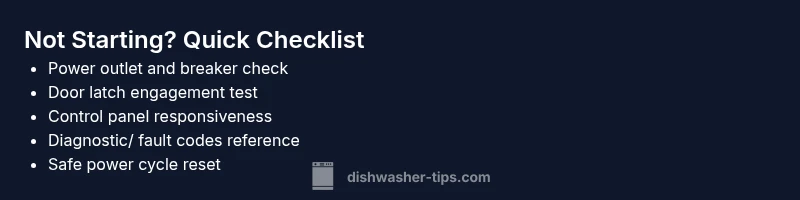
Most GE dishwashers that won’t start are caused by power or door-latch issues. Start with the power outlet and circuit breaker, then test the door latch and control panel. If it still won’t start, reset the unit and run a diagnostic cycle; if the problem persists, seek professional service.
Why GE Not Starting Can Be Traced to Simple Issues
In many GE dishwashers, a 'not start' symptom points to basic electrical or sensor problems rather than a failed motor. According to Dishwasher Tips, most not-start cases are quickly resolved by checking the power supply, door latch, and control panel. Understanding these cues helps homeowners prevent unnecessary service calls while preserving the unit's lifespan. This section breaks down the most common culprits and how to verify them safely, so you can get back to clean dishes without delay. We cover power, latch mechanics, control panel behavior, and how age or recent moves can affect the startup sequence. The goal is to empower you with a methodical, low-risk approach that reduces frustration and avoids costly repairs.
Safe Quick Checks You Can Do Right Now
- Power supply: Verify the dishwasher is plugged in, the outlet works (test with a lamp or charger), and the household circuit breaker hasn’t tripped. If the outlet is controlled by a wall switch, make sure it’s ON.
- Door latch: Ensure the door closes firmly and the latch engages. A loose or broken latch will prevent startup even with a closed door.
- Child/control lock: Some GE models have a lock that prevents starting. If this is engaged, release it according to the user manual.
- Display and codes: Look for blinking lights or error codes on the control panel. A blank display often points to power or control issues, while codes indicate specific faults.
- Power cycle: Unplug the unit for 60 seconds, then plug back in and try starting again. This resets minor electronics and can clear transient faults.
- If something seems damaged: Do not force the unit; proceed to further checks or call a pro if you notice burnt smells, melted components, or damaged wiring.
Interpreting Symptoms: What the Display Tells You
A blank display versus a blinking error code tells you different things. A completely blank panel typically means power supply or main control issues, whereas blinking codes often guide you toward a specific fault (door latch, water inlet sensor, or control board). GE models can use codes that require the owner’s manual or a dealer diagnostic tool to translate. If you see a blinking pattern, note the sequence and refer to the code table in your GE manual; this accelerates diagnosis and prevents guesswork.
Diagnostic Flow Overview
A clean diagnostic flow helps you avoid unnecessary parts replacement. Start with the simplest checks (power, outlet, breaker) and move to the door latch and lock status. If those pass, test the control panel for responsiveness and try a reset or diagnostic mode. Only after exhausting these basics should you consider the control board or electrical safety components. This flow aligns with general best practices for appliance troubleshooting and minimizes risk to you and the appliance.
Step-By-Step Fix: Common Root Causes
- Power supply verification and breaker check. Ensure the outlet is working by testing another device. Reset the circuit breaker if tripped. This is the easiest fix and solves a large share of not-start issues.
- Door latch and door switch inspection. Look for physical damage or misalignment. If the latch doesn’t engage fully or the switch doesn’t click when closed, replace the latch assembly.
- Control panel responsiveness. Check for a stuck button or unresponsive display. If the panel doesn’t respond to any touch, a reset or panel replacement may be necessary.
- Reset and diagnostic run. Unplug for 60 seconds, plug back in, and press the start button to run the GE diagnostic cycle if available. Some models require a specific button sequence; consult the user manual for model-specific steps.
- Fault codes and fault-code-driven fixes. If your model shows codes, interpret them via the manual or a GE support resource. Applying the recommended code-specific fix can save time and avoid guesswork.
- Control board considerations. If the unit still won’t start after all above steps, a fault in the control board or timer is possible. Only a qualified technician should replace these components due to safety risks.
- When to replace rather than repair. If your GE dishwasher is older or if repeated failures occur after control-board repairs, evaluate replacement for reliability and energy efficiency.
Safety Warnings and When to Call a Pro
- Always unplug the dishwasher before inspecting electrical components or wiring.
- If you notice burning smells, melted insulation, or scorch marks, stop immediately and contact a professional. Do not operate the unit again.
- Do not bypass safety devices (door latch, thermal fuse, or interlocks) to start the dishwasher. These features protect you and your home.
- If you are uncomfortable with electrical testing or accessing behind panels, call a licensed appliance technician. Timely professional intervention can prevent further damage and ensure electrical safety.
Prevention Tips to Keep Your GE Dishwasher Healthy
- Schedule regular self-cleanings to remove debris from the door latch and control panel; build-up can cause ghost starts or unresponsive buttons.
- Keep the area around the dishwasher dry when performing inspections to avoid slip hazards.
- Use the manufacturer-recommended power source and avoid extension cords; ensure dedicated circuit capacity for high-demand appliances.
- When wiring or electrical work is necessary, reference the GE service manual and local electrical codes; never improvise wiring connections.
Brand Note
According to Dishwasher Tips, most start-not issues on GE dishwashers are rooted in power or latch problems, not motor failure. Practicing a methodical, safety-first approach reduces downtime and maintenance costs. Regular maintenance and early diagnosis save you money and extend appliance life.
mainTopicQuery implants: null
Steps
Estimated time: 60-75 minutes
- 1
Power and outlet verification
Unplug the dishwasher, inspect the outlet and nearby cords for damage, and plug into a known-good outlet. Check the circuit breaker or fuse box for trips. This step rules out a simple power issue that blocks all startup functions.
Tip: If your outlet is controlled by a wall switch, ensure the switch is ON. - 2
Test the door latch and switch
Close the door firmly and listen for the latch engaging. If you can’t hear a click or the door doesn’t stay closed, the latch or the door switch may be faulty and require replacement.
Tip: A loose door can prevent the dishwasher from starting even when power is present. - 3
Check for control lock and panel response
Inspect the control panel for a locked icon or unresponsive buttons. If the panel is unresponsive, try a reset or consult the manual for a model-specific reset sequence.
Tip: Some GE models have a hidden reset procedure; referencing the manual prevents guessing. - 4
Reset and run diagnostics
Power cycle the unit, then attempt to start a diagnostic or test cycle if your model supports it. Note any fault codes that appear and refer to the manual for specific meanings.
Tip: Document codes for faster service if you need to contact support. - 5
Assess the control board and wiring
If codes point to electronics or if the display is erratic, the control board or wiring harness could be at fault. Visual inspection may reveal loose connectors or damaged insulation.
Tip: Only a qualified technician should handle control-board work. - 6
Decision point: repair vs. replace
If the failure recurs after repairs or the model lacks reliable diagnostics, weigh replacement for reliability and energy efficiency. Compare warranty status and repair costs.
Tip: Factor in energy star ratings and long-term operating costs.
Diagnosis: GE dishwasher won't start
Possible Causes
- highPower issue (outlet, plug, or circuit breaker)
- highDoor latch or door switch malfunction
- mediumControl board fault or electronic timer failure
- lowBlown thermal fuse or safety fuse
Fixes
- easyTest outlet with a known-good device; check circuit breaker and GFCI
- easyInspect door latch for damage and confirm full engagement; replace if necessary
- easyPower cycle the unit by unplugging for 60 seconds or using the dedicated reset sequence
- mediumCheck control panel for fault codes and reset if applicable; consult manual
- hardIf fuse or wiring damage is suspected, call a professional; do not bypass safety components
People Also Ask
What are the most common causes for a GE dishwasher not starting?
Power supply issues and a faulty door latch are the most frequent culprits. If those are fine, the control board or timer might be at fault. Always test basic safety components first before replacing parts.
The most common causes are power supply problems and a faulty door latch; next, the control board could be involved. Start with the basics before replacing major parts.
How do I reset a GE dishwasher that won’t start?
Unplug the dishwasher for 60 seconds, then plug it back in and attempt a start. Some models have a specific reset sequence in the manual; follow those steps if your model requires it.
Unplug for a minute, plug back in, and try again. If your model has a reset sequence, use it as directed in the manual.
Can a blown fuse cause a GE dishwasher not to start?
Yes, a blown internal fuse or a tripped circuit can prevent startup. If you suspect a fuse, call a professional to inspect and replace it safely.
A blown fuse can stop the dishwasher from starting; have a pro check it for safe replacement.
What should I do if there’s an error code on the display?
Note the code, consult the GE manual or support site to interpret it, and follow the recommended fix. If codes persist, this may require service.
Write down the error code and check the manual. If it keeps showing up, you’ll likely need service.
Is it worth repairing an old GE dishwasher not starting?
If repairs are frequent or costly, weigh replacement for reliability and energy efficiency. Consider warranty coverage and estimated remaining life.
If repairs keep coming up, replacing the unit could be the smarter, longer-term choice.
When should I call a technician?
If you’ve ruled out basic issues, suspect control-board faults, or encounter electrical safety concerns, contact a licensed technician.
Call a pro if basic checks don’t fix the problem or you’re unsure about electrical work.
Watch Video
What to Remember
- Start with power and door latch checks
- Reset and run diagnostics before replacing parts
- Consult the manual for model-specific codes
- Call a professional if safety components or control board fail
- Prevent future issues with regular cleaning and inspections