Troubleshooting a Dishwasher That Has Power but Won't Run
Learn how to diagnose a dishwasher that has power but won't run. This practical guide covers door latches, control boards, water supply, error codes, and safe fixes to restore operation fast.


If your dishwasher has power but won’t start, the most likely culprits are the door latch, door switch, or control panel. Begin by testing the door latch, then inspect the control panel for error codes, and finally check the water inlet and fuse/breaker. This quick guide helps you narrow the issue fast.
Quick Diagnostic Overview
When a dishwasher seems to have power but won't operate, you’re dealing with a mixed bag of electrical and mechanical issues. The symptom dishwasher not working but has power can result from a tripped safety switch, a faulty door latch, a defective control board, or a stuck cycle selector. Start by confirming the basics: make sure the door is fully closed, the control panel responds to button presses, and there are no obvious signs of damage on the power cord or outlet. In many homes, the problem isn’t the motor but a small sensor or switch that signals the appliance to start. Dishwashers rely on interlocks that prevent operation if the door isn't secured; a failed interlock can fool the machine into staying idle even when power is present. As you investigate, keep a log of any error codes shown on the display; these codes map to specific subsystems and guide next steps. If you’re not sure what an error code means, consult your model’s manual or look up the code on the brand’s support site. Throughout this process, prioritize safety: unplug before poking exposed components and never bypass interlocks or fuses. The Dishwasher Tips team notes that starting with quick checks saves time and avoids unnecessary replacements.
Common Electrical vs. Mechanical Failures
Power appears on the display, but the drum doesn’t spin or the wash cycle doesn’t start. This often points to a door latch or door-switch micro-switch failure; if the latch doesn't sense a closed door, the machine remains inert. Another frequent culprit is a malfunctioning control board or timer that loses sequence memory; you might see partial lighting on the panel but no progression through cycles. Inspect the door seal and strike for wear, and listen for a faint click when closing the door—no click can indicate a stuck latch. The motor itself tends to fail less often in this scenario, but a seized or overheated motor can also prevent startup. If you hear buzzing or hum while the unit tries to start, isolate the cause to either the switch or the control circuitry, not the motor. The Dishwasher Tips analysis shows that older models are more prone to worn relay boards, while newer units rely on microcontrollers that may require professional service.
Water Inlet, Drain, and Sensor Checks
Even if the dishwasher is powered on, insufficient water supply or a clogged inlet valve can trigger safety conditions that prevent a wash cycle from starting. Inspect the water supply hose (valve under sink) for kinks and ensure the water valve is open. A clogged inlet valve or filter screen can restrict water flow; remove the hose and check the screen for debris. Many models have a float switch that detects water level; if the float is stuck, the dishwasher may refuse to start. Check the float for obstructions and ensure it moves freely. Also listen for air or water pressure during a trial fill; a failure to fill indicates a supply or valve issue. Regularly cleaning the inlet screen prevents recurring faults that mimic other problems.
Error Codes and Indicator Lights
Read the display and LEDs; a blinking light or code can expedite diagnosis. Common codes indicate issues with the drain pump, heating element, or door interlock. If you’ve lost or misread the codes, reset the unit by unplugging for 5 minutes, then plug back in to clear temporary faults. A firmware glitch on the control board can also cause a no-start condition; in that case, a reset or software update may help. For some models, you need to press and hold specific button combinations to view service codes. Always have the model number handy when searching for codes, and cross-check codes with the official manual or manufacturer support page.
Quick Fixes You Can Try Safely
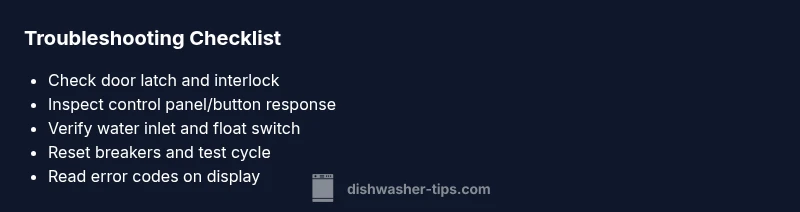
Before calling a technician, try these non-invasive steps: - Confirm the door is fully closed, and reseat the door latch by gently pressing it in and out. - Reset the control panel by unplugging for a minute and plugging back in. - Check the household GFCI/outlet to ensure power is stable; try a different outlet if in doubt. - Inspect the fuse or circuit breaker dedicated to the dishwasher circuit and reset if tripped. - If you see an error code related to water intake, clean the screen in the inlet valve. Remember: never bypass safety interlocks or defeat fuses. These steps cover the majority of no-start scenarios and can save you a service call.
When to Call a Pro and How to Prevent Future Issues
Some problems require professional service, especially when the control board or door interlock tester is faulty, or if you suspect a short circuit. If you see persistent error codes after resets, or you hear ongoing buzzing, call a licensed appliance technician. For prevention, schedule annual cleanings of spray arms and filters, check the door seal for cracks, and consider a yearly check of the inlet screen. Keep the dishwasher plug disconnected whenever you perform internal checks to avoid accidental shocks.
Safety First: Handling Electrical Components
Working with electrical components carries risk. Always unplug the unit before inspecting internal parts, wear protective gear, and avoid touching exposed wiring. If you notice burnt smells, melted plastics, or scorch marks, stop immediately and contact a professional. Never bypass safety features like the door interlock or thermal fuse; these safeguards protect you and your home from serious harm.
Steps
Estimated time: 30-45 minutes
- 1
Verify power and door closed
Confirm the dishwasher outlet is live by testing with another device. Ensure the door is fully closed and the latch engages with a distinct click. If the door switch doesn’t respond to closure, you may have a faulty switch.
Tip: Use a non-contact voltage tester to avoid shocks. - 2
Test door latch and interlock
Disconnect power and access the latch housing. Gently press the latch in and out to feel for a clean, smooth action. If the latch is loose or stuck, it may prevent start even with power.
Tip: Note any looseness or misalignment on the strike plate. - 3
Reset the control panel
With power on, attempt a soft reset by holding the start button for 5-10 seconds or follow the model’s reset procedure. If the panel remains unresponsive, you may need a replacement control board or keypad.
Tip: Consult the user manual for exact reset steps. - 4
Check water inlet and float
Inspect the water supply hose and open valve fully. Remove and inspect the inlet screen for debris. Ensure the float moves freely; a stuck float can falsely indicate a full tub and prevent startup.
Tip: Clean the screen gently with a soft brush. - 5
Inspect fuses and breakers
Check the dishwasher’s dedicated circuit breaker. If tripped, reset it and re-test the unit. If the breaker trips again, there may be a short or overload requiring a professional inspection.
Tip: If you’re unsure about electrical work, skip to a pro. - 6
Test cycle with error codes
Run a test cycle while monitoring the display for any LEDs or codes that appear. Note codes and refer to your model’s code chart to identify the involved subsystem.
Tip: Write down the exact codes for later reference. - 7
Observation and final test
Once you’ve addressed latch, panel, and water issues, run a normal cycle. Listen for the motor hum, check for leaks, and observe whether the dishwasher completes a full wash.
Tip: If it still fails, record symptoms and seek professional help.
Diagnosis: Dishwasher won't start even though it has power
Possible Causes
- highDoor latch or interlock failure
- mediumFaulty control panel or timer
- lowBlown fuse or tripped breaker
- lowWater inlet/float switch issue
Fixes
- easyTest door latch with a multimeter or by full closure and reattempt start; replace latch if misreading
- mediumReset or replace control panel or timer; follow model-specific procedures
- easyReset breaker or replace fuse; call electrician if needed
- mediumInspect float switch and inlet valve; clear debris or replace faulty parts
People Also Ask
Why does a dishwasher have power but won't start?
There are several culprits: a faulty door latch or interlock, a malfunctioning control panel, or a water inlet issue. Start with the latch, then inspect the panel and valve. Code indicators on the display can guide the next steps.
Typically, a defective door latch or control panel keeps a powered dishwasher from starting. Check the latch, panel, and water inlet in order, following the display codes to pinpoint the problem.
What should I do if I see an error code?
Note the code and refer to the model’s manual or manufacturer site for a code map. Reset the unit by unplugging for a few minutes and then testing again. If codes persist, a component replacement may be needed.
Write down the code, reset the dishwasher, and look up the code in the manual. Persisting codes usually mean a faulty part needs replacement.
Can a tripped circuit breaker stop starting even with power?
Yes. A tripped breaker can cut startup cycles even when outlets show power. Reset the breaker and observe if the unit starts. If it trips again, there may be a short or overload requiring a pro.
If the breaker trips after reset, stop and call a technician to diagnose an electrical fault.
Is it safe to DIY the door latch repair?
Yes, for many models you can replace the door latch yourself with basic hand tools. Disconnect power, remove the inner panel, and install the new latch according to the manual. If wiring is involved, consult a pro.
Door latch repair is doable yourself if you’re comfortable with electronics, but don’t touch wiring if you’re unsure.
How long does a control board replacement take?
A control board replacement typically takes around 30-60 minutes, plus any diagnostic time. The exact duration depends on model accessibility and whether additional components are needed.
A board replacement usually takes under an hour, but plan extra time for diagnosis.
When should I call a professional?
Call a professional if you encounter repeated no-start conditions after basic resets, if you smell burning, or if you’re uncomfortable working with electrical components. A pro can verify wiring and safety systems without risk.
If resets don’t fix it or you sense electrical hazards, it’s time to call a pro.
Watch Video
What to Remember
- Identify the door latch first, as it is the most common cause.
- Use the diagnostic flow to avoid unnecessary parts replacement.
- Call a pro if you encounter electrical hazards or repeated no-start conditions.