Frigidaire Dishwasher Not Draining? Troubleshooting Guide
Learn fast, safe troubleshooting for frigidaire dishwasher gallery not draining. This guide from Dishwasher Tips covers symptoms, diagnosis, fixes, and prevention to restore drainage and protect your appliance.


Most likely causes are a clogged filter, debris in the pump, or a kinked drain hose. Start with a quick filter clean, then inspect the pump screen. Unkink or straighten the drain hose and run a short drain cycle. If water remains, reset the dishwasher and re-test.
Why Drain Issues Happen in Frigidaire Dishwasher Gallery
Drain problems on Frigidaire dishwashers are usually straightforward to diagnose once you understand the path water takes. The most common culprits are a clogged filter or sump screen that blocks flow, debris in the lower wash arm or pump, a kinked or blocked drain hose, or a faulty drain pump. In some models, transfer of water to the disposal or air gap can also be a source of backflow if not configured correctly. Regular cleaning of the filter and sump is a simple first step, but unresolved drainage can indicate a worn seal, cracked hose, or malfunctioning pump that needs closer inspection. The goal is to restore a clear drainage path so wastewater leaves the tub promptly after a cycle.
As you troubleshoot, keep in mind safety—always cut power to the unit at the breaker before reaching inside. If your model supports error codes, consult the display for codes related to drainage to narrow the cause. While many issues are user-serviceable, some problems require professional service to avoid further damage or water leaks.
The Dishwasher Tips team emphasizes a methodical approach: start with the easiest fix and move toward components that require tools. This keeps you from replacing parts you don’t need and helps you avoid unnecessary service calls.
Quick Checks You Can Do Before Calling a Tech
If the dishwasher isn’t draining, you can often spot the issue with a few simple checks. Begin by inspecting and cleaning the filter basket and any accessible pump screen. A clogged screen is a frequent reason for slow or absent drainage. Next, check the lower spray arm and make sure there is no standing water that hints at a blocked route. Inspect the drain hose under the sink or at the rear of the unit for kinks, crushing, or a loose connection. If the hose has a loop that sits lower than the drain outlet, fix the orientation or elevate it to prevent backflow.
Many Frigidaire galleries use a combination of pump impellers and a check valve. If you notice unusual sounds or if water backs up into the tub, the pump or check valve could be in trouble. Finally, reset the control board or run a diagnostic cycle if your model supports it. If none of these steps resolve the issue, it’s time to call a professional to avoid water damage.
Common Causes in the Frigidaire Gallery Series
The Frigidaire Gallery line shares many drainage components, which means the symptoms are often similar across models. A clogged filter or screen is the most frequent cause of slow draining or no drainage at all. Debris from dishes can accumulate in the sump and block the pump’s impeller, especially after long periods between cleaning. The drain hose may be kinked or crushed, restricting flow, or the hose end may be inserted too far into the garbage disposal or air gap, causing backpressure. In some instances, a faulty drain pump or a worn check valve prevents water from exiting the tub. If you hear humming but no water movement, that’s a telltale sign the pump is struggling, not just clogged.
Understanding these common culprits will help you prioritize steps so you don’t miss the simplest solution first. Regular maintenance reduces the rate at which these issues appear and can extend the life of your appliance.
How to Inspect the Filter and Drain Pump
Begin by turning off power at the breaker and removing the lower rack to access the filter assembly. Remove and rinse the filter basket, then inspect the sump and the sides for trapped food debris. A flashlight can help you spot small particles that hinder drainage. After cleaning, reassemble and run a quick drain cycle to observe flow. Next, listen for the pump’s operation: a humming sound with no water movement often indicates a blocked impeller or a failed pump, which may require part replacement.
If you can access the pump inlet and outlet safely, check for visible obstructions. Some models have a visible impeller; if you notice damaged blades or excessive resistance, the pump assembly should be tested or replaced by a professional.
How to Inspect the Drain Hose and Connection Points
Trace the drain hose from the tub outlet to the wall or disposal connection. Look for kinks, twists, or crushed segments that could impede flow. Detach the hose at the disposal end if needed to check for blockages inside the hose itself or at the connection clamp. Ensure the hose is properly secured and that any plastic air gap or check valve is correctly oriented. If the hose is old or cracked, replace it. A blocked or collapsed hose is often the reason water remains in the tub after draining.
Also examine the connection to the garbage disposal. If the port is clogged with food waste, water can back up into the dishwasher. Cleaning this port and ensuring a proper gasket seal can restore drainage.
Resetting and Running Diagnostic Tests
Many Frigidaire Dishwashers offer a reset or diagnostic mode that helps confirm drainage health. After cleaning filters and hoses, perform a full drain cycle and observe the water exiting the tub. If your model supports error codes, note any codes shown and cross-reference them with the user manual or the manufacturer’s site. If you can access a test mode, run the diagnostic to check for pump or valve faults. Document any abnormal readings or noises, as this information will be useful if you call in a technician.
Remember to disconnect power before performing diagnostic operations and never bypass safety interlocks. A thorough test can reveal intermittent faults that are not obvious during normal use.
When to Call a Professional
If drainage issues persist after completing the steps above, it’s prudent to contact a licensed appliance technician. A professional can verify electrical components, test the pump with specialized tools, and inspect for leaks around seals and hoses. If you rely on a shared drainage line or a septic system, a pro can also assess potential backflow or clogging in external plumbing. Scheduling professional service promptly can prevent water damage and avoid more costly repairs later.
Prevention Tips to Avoid Future Clogs
Create a simple maintenance routine to keep drainage flowing smoothly. Clean the filter and sump monthly or after several heavy-use cycles. Rinse debris from dishes before loading and avoid putting large food scraps down the disposal side if your model shares the same plumbing. Periodically inspect the drain hose for signs of wear, cracks, or kinks and replace it as needed. Run an empty cycle with a cup of white vinegar or a dishwasher cleaner every few months to reduce mineral buildup. Keeping drainage components clean and intact reduces the likelihood of future clogs and protects your investment.
Steps
Estimated time: 30-45 minutes
- 1
Power down and access the filter
Turn off power at the breaker. Remove the lower rack and locate the filter basket. Take note of how it sits so you can reassemble easily.
Tip: Keep screws in a labeled tray to avoid misplacing parts. - 2
Clean the filter and sump
Remove the filter and rinse under warm water. Clear any trapped debris from the sump and bottom cavity. Re-seat the filter securely before testing.
Tip: Use a soft brush to scrub stubborn residue. - 3
Inspect the drain hose
Follow the hose to its connection. Look for kinks, crushing, or blockages. Detach if necessary to flush with water.
Tip: Ensure the hose is not looped lower than the drain outlet. - 4
Check the pump and valve
Listen for the pump during a drain cycle. If you hear humming but no drainage, the impeller may be blocked or the impeller blades could be damaged.
Tip: Do not force parts; consult a technician if you’re unsure. - 5
Run a test cycle
Run a short drain cycle with no dishes to confirm drainage. Monitor the tub as it empties to verify proper operation.
Tip: If water remains, stop and recheck all steps. - 6
Decide on next steps
If drainage improves, schedule regular maintenance. If not, consider professional service for pump replacement or wiring checks.
Tip: Document any error codes or noises for the technician.
Diagnosis: Dishwasher won't drain after a wash cycle.
Possible Causes
- highClogged filter or sump screen
- mediumKinked or blocked drain hose
- lowFaulty drain pump or damaged impeller
Fixes
- easyClean the filter and sump screen, remove visible debris
- easyStraighten or replace the drain hose; check hose clamps
- mediumInspect pump and impeller for obstruction or wear; replace if needed
- easyTest with a diagnostic cycle and observe drainage; call a pro if unresolved
People Also Ask
Why is my Frigidaire dishwasher not draining at all?
Several common culprits include a clogged filter, a blocked sump, or a kinked drain hose. Start with cleaning the filter and inspecting the hose before testing the drain pump. If the issue persists, a professional should check pump and valve components.
Common causes are clogged filters, a blocked sump, or a kinked drain hose. Start with the filter, then inspect the hose, and test the drain pump.
How do I clean the Frigidaire dishwasher filter?
Remove the filter basket, rinse under warm water, and scrub with a soft brush. Reinsert the filter securely and run a drain test to confirm flow.
Take out the filter, rinse it well, scrub gently, then reassemble and test drainage.
What if water remains after draining even after cleaning?
This can indicate a faulty drain pump or a blocked impeller. Inspect the pump and valve, and consider professional service if the pump doesn’t operate smoothly.
If water stays after draining, check the pump and impeller; replace if needed, or call a pro.
Can a disposal connection cause not draining?
Yes. A clogged disposal port or misaligned hose can cause backflow. Inspect and clean the disposal inlet and ensure proper hose orientation.
A clogged disposal inlet or wrong hose orientation can block drainage; fix the connection.
When should I replace the drain hose?
Replace the hose if it shows cracks, kinks, or swelling. Use a hose of the correct diameter and ensure proper clamps and connections.
Replace a cracked or kinked hose and secure all clamps.
Watch Video
What to Remember
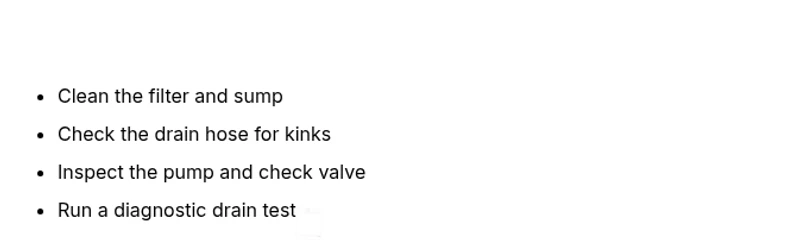
- Start with the filter, then the hose
- Listen for pump activity to pinpoint issues
- Use diagnostic mode if available
- Call a professional for persistent drainage problems