How to Check Dishwasher Drain Pump: A Practical Guide
Learn a practical, safety-forward method to inspect and test your dishwasher's drain pump. Identify clogs, test operation, and perform maintenance to prevent drainage problems.


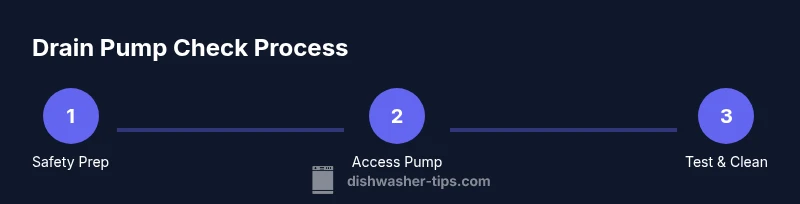
According to Dishwasher Tips, to check your dishwasher drain pump start by unplugging the unit and turning off the water supply. Remove the front panel to access the pump, inspect for clogs, and check the impeller for freedom of movement. If the pump hums but won’t drain, test the electrical connections before deciding on replacement.
Why Checking the Drain Pump Matters
The drain pump is a common failure point in many dishwashers. When it fails, water remains in the tub, dishes don’t drain, or you hear a buzzing/humming sound. A blocked pump can be caused by food debris, broken glass, or mineral buildup. Regular checks help prevent overflows and costly repairs. Understanding the pump layout helps you plan access; the pump is often behind a toe-kick panel. The impeller should rotate freely; if it’s jammed, drainage fails. Loose clamps, kinked hoses, or cracked seals can also mimic pump issues. A quick maintenance habit is to clean the filter and trap debris after each cycle and run a short drain test to confirm the pump moves water away. This article walks through a safe, methodical approach to inspection, testing, and simple fixes that can save you time and money.
According to Dishwasher Tips, a proactive approach starts with safety, then a visual inspection of hoses and clamps, followed by mechanical checks of the impeller. The Dishwasher Tips team found that most drain-pump problems stem from clogs, foreign objects, or worn impellers rather than a failed motor alone. This block will help you map the steps to access the pump and perform a basic assessment before any disassembly.
Common Causes of Drain Pump Problems
Drain pump problems aren’t always the pump itself. Debris in the filter basket can back up into the pump housing, catching the impeller and reducing flow. A kinked or clogged drain hose can mimic a pump failure, while a loose clamp may allow air to leak and reduce suction. Hard water minerals can build up on the impeller and housing, slowing water movement. Electrical issues—such as loose connections or a blown fuse—can prevent the pump from receiving power even if the mechanical parts look fine. Regular cleaning of the filter, checking hose routes, and ensuring proper drainage paths are simple preventive steps. If you hear a continuous hum without actual rotation, focus on electrical connectivity and the impeller’s freedom of movement. This section provides practical pointers to differentiate pump faults from external drainage problems.
Safe Access and Basic Inspection Procedure
Before reaching the pump, ensure you have a clear plan for power and water safety. Start by unplugging the machine and shutting off the water supply. Remove the toe-kick panel or lower access panel to reveal the pump housing. Visually inspect the pump for signs of leakage, cracks, or loose wiring. Check the drain hose for kinks or blockages and ensure clamps are tight. Gently rotate the impeller by hand (with the power disconnected) to confirm it spins freely. If you detect resistance, obstruction, or obvious wear, proceed to cleaning or replacement as outlined in Step-by-Step. Keep a small towel handy for any residual water and document wiring colors if you need to reference the service diagram.
Testing the Pump: Mechanical and Electrical Checks
A thorough test covers both mechanical movement and electrical continuity. With power safe, try a manual impulse test: disable power, then apply a quick, gentle spin to the impeller and note any binding. If the impeller spins easily, the issue may be a clogged outlet or foreign material in the hose. For electrical checks, measure voltage at the pump terminals or use a multimeter to verify continuity when the control board energizes the circuit. If there is no voltage, re-check the control wiring and fuses. If you detect a short, damaged insulation, or burned smell, the pump assembly is likely at fault and should be replaced. Document all findings to support a professional diagnosis if needed.
Cleaning, Replacing, and Preventative Tips
If you find debris around the impeller or in the housing, carefully remove it with a pair of needle-nose pliers. Clean the pump screen and surrounding areas to restore water flow. If the impeller is cracked, or the motor does not respond to power on, replacement is usually the best option. When replacing, ensure the new pump matches the model and that seals and gaskets are replaced to prevent leaks. As a preventative measure, scrub the filter basket weekly, keep the drainage hose clear, and avoid forcing hard objects into the cavity. After reassembly, run a short drain test to confirm proper operation and listen for a steady, unobtrusive hum.
When to Call a Professional
If you encounter persistent drainage issues after cleaning and basic checks, or if you notice signs of electrical trouble (sparks, burning smell, or melted insulation), it’s wise to contact a qualified technician. A professional can verify control-board signals, test under load, and safely replace the drain pump assembly if needed. For homeowners, this is a practical boundary: handle visual inspection and light cleaning, but rely on a pro for electrical diagnostics or component replacement beyond standard maintenance. This approach protects you from safety risks and helps ensure your dishwasher remains reliable.
Authority Sources and Further Reading
For further context on appliance reliability and approved maintenance practices, see sources from government and major publications. Energy.gov discusses energy-efficient appliance maintenance strategies, while EPA.gov provides general guidelines on safe household appliance care. Consumer Reports offers testing perspectives and user feedback on dishwasher components, including pumps. These resources can help you understand best practices and safety considerations while maintaining your unit.
Tools & Materials
- Screwdriver set (Phillips and flathead)(Both types to remove panels and screws)
- Bucket and towels(Catch water during panel removal and pump access)
- Flashlight or headlamp(Better visibility inside the base cavity)
- Pliers (needle-nose)(Remove debris and handle clips safely)
- Gloves (water-resistant)(Protect hands from sharp edges and residue)
- Multimeter (optional but recommended)(Check continuity and voltage if you’re comfortable)
Steps
Estimated time: 30-60 minutes
- 1
Power down and prep
Unplug the dishwasher and shut off the home water supply. Move the appliance away from the wall to access the power cord safely. Gather tools and place towels; this minimizes spills and keeps surfaces clean while you work.
Tip: Test the outlet with a simple device to confirm it’s truly off before touching wires. - 2
Remove toe-kick panel to expose the pump
Use a screwdriver to remove the toe-kick or lower access panel. Careful lifting may reveal the drain pump housing and hose clamps. Keep track of screws and avoid tipping water toward the electronics.
Tip: Take a photo of the wiring connections before detaching anything. - 3
Inspect pump region for clogs and damage
Visually inspect the pump for cracks, leaks, and debris around the impeller. Detach any visible clogs from the impeller and surrounding housing using pliers. Check the drain hose for kinks or blockages.
Tip: Never force items through the impeller opening; use tools to remove obstructions gently. - 4
Test mechanical movement
With power still disconnected, manually spin the impeller to confirm it rotates freely. If there is resistance, further disassembly may be required to remove hidden debris. Re-seat the impeller if it has loosened.
Tip: A smooth, free spin indicates a healthy impeller; binding suggests a replacement or deeper cleaning. - 5
Perform electrical checks (optional)
If you’re comfortable, reconnect power temporarily to observe if the pump receives voltage when the control board energizes. Use a multimeter to check continuity across the pump terminals if the power is off. If no voltage is present, inspect control wiring and fuses.
Tip: Only perform electrical tests if you have experience; otherwise skip this step and consult a pro. - 6
Reassemble and run a test cycle
Secure all panels, reattach hoses and clamps, plug in, and run a quick drain test with the door latched. Listen for steady operation and inspect for leaks. If drainage remains poor, consider replacement.
Tip: Run a short cycle first to verify drainage before a full wash cycle.
People Also Ask
What are the signs of a faulty dishwasher drain pump?
Common signs include failure to drain, standing water in the tub, or unusual noises like buzzing. Inspect the pump and hoses for clogs or wear, and test the motor’s ability to move water.
Common signs include not draining, standing water, or unusual noises; inspect the pump and hoses for clogs.
Can I repair the drain pump myself, or should I replace it?
You can attempt cleaning and reseating if there are no internal motor issues. If the impeller is damaged or the motor won’t turn, replacement is usually the best option.
You can try cleaning and reseating, but replace if the motor or impeller is damaged.
What tools do I need to check the drain pump?
Basic tools include a screwdriver set, pliers, flashlight, towels, a bucket, and gloves. A multimeter is optional for electrical tests.
You'll need basic hand tools and a flashlight; a multimeter is optional if you’re comfortable with electrical checks.
How long does the process take?
Most checks and minor maintenance take about 30 to 60 minutes, depending on access and the need to clean or replace parts.
Usually around 30 to 60 minutes.
What else should I check if the pump seems fine but not draining?
Inspect the filter, drain hose, and drain valve or solenoid. Problems elsewhere in the drainage path can mimic pump failure.
Check filters and hoses; other drainage parts can cause similar symptoms.
Watch Video
What to Remember
- Power off before inspection
- Check impeller freedom and hose paths
- Clear clogs; inspect for wear
- Test drainage with a test cycle