How to Stop Your Dishwasher Beeping: A Practical Guide
Learn practical steps to stop your dishwasher from beeping, diagnose common beep codes, reset the control, and prevent future alerts with trusted guidance from Dishwasher Tips.


This guide helps you stop dishwasher beeping by identifying the beep type, performing a safe reset, and clearing common faults. Start by unplugging the unit for 60 seconds or using the cancel button, then plug it back in and run a quick cycle. If beeping persists, inspect the door latch, water supply, and drainage, and reference your model's beep codes in the manual.
Understanding dishwasher beeps and beep codes
Dishwashers use beeps to communicate status, errors, and cycle events. Each beep pattern—how many beeps, duration, and whether they repeat—comes with a meaning that often corresponds to a fault code or a routine end of cycle. The Dishwasher Tips team emphasizes keeping your model's user guide handy because beep codes vary by brand and generation. Common patterns include a short single-beep at the end of a cycle, continuous beeps signaling a fault, or a sequence indicating a door latch issue. When you hear a beep, pause and note the beep count and rhythm as this will guide your next steps: reset, inspect hardware, or call for service if the beep persists.
Quick reset methods that often stop beeps
Before you start disassembling anything, try a safe reset. For most models, unplug the dishwasher for 60 seconds and then plug it back in. Some models use a cancel or reset button; press and hold for 3–5 seconds. Avoid using power surges or unplugging during a cycle. After reset, run a short test cycle to verify whether the beeping has ceased. If the beep returns, move to the next checks in this guide.
Inspect common causes: door latch and seals
A faulty door latch or worn latch switch is a frequent reason for beeping. When the door isn't fully closed, some dishwashers beep to warn of an unsafe operation. Inspect the door gasket and latch area for damage. Clean any debris that prevents a secure latch. If the latch feels loose or damaged, avoid forcing it and plan for a replacement operation.
Check water supply and drainage
Beeping can indicate water supply problems or drainage faults. Ensure the water supply valve is fully open and the hose is kink-free. Check the drain hose for blockages and ensure the sink trap is clear. Run a drain cycle to verify the pump and check filter baskets for clogs. If the pump struggles, the beep may indicate an error code related to drainage.
Interpreting model-specific beep codes
Instructions differ by brand and model. Look up the exact beep codes in your owner's manual or on the manufacturer's support site. If you do not have the manual, search the model number online (usually found on the door frame) to locate digital manuals. Knowing the precise code helps you target the fix—whether it’s a sensor issue, a water inlet problem, or a drain fault.
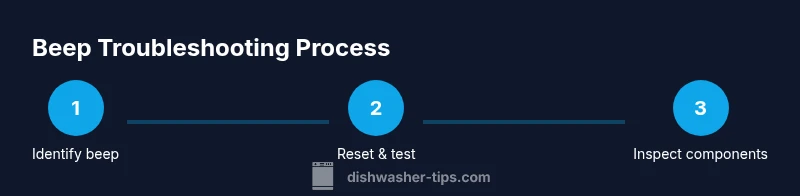
Step-by-step troubleshooting flowchart
Follow this flow to diagnose beeps efficiently:
- Start with a reset and observe the beep pattern.
- Check the door latch, then water supply, then drainage.
- If codes appear, reference the model’s code list.
- If beeping continues, test cycle with all detachable parts reinstalled and then consider service. This approach minimizes unnecessary part replacements and focuses on the root cause.
When to perform a factory reset or service mode
Some high-end models offer a service or diagnostic mode that reveals fault codes directly on the display. If your manual describes these modes, use them to retrieve live error data. Note that not all models have this feature. If beeping persists after a standard reset and hardware checks, contact service, especially if the display shows fault codes you don’t recognize.
Maintenance tips to prevent future beeps
Regular maintenance reduces false beeps. Clean the sump, filter, and spray arms monthly to prevent clogs that trigger errors. Inspect door seals for wear, replace if cracked, and ensure proper detergent usage—over-sudsing can cause drainage errors. Keep the area around the dishwasher clean and dry, and run a monthly cleaning cycle with an approved cleaner to maintain sensor accuracy.
Safety warnings and precautions
Always unplug the dishwasher before inspecting internal components. Do not bypass safety interlocks or force panels open, which can damage control boards or cause electrical shock. If you smell burning, see sparking, or notice melted wiring, stop use immediately and call a licensed technician. Use only manufacturer-approved parts for any replacement to maintain warranty and safety.
Brand-supported troubleshooting resources
For consolidated guidance, refer to official resources and trusted outlets. The Energy Star site provides general appliance safety and repair tips for dishwashers: https://www.energystar.gov/products/appliances/dishwashers. The U.S. Consumer Product Safety Commission offers consumer safety information: https://www.cpsc.gov/. For independent reviews and model-specific beep codes, check major publications such as https://www.consumerreports.org. These sources help verify steps and determine when professional service is needed.
Tools & Materials
- Owner's manual(Model-specific beep code list and reset procedure)
- Power outlet access(Unplug for reset; ensure safe reconnection)
- Soft cloth(For cleaning exterior and interior panels safely)
- Screwdriver set (Philips #2 / Torx T20)(Only if you need to remove panels per manual)
- Multimeter (optional)(If you suspect sensor or control board fault)
- Flashlight(To inspect tight spaces)
Steps
Estimated time: 20-45 minutes
- 1
Identify beep pattern
Listen to the beep pattern carefully and note how many beeps occur, their duration, and whether they repeat. Compare this pattern to the codes listed in your manual or on the manufacturer’s support site to determine the likely cause.
Tip: Write down the beep pattern before you start troubleshooting so you don't forget. - 2
Perform a safe reset
Unplug the dishwasher from the outlet or switch off the circuit breaker for 60 seconds, then plug back in and power on. Run a short cycle to see if the beeping stops. If the beep returns, proceed to step three.
Tip: Avoid resetting while a cycle is actively running to prevent data loss or damage. - 3
Check door latch and seals
Inspect the door latch and seal for damage or debris. A misaligned latch can trigger beeping as a safety cue. Clean any grime and ensure the door closes firmly.
Tip: Gently test the door with moderate pressure to ensure the latch engages consistently. - 4
Inspect water inlet and supply
Verify the water inlet valve is fully open and the supply hose is free of kinks. A restricted water supply can cause faults that beep during operation.
Tip: If the supply valve is hard to reach, turn off power first and use a flashlight for visibility. - 5
Check drainage path and filters
Examine the drain hose for kinks or blockages and remove any debris from filters and the sump. Clogs can trigger beep codes related to drainage problems.
Tip: Remove and clean filters regularly to prevent recurring faults. - 6
Reference model-specific codes
If your display shows a numeric or symbolic code, check the exact meaning in the manual or online support. Codes differ across brands and generations, so precise interpretation matters.
Tip: If you don’t have the manual, search by model number plus 'beep code' to find a digital version. - 7
Try diagnostic mode (if available)
Some models offer a diagnostic or service mode to reveal hidden fault data. Follow the manual carefully to enter this mode and read the displayed faults.
Tip: Only enter diagnostic mode if your manual explicitly instructs it. - 8
Decide on next steps (service or self-help)
If resets and hardware checks don’t fix the beep, schedule service or contact the manufacturer’s support line. Do not ignore persistent beeping as it may indicate a safety or reliability issue.
Tip: Document the beep pattern, fault codes, and your steps taken to speed up service calls.
People Also Ask
Why is my dishwasher beeping after a cycle ends?
End-of-cycle beeps are normal for many models, but a persistent beep may indicate a fault or a misread code. Check the manual for the exact meaning and perform a reset to clear transient errors.
End-of-cycle beeps are common, but a persistent beep might indicate a fault; check the manual and try a reset.
How do I reset my dishwasher to stop beeping?
Unplug the unit for 60 seconds or press the reset/cancel button for several seconds, then plug back in and try a quick cycle.
Reset by unplugging for a minute and then trying a quick cycle.
What should I do if the beep keeps sounding after resets?
Check the door latch, water supply, and drainage path. If no issue is found, consult the manual for codes or contact support for service.
If it still beeps, check latch, water, and drain, then consult the manual or support.
Can beeping indicate a safety issue?
Yes. Beeps can signal a door not properly closed, a blockage, or an electrical fault. Stop operation and inspect before using again.
Beeping can indicate safety issues; stop and inspect before continuing.
Are beep codes model-specific?
Yes. Beep codes vary by brand and model. Use the manual or the manufacturer's site to interpret codes accurately.
Yes—codes differ by model; use the manual to interpret them.
When should I call a technician for a beeping dishwasher?
If resets don’t fix the beeping or you notice burning smells, sparks, or melted wiring, contact a professional technician.
Call a technician if resets fail or you smell burning or see damage.
Watch Video
What to Remember
- Identify the beep pattern before acting
- Always perform a safe reset first
- Inspect the door latch, water supply, and drainage
- Consult the manual for model-specific beep codes