LG Dishwasher CL Code Troubleshooting Guide
Urgent guide to diagnosing and fixing the LG dishwasher CL code, including quick fixes, diagnostic flow, step-by-step repairs, safety tips, and when to call a pro.


LG dishwashers display CL to indicate a control lock or child lock is active. This means the control panel won’t respond until the lock is released. Quick fixes: press and hold the Lock/Child Lock button for 3–5 seconds, then power cycle the unit if needed. If the code persists, consult a technician.
What the CL Code Means on LG Dishwashers
The CL code on LG dishwashers generally signals a locked control panel, commonly triggered by a Child Lock or Control Lock feature. When active, the display may freeze, the keypad won’t respond, and the unit may show CL even when you expect normal operation. Understanding this helps you decide whether a simple user reset will fix the problem or if there might be a deeper fault. According to Dishwasher Tips, the lock state is a protective feature designed to prevent unintended starts or button presses in households with curious children or pets. If you see CL after closing the door, focus on releasing the lock and performing a reset before exploring other potential causes. This knowledge is essential for homeowners and renters who rely on reliable dishwashing, especially in busy kitchens where time is limited.
Immediate Quick Fixes You Can Try Right Now
If you encounter CL, start here before diving into diagnostics. These steps are low-risk and can resolve many lock-related issues.
- Release the lock: Press and hold the Lock/Child Lock button for 3–5 seconds until the display clears or the panel responds.
- Check the door latch: Ensure the door is fully closed and latched; a partially open door can trigger safety locks.
- Power cycle: Unplug the unit for 60 seconds or flip the circuit breaker off and on to reset the control board.
- Reset via start button: After reseating power, run a short rinse cycle to confirm the CL code does not reappear.
- Test with a new cycle: Start a normal wash and observe whether the CL indicator persists. If it does, proceed to the diagnostic flow.
These quick fixes often resolve CL codes without needing tools or professional help. Dishwasher Tips emphasizes a careful, patient approach so you don’t bypass a deeper fault by skipping a reset.
Diagnostic Flow for lg dishwasher cl code (Symptom → Causes → Fixes)
When the CL code appears, you want a logical path from symptom to solution. Here’s a concise diagnostic flow you can follow, aligned with common LG error patterns and user experience data.
- Symptom: CL code is shown on the display and the control panel is unresponsive.
- Possible causes (ranked by likelihood):
- cause: Child lock/control lock is engaged (high)
- cause: Partial power loss or power cycle glitches (medium)
- cause: Faulty door/latch or damaged control panel wiring (low)
- Fixes (in order of ease):
- fix: Release lock and perform a power cycle (easy)
- fix: Verify door latch and door alignment, reseat wiring if accessible (easy/medium)
- fix: If the CL code reappears after a reset, contact LG support for a professional inspection (hard)
This flow helps you quickly decide whether a simple reset will suffice or if you should arrange service. The CL code often stems from user-facing lock features, but persistent CL can indicate a hardware issue requiring diagnosis by a technician.
Step-by-Step Fix for the Most Common Cause
These steps address the most frequent scenario: a locked control panel due to an engaged lock.
- Identify the lock button: Locate the Lock/Child Lock on the control panel and prepare to hold it.
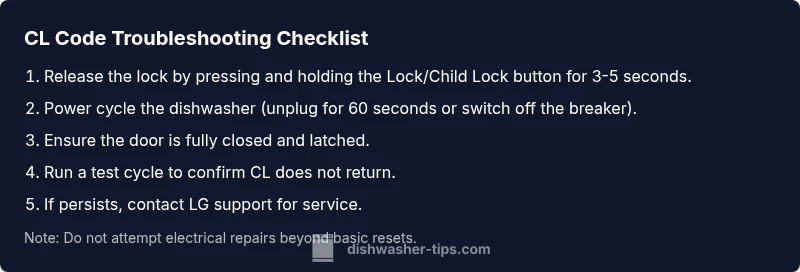
- Release the lock: Press and hold the Lock/Child Lock button for 3–5 seconds until the display responds.
- Confirm panel responsiveness: Tap several buttons to ensure the panel is back to life.
- Power cycle for good measure: Unplug for 60 seconds or switch off the circuit breaker, then restore power.
- Run a test cycle: Start a normal wash and verify CL does not return.
- If CL persists, inspect the door latch: Check for warped or misaligned latches that could simulate a locked state.
- Escalate if needed: If the code remains after the above steps, schedule service with a qualified technician.
Estimated total time: about 15–25 minutes for the home steps; professional service if needed may vary by region.
Other Possible Causes and How to Address Them
Beyond an engaged lock, several other factors can trigger CL or CL-like behavior. Consider these alternate scenarios and fixes to avoid unnecessary service calls.
- Power supply irregularities: A loose outlet or dimming lights can create intermittent resets. Ensure the dishwasher is plugged into a solid outlet and, if possible, test on a different circuit.
- Door latch issues: A damaged latch or misalignment can simulate a locked state. Inspect for bent latches, debris, or wear that prevents proper engagement.
- Control board anomaly: Infrequent firmware glitches may display CL. If a power cycle doesn’t resolve it, you may need a firmware update or control board inspection.
- Water supply or sensor faults: While less common, certain sensor or water inlet faults can trigger misleading error states; verify water supply and inlet screens.
In these situations, a staged approach—confirm power stability, check hardware wear, and then consider professional support—helps minimize downtime and avoid unnecessary replacement parts.
Safety, Warnings, and When to Call a Pro
Safety is paramount whenever you handle electrical appliances.
- Always unplug before inspecting internal components beyond the door latch. Do not disassemble the control board or power supply without proper training.
- If you smell burning, notice overheating, or see arcing, stop immediately and call a professional.
- If a CL code persists after a full reset and door check, schedule service. Expect cost ranges for parts and labor: parts typically range from $20–$150, with labor often between $80–$250 depending on the fix and region.
- For minor resets and door latch cleaning, you can often resolve issues yourself, reducing total costs and downtime. When in doubt, contact LG support or a certified technician to avoid further damage. Dishwasher Tips recommends documenting the steps you’ve tried to aid the technician.
Pro Tips to Prevent CL Codes and Keep Your LG Dishwasher Running Smoothly
Regular maintenance matters. Clean the door seals, inspect the latch, and keep the control panel free of moisture or soap residue. A dry panel prevents unintentional presses and accidental locks.
Schedule periodic resets. If your unit has known firmware quirks, a quarterly reset combined with a clean filter and spray arms can reduce lock issues and improve cycle reliability.
Use the right detergent. Proper detergents and rinse aids minimize foaming and residue that can interfere with sensors and door operations.
Monitor for recurring CL codes. If CL reappears after a week of careful maintenance, it’s time to contact a pro. A technician can check for a faulty lock switch, loose wiring, or a malfunctioning control board.
Documentation and support. Keep your model information handy (LG model number and serial number) when contacting support. Dishwasher Tips notes that many CL-related problems are resolved by a simple lock release or reset, but persistent issues require professional evaluation to prevent electrical hazards.
Steps
Estimated time: 15–25 minutes for home steps; service time varies by region.
- 1
Identify lock controls
Locate the Lock/Child Lock button on the control panel and verify which button corresponds to the lock function for your LG model.
Tip: If you can’t find a dedicated lock button, check your user manual or LG support site for your model’s button layout. - 2
Release the lock
Press and hold the Lock/Child Lock button for 3–5 seconds until the display changes or the keypad becomes responsive.
Tip: Avoid tapping multiple times; sustained pressure indicates a deliberate action. - 3
Power cycle the unit
Unplug the dishwasher for 60 seconds or switch off the circuit breaker for a full minute, then restore power.
Tip: A clean reset helps reset the control board without affecting other components. - 4
Test the door latch
Open and close the door firmly to ensure proper engagement; look for warped latch or visible debris.
Tip: A misaligned latch can keep the unit in lock mode even after reset. - 5
Run a test cycle
Start a normal wash and check if CL reappears during the run.
Tip: If it returns mid-cycle, stop and document the exact step where it appears. - 6
Decision point
If CL persists after these steps, arrange professional service; a technician may replace a lock switch or inspect the control board.
Tip: Ask about warranty coverage and estimated labor costs before scheduling.
Diagnosis: LG dishwasher displays CL code and won’t start or respond
Possible Causes
- highChild lock or control lock is engaged
- mediumPartial power loss or power cycle glitches
- lowDoor latch or wiring fault affecting lock sensing
Fixes
- easyRelease the lock by holding Lock/Child Lock for 3–5 seconds, then perform a power cycle
- easyVerify door latch is fully closed and properly engaged
- mediumIf CL persists, perform a full reset and test cycle; if still present, contact support for service
People Also Ask
What does CL mean on an LG dishwasher?
CL typically indicates a lock on the control panel (Child Lock or Control Lock). Releasing the lock and resetting often resolves the issue. If the code persists, there may be a hardware fault requiring professional service.
CL usually means the control panel is locked. Release the lock and reset; if it stays, seek professional service.
How do I release the CL lock on an LG dishwasher?
Find the Lock or Child Lock button and press it for 3–5 seconds until the panel responds. If the button isn’t labeled, check your model’s manual or LG support page for the lock sequence.
Press and hold the lock button for a few seconds until the panel responds.
Will unplugging the dishwasher reset CL?
Yes, a power cycle often clears lock states. Unplug for 60 seconds or switch off the circuit breaker, then restore power and test a cycle.
Unplug for a minute to reset, then test a cycle.
Can a faulty door latch cause CL?
A faulty latch may prevent the door from sensing proper closure, triggering a lock state. Inspect for damage or debris and replace if needed.
A bad latch can trigger a lock state; inspect and replace if needed.
When should I call a professional for CL code?
If CL persists after a full reset, or you notice electrical smells, call a technician. Costs vary by region; expect parts and labor in the general repair range.
Call a pro if resets don’t fix CL or you smell burning.
Can firmware updates fix CL code?
Firmware issues can cause intermittent lock behavior. Check LG’s support site for firmware updates for your model and apply them if available.
Firmware updates can help; check LG support for your model.
Watch Video
What to Remember
- Release the lock and reset first.
- A persist CL may indicate a hardware issue requiring service.
- Power cycle often resolves glitches that trigger CL.
- Contact a pro if CL remains after resets.