Samsung Dishwasher Flashing Heavy Light: Troubleshooting Guide
Learn how to diagnose and fix a Samsung dishwasher flashing heavy light. Step-by-step checks, safe fixes, and prevention tips for homeowners and renters.


Most often, a flashing heavy light on a Samsung dishwasher signals a door latch, control board, or sensor fault. Start with a power reset, re-seat the door latch, and check the water inlet and filters. If the light persists after these basics, isolate the issue and call for professional service.
Understanding the heavy light pattern on Samsung dishwashers
The sight of a flashing heavy light on a Samsung dishwasher can be alarming, especially if you rely on the appliance for daily meals. In many models, this indicator signals a fault in the door latch, control board, or a sensor in the wash system. According to Dishwasher Tips, recognizing the pattern first helps you triage without wasting time on unnecessary steps. The goal is to identify whether the issue is electrical, mechanical, or related to water flow. By understanding common fault codes and how the stove-like light communicates, you can act quickly and avoid potential water damage or leaks. This guide uses practical checks that homeowners and renters can perform safely, with clear next steps if a professional diagnosis is required.
Likely causes at a glance
Several issues can trigger a heavy-light flash on Samsung dishwashers. The most common are a faulty door latch or switch (the unit won’t start reliably), a failing control board or keypad, and sensor or float problems in the water system. Less frequent but possible are wiring harness issues, clogged filters, and drainage blockages. Dishwater Tips analysis shows that starting with the simplest cause—physical latch or power reset—saves time. Keep in mind that multiple problems can occur together, so don’t assume a single cause if fixes don’t resolve the symptom.
Quick, safe checks you can perform today
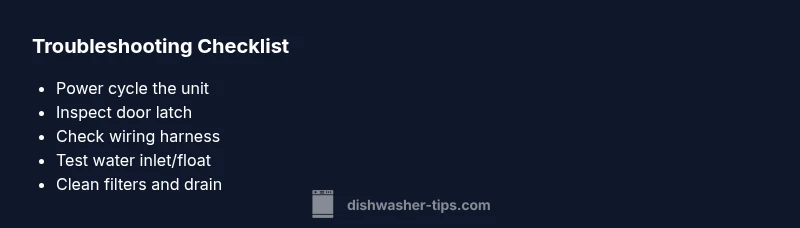
- Power cycle the appliance: unplug for 60–90 seconds or switch off at the breaker, then plug back in. This resets electronic boards and can clear transient faults.
- Inspect the door latch and door switch: ensure the latch engages fully and the strike is aligned. If the door feels loose or the switch is damaged, replace it.
- Verify the water supply and filter: ensure the inlet valve is open, hoses aren’t kinked, and the filter and sump are clear of debris.
- Look for obvious wiring issues: loose connectors or damaged wires at the control panel can cause intermittent faults that trigger the heavy light.
- Do not force the unit: avoid slamming the door or applying pressure to the control panel, which can worsen electrical faults.
Diagnostic flow overview for this symptom
This section introduces a structured approach to diagnosing the flashing heavy light, moving from quick checks to targeted tests. The process aligns with typical service manuals: rule out power and hardware faults first, then isolate electrical control and sensor paths. By following a logical flow, you’ll either fix the issue or have precise information when calling a technician.
Step-by-step fix for the most common cause: door latch fault
- Power cycle the dishwasher to reset the control board.
- Description: Unplug the unit or switch off the circuit, wait 60 seconds, then restore power. This often clears transient fault codes that trigger the heavy light.
- Tip: Use the breaker if the plug is hard-wired. Label the circuit to avoid re-energizing other devices by mistake.
- Inspect and reseat the door latch and switch connections
- Description: Open the door and locate the latch assembly. Check for alignment, wear, or visible damage. If connectors at the latch or control board look loose, reseat them firmly.
- Tip: Take photos before unplugging connectors so you can reassemble correctly.
- Test the door latch operation
- Description: With power restored, close the door and watch for latch engagement. A failed latch may show the light or prevent the unit from starting.
- Tip: If the latch springs back or feels loose, replace the latch assembly.
- Check the door gasket and strike alignment
- Description: A misaligned door can cause intermittent contact, triggering fault indicators. Ensure the gasket seals evenly and the strike sits flush on the door frame.
- Tip: Clean any residue from the gasket to maintain a proper seal.
- Inspect the wiring harness at the control board
- Description: Look for frayed wires or corroded pins. Re-seat connectors and ensure no pins are bent.
- Tip: If you’re not comfortable with electronics, skip to step 6 and call a professional.
- Safety check and professional escalation
- Description: If the heavy light persists after these steps, there is a higher likelihood of a control-board fault or sensor failure that requires professional testing.
- Tip: Include model number, serial number, and a list of symptoms when contacting service.
- Optional: water inlet and sensor tests
- Description: Check float switch and water inlet valve for sticking or failure. If the water level doesn’t rise as it should, that could trigger fault codes.
- Tip: Only perform water-side tests if you’re comfortable, as incorrect handling can cause leaks.
Safety, warnings, and when to call a professional
- Always unplug the dishwasher before inspecting electrical components or attempting any wiring work. Water and electricity are a dangerous mix.
- If you notice burning smells, melted plastic, or sparks, stop immediately and contact a licensed technician.
- If your unit is under warranty, check coverage before attempting any non-authorized repairs to avoid voiding it.
- Do not attempt major repairs beyond your comfort level; some faults require specialist diagnostic tools and replacement parts.
Maintenance and prevention to avoid future flashing issues
- Clean filters and the sump monthly to maintain proper water flow and sensor accuracy.
- Inspect door gaskets for wear and replace them if they’re cracked or stiff.
- Run a diagnostic cleaning cycle with a dishwasher cleaner every 3–6 months to reduce residue formation on sensors.
- Keep the detergent dispenser and rinse aid compartments clean to prevent residue from affecting the control system.
- Document light patterns and symptoms, so you have a history for future工 service if needed.
Troubleshooting wrap-up and prevention checklist
- Confirm the issue is a flashing heavy light and not a general malfunction by noting whether the door latches securely and the unit powers on normally.
- Use the diagnostic flow to distinguish between latch, control board, and sensor problems.
- Regular maintenance reduces the likelihood of recurring fault codes and helps extend appliance life.
Steps
Estimated time: 45-60 minutes
- 1
Power cycle the dishwasher
Unplug the unit or switch off the circuit, wait 60 seconds, then plug back in. This resets the control board and can clear transient fault codes causing the heavy light.
Tip: If you can’t access the plug, switch off the dedicated circuit at the breaker for 60 seconds. - 2
Inspect door latch and connections
Open the door and check the latch for alignment and wear. Reseat any loose connectors at the latch and control board. Replace if damaged.
Tip: Take photos before disconnecting any wires to aid reassembly. - 3
Test door latch operation
Close the door and verify the latch engages fully. If the latch feels loose or doesn’t hold, replace the latch assembly to restore proper contact.
Tip: A misaligned latch often triggers intermittent faults. - 4
Check control panel wiring
Inspect the wiring harness at the control board for loose or corroded pins. Reseat connectors securely and look for damaged insulation.
Tip: Power off before handling wiring; use insulated tools. - 5
Inspect water inlet and float switch
Ensure the water inlet valve is open and hoses aren’t kinked. Check float switch for sticking or obstruction.
Tip: A stuck float can falsely indicate the tub is full and trigger fault codes. - 6
Drain and filter inspection
Remove and clean the filter and inspect the drain pump for obstructions. A clogged drain or filter can generate fault signals.
Tip: Always reassemble seals properly to prevent leaks. - 7
Professional escalation
If the heavy light persists after these steps, schedule a service call. A technician can test the control board and sensors with specialized equipment.
Tip: Document symptoms, model and serial numbers to speed diagnosis.
Diagnosis: Heavy light flashing on Samsung dishwasher
Possible Causes
- highDoor latch or switch fault
- highControl board or keypad fault
- mediumWater inlet valve or float switch issue
- lowWiring harness fault or loose connections
Fixes
- easyPower cycle the unit by unplugging for 1–2 minutes or flipping the circuit breaker, then restore power.
- easyInspect the door latch and switch; reseat or replace if damaged.
- mediumCheck the control panel wiring harness for loose connections; reseat connectors firmly.
- mediumTest water inlet valve and float switch; replace if stuck or malfunctioning.
- easyInspect and clean the drain pump and filter to remove debris
People Also Ask
What does a flashing heavy light mean on my Samsung dishwasher?
A flashing heavy light typically indicates a fault in the door latch, control board, or a sensor in the wash system. Start with basic resets and latch checks before moving to more involved diagnostics.
A flashing heavy light usually means a door latch, control board, or sensor problem. Start with a reset and latch check, then proceed to more tests if needed.
Should I unplug the dishwasher to troubleshoot?
Yes. Unplug or switch off the circuit before inspecting electrical components to avoid shock. After maintenance, plug back in and test.
Yes—always unplug or switch off the circuit before poking around inside the dishwasher.
Can I fix this myself or is professional help required?
Many basics like power cycling and latch inspection are DIY-friendly. If the light remains after these checks, or you detect damaged wiring or the control board, contact a professional.
DIY fixes work for simple checks, but if the light keeps flashing, a technician should handle it.
How long does a typical repair take?
Simple checks may take 30–60 minutes. More complex parts like the control board can require a service appointment and parts replacement, which takes longer.
Simple checks can be done in under an hour; more involved repairs may need a service visit.
Is there any safety risk I should know about?
Electrical work near water is dangerous. Always power down and avoid touching live parts. If you smell burning or see sparks, stop and call a pro.
Safety first—power down and don’t touch live parts. Call a professional if you notice any heat or smoke.
Will this affect warranty?
Self-diagnosis and basic maintenance generally don’t void warranty, but avoid non-authorized repairs. Check your warranty terms and contact Samsung support if in doubt.
Check your warranty terms; stick to authorized repairs to stay protected.
Watch Video
What to Remember
- Power cycle first to clear transient faults
- Inspect door latch and control wiring early
- Check water inlet and float for proper operation
- Clean filters to ensure proper drainage and sensor readings
- Call a professional if faults persist after basic checks