Samsung Dishwasher LC Error: Quick Diagnosis and Repair
Urgent, step-by-step guide to diagnose and fix Samsung dishwasher LC codes. Learn quick fixes, diagnostic flow, safe repair steps, and prevention tips from Dishwasher Tips.


LC on Samsung dishwashers signals a fault in water sensing or a leak protection circuit, triggering an urgent pause. Start with a safe reset, check for visible leaks around the door gasket and hoses, verify the water inlet, and clean the filter. If LC remains after these quick checks, proceed with the full diagnostic flow or contact support.
What the Samsung Dishwasher LC Means and Why It Demands Urgency
On Samsung dishwashers, the LC error is a protection code that appears when the machine detects a water-related fault. According to Dishwasher Tips, LC codes are most often tied to the water-leak sensor or a level-sensing circuit. The result is an automatic pause to prevent flood damage and appliance harm. If you see LC, treat it as an urgent warning rather than a routine fault. Start with a safe reset and a visual scan for obvious culprits: door seals, hoses, clamps, and any signs of moisture around the base. Ensure the unit is level and that the water inlet valve provides a steady flow. This approach aligns with Dishwasher Tips’ practical guidance for homeowners and renters troubleshooting LC codes in 2026.
Quick Fixes You Can Try Before Opening the Cabinet
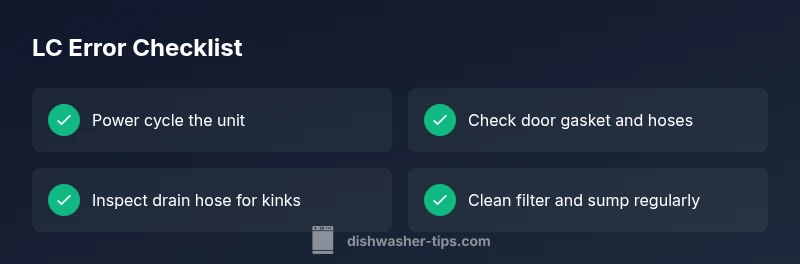
- Power cycle the unit: unplug or switch off at the breaker for at least 60 seconds, then plug back in. This resets the control board and can clear transient faults that trigger LC.
- Check for visible leaks around the door gasket, hoses, and the base pan. Look for dampness, puddles, or crusty mineral deposits that indicate an active leak.
- Inspect the drain hose for kinks, clogs, or improper routing. A blocked drain can trigger level-sensor alarms and LC codes.
- Examine the water inlet and screen for debris. A restricted inlet reduces fill level accuracy and can confuse the sensor.
- Clean the sump area, filters, and spray arms. A dirty filter or blocked sump alters flow patterns and can trigger the LC fault.
- Run a test cycle with no dishes to observe whether LC reappears. If it does, record the cycle stage and noises; this helps when communicating with support.
Diagnostic Flow: Symptom, Causes, and Immediate Fixes
- Symptom: LC code displayed, machine halts mid-cycle. This signals a fault flagged by the leak/level sensor.
- Causes (ordered by likelihood):
- Water leak sensor fault or actual leak (high)
- Drainage or siphon blockage (medium)
- Control board glitch (low)
- Immediate fixes (start with the easy options):
- Inspect for leaks around the gasket and base; tighten or replace components as needed. (easy)
- Verify drainage path: drain hose, air gap, and filter; clear clogs. (easy)
- Reset the unit and update firmware if available; reseat wires and connectors. (easy)
Step-by-Step Repair for the Most Common Cause: Leaky Gasket or Sensor Issue
- Safety first: unplug the dishwasher and turn off the circuit breaker before any inspection.
- Open the door and remove racks to access the door gasket and bottom of the tub. Look for tears, cracks, or deformities in the gasket.
- Clean the gasket and the door frame surfaces; use a mild cleaner and a soft cloth. Damaged gaskets must be replaced; verify the replacement part compatibility with your Samsung model.
- Inspect the drain hose connections at both ends for looseness or leaks; tighten clamps if needed.
- Check the moisture sensor strips and wiring harness for signs of corrosion or loose connectors; reseat and reconnect all plugs.
- Reassemble, restore power, and run a short cycle with no dishes to confirm the LC code does not reappear.
- If LC persists, consider replacing the door gasket assembly or the leak sensor module, and test again after installation.
Other Causes and How to Address Them
- Clogged or dirty filter and sump: Clean or replace the filter, then run a diagnostic fill to confirm proper water level.
- Faulty inlet valve or fluctuating water pressure: Inspect the valve for sticking or mineral buildup; replace if necessary.
- Float switch malfunction: Remove mineral deposits, test the float with manual lifting, and replace if it sticks.
- Control board failure: Loose connectors or firmware corruption can trigger LC; reseat connectors and perform the factory reset; if unresolved, professional service is advised.
Safety Warnings, Pro-Tips, and When to Call a Professional
- Do not operate the unit while you hear active leaks or see pooling water; moisture plus electricity is a serious hazard.
- Always power down before inspections; use a GFCI outlet if possible and avoid wet hands.
- If LC repeats after the above checks, expect a sensor, valve, or control-board fault that usually requires a service visit. Typical repair parts and labor for LC-related fixes vary by model and region, with common ranges for parts like door gaskets or sensors and labor typically ranging from moderate to substantial depending on the component replaced.
- When in doubt, contact an appliance pro to prevent accidental damage or safety risks. The cost of professional diagnostics can range roughly from a low to mid hundreds, depending on availability and warranty status.
Preventive Tips to Minimize LC Recurrence
- Schedule periodic gasket inspections and moisture checks around the door and tub perimeters.
- Clean filters and sump monthly; this maintains accurate water levels and reduces sensor confusion.
- Use manufacturer-recommended detergents and avoid overloading the unit, which can disrupt drainage and sensor readings.
- Ensure the dishwasher is level on the floor and stably connected to a consistent water supply.
- Run a calibration cycle after major service or replacement to reinitialize sensors.
Steps
Estimated time: 60-120 minutes
- 1
Power Down Safely
unplug the dishwasher and switch off the circuit breaker. This prevents shock during inspection and resets the control logic. Inspect for any signs of moisture on exposed components before touching anything.
Tip: Always verify power is off with a non-contact tester before touching wiring. - 2
Access Quietly
Remove racks and inspect the door gasket for tears or deformations. Look along the entire gasket seam for gaps that could allow water to escape during cycles.
Tip: Take a photo of the gasket condition to reference when ordering a replacement. - 3
Inspect Drains and Hoses
Check the drain hose for kinks, blockages, or loose clamps at both ends. Remove clogs from the filter and sump area to restore proper drainage.
Tip: Run a short test cycle after hose reattachment to confirm seal integrity. - 4
Check Sensors and Wiring
Examine the moisture sensor, float switch, and wiring harness for corrosion or loose connections. Re-seat all connectors securely.
Tip: If wiring is damaged, replace the harness with an OEM-compatible part. - 5
Test Run
Power the unit back on and run a 30-60 minute test cycle with no dishes. Watch for leaks and ensure the water fill and drain occur as expected.
Tip: Document cycle stages and any reappearance of LC to share with a technician. - 6
Decide on Replacement Parts
If LC recurs, evaluate whether to replace the gasket, sensor module, or controller board. These parts vary by model; check compatibility before purchase.
Tip: Keep receipts and note serial numbers for future service or warranty claims.
Diagnosis: Error LC displayed, dishwasher stops mid-cycle
Possible Causes
- highWater leak sensor fault or actual leak
- mediumDrainage blockage or poor flow
- lowControl board glitch
Fixes
- easyInspect door gasket, hoses, and base for leaks; tighten or replace as needed
- easyClear drain path: hose, air gap, and filter; reassemble and test
- easyReset controls and reseat connectors; update firmware if available
People Also Ask
What does LC mean on a Samsung dishwasher?
LC typically indicates a leak or level-sensing fault in Samsung dishwashers, triggering a safety pause. Start with a reset, inspect seals and hoses, and verify the water inlet before pursuing deeper diagnostics.
LC usually means a leak or level-sensing fault, which pauses operation. Try a safe reset and check seals, hoses, and the water inlet before calling for service.
Can I fix LC myself?
Yes for many quick checks and gasket or hose issues. If LC persists after basic resets and inspections, or you detect active leaks, consider professional service to avoid electrical hazards.
You can try basic checks yourself, but if the code repeats or you see leaks, get a pro involved for safety.
What parts are commonly involved in LC repairs?
Common components include the door gasket, leak sensor module, drain hose, and occasionally the control board. Replacement depends on the exact model and the diagnosed fault.
Typically, you may need a door gasket, leak sensor, drain hose, or sometimes a control board.
How much does it cost to fix LC?
Costs vary by part and labor, but expect a range starting from basic gasket replacement up to several hundred dollars for sensor or board replacements. Always request a written estimate before service.
Costs depend on the part and labor, often ranging from inexpensive gasket fixes to more involved sensor or board replacements.
How do I reset the LC error?
Power cycle the unit by unplugging for 60 seconds or switching off at the breaker, then plug back in and run a test cycle. If LC reappears, document the cycle stage and consider professional help.
To reset, unplug for a minute, then plug back in and test. If it comes back, note the cycle stage and seek help.
Is LC dangerous to ignore?
Yes. Leaks and electrical components pose shock and water damage risks. If you detect persistent leaks or pooling, stop using the appliance and contact a professional.
Ignoring LC can be dangerous due to water and electricity, so stop and call a pro if leaks persist.
Watch Video
What to Remember
- Identify LC quickly with visual checks and resets
- Start with safe, simple fixes before disassembly
- Follow the diagnostic flow for the most likely cause
- Call a pro if LC persists after basic steps
- Prevent recurrence with regular maintenance