Samsung Dishwasher LC Code: Urgent Troubleshooting Guide
Urgent guide to Samsung dishwasher LC code: understand its meaning, follow a diagnostic flow, perform quick fixes, and know when to call a pro to restore safe operation quickly.


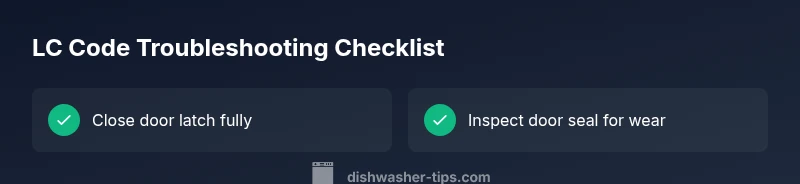
LC code on Samsung dishwashers signals a fault that blocks operation, commonly tied to the door latch or a detected leak. This warning requires immediate checks: ensure the door locks securely, inspect the door seal for damage, and perform a power reset by unplugging for 1-2 minutes. If the code persists, consult the manual or contact Samsung support for a professional diagnosis.
Understanding Samsung LC Code: What It Means
LC code is a fault indicator that tells you the machine detected a condition that prevents safe operation. On Samsung dishwashers, LC codes can hint at door latch problems, leak detection events, or sensor faults, and the exact meaning can vary by model. This is why taking immediate, model-specific steps is essential. According to Dishwasher Tips, door latch issues and leaks are the most common triggers for LC codes, and many fixes are straightforward, not requiring specialized tools. Begin with simple checks: ensure the door is fully closed and the latch clicks; inspect the door gasket and tub seal for cracks or wear; and verify the unit is plugged in and receiving power. If you recently interrupted power, a reset may clear transient faults. In any case, treat LC with urgency and consult the user manual or Samsung support if the code reappears.
From a broader perspective, LC is a catch-all fault signal that can arise from both hardware and firmware inputs. Dishwasher Tips emphasizes that models may differ in how LC is reported, so always reference your specific model's troubleshooting section. Keeping a clean door seal and stable power supply reduces false LC readings. If your model has a smart diagnostic mode, you can run it after basic checks to obtain model-specific next steps.
How Samsung Models Interpret LC Codes Across Variants
Different Samsung dishwashers and firmware revisions map LC codes to slightly different meanings. In general, LC is triggered by a door-seal issue or a detected leak, but some variants use LC to flag sensor or control-board anomalies. The risk with any LC code is that it confirms the machine cannot run a cycle safely. The more you know about your model, the faster you can isolate the fault. Always consult the owner's manual for the exact LC interpretation and any model-specific remedies. If you own a smart-enabled Samsung dishwasher, running the built-in diagnostic may reveal precise subcodes or sensor faults that accompany LC. Keeping the door closed, seals intact, and hoses secure minimizes chances of a leak being detected and reduces the likelihood of LC reappearing after a simple reset.
Samsung’s newer firmware often adds quick checks for common culprits, like misaligned doors or loose wiring to the door latch. By understanding your model’s LC mapping, you can triage more efficiently and avoid unnecessary replacements. If the code reappears after a reset, it’s time to escalate to service with a clear description of symptoms and any audible door latch symptoms you noticed.
Diagnostic Flow for LC Code: Symptom → Causes → Fixes
- Symptom: LC code displayed on the control panel; the dishwasher may not start or stops mid-cycle.
- Causes (likelihood):
- Door latch not engaged or door ajar (high)
- Leak detected due to damaged door seal or tub gasket (high)
- Sensor or control board fault causing false leak/lock signal (medium)
- Fixes (priority):
- Close the door firmly until the latch engages (easy)
- Inspect door seal for cracks or wear; replace if damaged (easy)
- Power cycle the machine and reset the control (easy)
- Tighten hose clamps and check for external leaks around the base (medium)
- Call a technician for leak testing and sensor replacement if needed (hard)
If the LC code persists after these steps, unplug the unit, wait 60 seconds, and plug back in to reset the system. If the problem still remains, consult Samsung support with your model number and the error state.
In practice, run a short test cycle with the door fully closed after each fix to verify whether the LC code returns. Record any subcodes shown by the diagnostic mode, as those can speed up professional diagnosis and parts ordering.
Quick Fixes You Can Try Right Now
- Power cycle the dishwasher by unplugging for 60 seconds and plugging back in. This clears transient faults that may trigger LC after a power hiccup.
- Ensure the door is fully closed and latches with a distinct click. A misaligned latch can falsely trigger LC without a leak.
- Inspect the door seal and tub gasket for cracks, tears, or deformities. Replace damaged seals to restore leak protection.
- Check visible hoses and clamps under the base for signs of dampness or seepage; tighten connections if needed.
- Run a short diagnostic cycle if your model supports it; note any subcodes that appear.
- If water is present around the base, dry it thoroughly and verify there’s no pooling during a cycle before running again.
Step-By-Step Fix: Door/Latch Issue (Most Common)
- Safety first: unplug the machine and turn off the water supply.
- Access the door latch assembly by opening the door fully and inspecting the latch mechanism for debris or misalignment.
- Clean the latch and strike area with a dry cloth; re-seat any loose components.
- Close the door firmly until you hear a solid, unmistakable click.
- Reconnect power, select a short cycle, and observe if the LC code clears.
Tip: If the latch feels loose or wobbly, replace the latch kit as reinforcement; this is a common failure point and often restores reliability.
Estimated time for this fix: 15-25 minutes depending on access to screws and tools.
Step-By-Step Fix: Leak and Seal Check
- Unplug the unit and remove the kickplate to inspect the door seal and tub gasket from the inside.
- Look for cracks, tearing, hardening, or gaps around the seal; replace any damaged sections.
- Check the tub for warping near the seal; ensure the tub lip sits evenly against the door panel.
- Inspect inlet and drain hoses for kinks or loose clamps; tighten clamps and replace damaged hoses.
- Wipe dry and run a short cycle with a low load to confirm leak status.
Pro tip: Use a towel to catch any residual water before opening the door during inspection to avoid slips or shock hazards.
Step-By-Step Fix: Reset and Firmware Considerations
- Power cycle the entire unit as described; then re-enter the diagnostic mode if available.
- Update firmware if an update is posted by Samsung for your model (via Wi-Fi-enabled units).
- Run a test cycle with a small load after update; observe whether LC recurs.
- If firmware issues persist, contact Samsung support for a guided reset or service option.
Tip: Document the model number, firmware version, and any subcodes shown during diagnostics for faster support.
Step-By-Step Fix: When Sensors or Control Board Are Suspected
- Use the diagnostic mode (if offered) to capture a fault tree from the control board logs.
- Inspect internal wiring to the door latch and leak sensors for loose connectors or corrosion.
- If wiring looks intact, avoid replacing the board yourself unless you are trained; a professional service visit is recommended.
- Prepare the model number, purchase date, and known issues for warranty or service quotes.
Warning: Working on control boards can expose you to live mains voltages; disconnect power before any inspection and call a pro if you’re unsure.
Additional Causes and How to Verify
- Faulty water inlet or drainage causing sensor to misread a leak; verify no blockage and ensure valve operation.
- Moisture or condensation interfering with sensor readings; dry areas around sensors and reseat them if possible.
- Firmware glitch causing a false LC state; firmware updates often resolve this without hardware changes.
- Mechanical damage to the door frame or latch that prevents a proper seal; inspect the entire door assembly for warpage or damage.
Verification steps include running cycles with and without water supply disconnected briefly, noting any LC recurrence, and repeating safety checks after each change.
Safety, Warranty, and When to Call a Pro
- If you smell burning plastic, hear buzzing, or notice hot components, stop and unplug immediately and call a professional.
- An LC code that persists after basic fixes may indicate a deeper leak or door latch failure that requires a certified technician.
- Check warranty status; many Samsung models carry coverage for door latch assemblies or seals if failure occurs within the warranty period.
- Avoid DIY sensor or control-board replacements unless you are trained; incorrect handling can void warranties or cause further damage.
Key Takeaways: Quick, Actionable Reminders
- LC code usually means a lock/leak fault; act fast. (15 words)
- Start with door latch, seals, and power reset before deeper repairs. (12 words)
- If LC persists after basic fixes, seek professional service. (11 words)
- Document model and subcodes to accelerate diagnosis. (9 words)
Steps
Estimated time: 45-60 minutes
- 1
Power down and unplug
For safety, unplug the unit and turn off the water supply. Wait 60 seconds to discharge residual energy, then plug back in and restore power. This simple reset clears many transient LC faults caused by power hiccups.
Tip: Label the power cord to remind yourself where it plugs in. - 2
Check door latch alignment
Open and inspect the latch and strike. Clean any debris, reseat the latch, and ensure it engages firmly with a solid click when closed. A misaligned latch is a common LC trigger.
Tip: If you hear a loose latch rattling, replace the latch kit. - 3
Inspect door seal and tub gasket
Carefully examine the door seal and tub gasket for cracks, tears, or hardening. Replace damaged sections to restore leak protection and prevent false LC readings.
Tip: Use a flashlight to reveal micro-cracks that are easy to miss. - 4
Check hoses and clamps
Inspect inlet and drain hoses for kinks, bulges, or loose clamps. Tighten clamps and replace any damaged hoses to eliminate external leaks that can trigger LC.
Tip: Run the cycle with no large loads to reduce strain. - 5
Run a test cycle
After fixes, run a short test cycle with a minimal load. If LC reappears, document any patterns (time of day, cycle type) and prepare for professional service.
Tip: Keep a log of codes, timings, and sounds.
Diagnosis: LC code displayed, dishwasher won't start or stops mid-cycle
Possible Causes
- highDoor latch not engaged or door ajar
- highLeak detected due to damaged door seal or tub gasket
- mediumSensor or control board fault causing false leak/lock signal
Fixes
- easyClose the door firmly until latch engages
- easyInspect door seal for cracks; replace if damaged
- easyPower cycle the machine and reset the control
- mediumTighten hose clamps and check for external leaks
- hardCall a technician for leak testing and sensor replacement
People Also Ask
What does LC code mean on a Samsung dishwasher?
LC is a general fault code indicating a lock or leak-related issue that prevents safe operation. The exact meaning can vary by model and firmware, so always check your manual or Samsung support for model-specific guidance.
LC means a lock or leak fault. Check the door latch and seals, then reset; if it stays, contact Samsung support with your model details.
Can I fix an LC code without a technician?
Many LC codes stem from simple issues like a loose door latch or worn door seal. Start with the latch, seal, and a power reset. If the code persists, professional service is recommended.
Sometimes you can fix it yourself by checking the latch and seals, then resetting. If it keeps showing, call a pro.
How do I reset the LC code safely?
Unplug the unit for at least 60 seconds, then plug back in and run a short diagnostic or test cycle. If LC returns, avoid repeated resets and seek help with error details.
Power off, unplug briefly, plug back in, then test. If it comes back, get professional help.
Will LC reset after I replace a door seal or latch?
Replacing worn seals or a faulty latch can clear LC once the system rechecks safety conditions. If the code persists after replacement, a fault in wiring or the control board may be involved.
If you replace the latch or seal and re-test, LC may clear, but if it doesn’t, further diagnostics are needed.
Is there a warranty impact if LC appears?
LC codes themselves aren’t warranty voiders, but the cause (like a seal failure or latch) may be covered under warranty depending on purchase date and policy. Check with Samsung support for coverage specifics.
LC doesn’t automatically void warranty, but the repair may be covered if the fault is a covered part.
Watch Video
What to Remember
- Identify LC as a critical fault requiring quick checks
- Prioritize door latch, seal, and power reset first
- Use a diagnostic log for faster service if needed
- Call a pro if leaks persist or if you’re unsure