Whirlpool Dishwasher Not Starting: Quick Troubleshooting Guide
Urgent troubleshooting guide for Whirlpool dishwashers not starting. Learn quick checks, diagnostic flow, step-by-step fixes, safety tips, and prevention to get your dishwasher running again in 2026.


Start by verifying power and the door latch. Check the circuit breaker or GFCI, then reset and try again. If the unit still won't start, cycle the power, inspect the door switch, and consider a control-panel reset. For stubborn cases, a professional repair is recommended.
Introduction and Immediate Context
This article addresses the most common reason a Whirlpool dishwasher won't start and outlines a practical, safety-first approach. If your dishwasher is unresponsive, the issue is often simple to verify and fix with everyday tools. According to Dishwasher Tips, many not-start issues are caused by power or door latch problems, so we’ll start there and move toward the electrical and control components as needed. In 2026 this guidance remains a reliable first move for homeowners and renters who want a fast resolution without guessing.
Basic Power and Door Checks
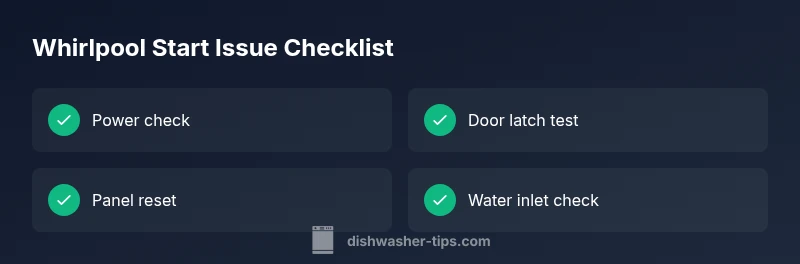
The first place to look is power. Confirm the dishwasher is plugged in and the outlet is live. If the outlet shares a circuit with other devices, unplug them and reset the circuit breaker. Then inspect the door latch: ensure the door closes firmly and latches with a clear click. A loose or damaged latch prevents the control board from powering up. Clean any debris from the latch area and verify the door aligns correctly with the cabinet when closed.
Electrical Pathways and Supply
If the unit still refuses to start, you may be facing an electrical supply issue. Check the kitchen circuit breaker and GFCI outlets that could trip and cut power to the dishwasher. Reset the breaker and any GFCI in the chain, and test the outlet with a small appliance to confirm power. Damaged cords or frayed wiring should be addressed by a professional. Since electricity and water are involved, avoid probing inside the terminal area unless the unit is unplugged and safely isolated.
Control Panel and Lock Features
Modern Whirlpool models use a control panel and sometimes a control lock. If the display is blank or unresponsive, it may be a reset-needed condition. Try a power cycle: unplug the machine for 60-90 seconds, then plug back in and attempt to start. Some models show blinking codes; consult the manual for code meanings and possible resets. Do not attempt to bypass the lock or enter service modes without instructions, as this can void warranties or cause damage.
Mechanical Start Components: Latch, Relay, and Switch
A faulty door switch or bad start relay on the control board can stop the dishwasher from starting even when the door is closed. If you hear no clicking and there are no lights, the switch could be defective. Gently press and release the door switch while observing the control panel. If the panel remains dark, the switch or relay may need replacement by a qualified technician.
Common Symptoms and What They Mean: A Diagnostic Mindset
Beyond simply not starting, listen for sounds, smells, or unusual lights. A burnt smell, buzzing, or a humming relay can indicate an internal fault. While some faults are repairable at home, others require component replacements or module testing. In such cases, consult a repair guide or contact a service professional. Remember that early intervention often reduces repair costs and downtime.
Preventive Maintenance: Quick Fixes and Routine Care
To minimize future not-start events, perform regular inspections: keep the power cord and plug clean, ensure the door latch is clean and lubricated if recommended by the manufacturer, and test the control panel periodically. Maintain clean water supply lines and inspect the inlet screen for debris. Finally, familiarize yourself with the model’s error codes and recommended resets to reduce resolution time in future incidents.
Steps
Estimated time: 60-90 minutes
- 1
Check power and outlet
Unplug, inspect the outlet with a lamp, and reset the breaker if needed. Make sure the dishwasher cord is intact and fully plugged in.
Tip: Test the outlet with a simple device to confirm power before proceeding. - 2
Test door latch and alignment
Close the door firmly and listen for a definite latch click. Check that the door sits flush with the cabinet. If the latch is loose or damaged, replace it before continuing.
Tip: A misaligned door is a very common starting issue. - 3
Inspect door switch and lock state
Gently press the door switch and observe the control panel. If there is no response, the switch or lock mechanism may be defective and require replacement.
Tip: Avoid forcing parts; replacement is safer than bypassing a safety switch. - 4
Power cycle the control panel
Unplug the dishwasher for 60-90 seconds, then plug back in. Try starting again to see if the panel responds.
Tip: A simple reset resolves many unresponsive panels. - 5
Check control panel for error codes
Look at the display for blinking codes and consult the manual or Dishwasher Tips Analysis, 2026 for meanings and reset steps.
Tip: Document codes for reference if you call a technician. - 6
Verify water inlet and valve status
Ensure the water supply is open and the inlet screen is free of debris. A blocked supply can prevent startup and fill cycles.
Tip: Even a small debris can block flow; clean gently. - 7
Consider component testing
If the unit still doesn’t start, a technician may test the start relay or thermal fuse. Do not measure live components without training.
Tip: Safety first—call a pro for internal electrical tests. - 8
Run a diagnostic or resets under guidance
Use the model’s service mode or recommended diagnostic steps as outlined in the manual, or contact a professional.
Tip: Document any error codes and steps taken to speed up service.
Diagnosis: Machine won't start
Possible Causes
- highPower issue (unplugged, tripped breaker, or dead outlet)
- highDoor latch not engaged or faulty door switch
- mediumControl panel or lock malfunction
- mediumElectrical wiring, loose connections, or blown fuse
- lowThermal fuse or failed control board
- lowWater inlet valve closed or blocked
Fixes
- easyReset the circuit breaker and ensure the outlet has power
- easyClose the door firmly, test the latch, and replace if damaged
- easyPower cycle the unit and check for error codes or reset sequences
- mediumInspect wiring and connectors; secure loose connections
- hardConsult a technician to test the thermal fuse or control board
- mediumOpen the water inlet valve and clear any debris in the screen
People Also Ask
Why won't my Whirlpool dishwasher start even when plugged in?
Power issues, such as a tripped breaker or unplugged outlet, are the most common starting points. Verify power at the wall and the cord integrity before moving to internal components.
Start by checking the outlet and breaker to confirm power, then inspect the cord and plug.
How do I know if the door latch is the problem?
If the door doesn’t latch or you don’t hear a click when closing, the latch switch may be defective. Replace the latch or switch as needed.
Make sure the door latches firmly and listen for the click.
Can I reset the Whirlpool dishwasher to fix not starting?
Yes. Power cycle the unit by unplugging for 60 seconds, then plug back in and try to start again. This resets the control board in many cases.
Try a simple reset by power cycling.
What if the control panel lights are blinking?
Blinking lights usually indicate a fault code. Refer to the manual to interpret the code or contact support for guidance.
Blinking lights point to a fault code. Check the manual for meanings.
When should I call a technician?
If you detect a burning smell, melted wiring, or if basic checks don’t restore starting function, a technician should assess the unit.
If unsure or wary, call a technician.
Could a water inlet valve cause not starting?
A closed water inlet valve can prevent operation. Open the valve and check the screen for debris and blockages.
Open the water valve and inspect the inlet screen.
Watch Video
What to Remember
- Check power first, then door latch.
- Power cycle the control panel before deeper fixes.
- Use error codes to guide the repair.
- Call a pro for electrical components or damaged wiring.