Whirlpool Dishwasher Troubleshooting Guide: Quick Fixes and Diagnostics
Urgent Whirlpool dishwasher troubleshooting guide with step-by-step checks, common causes, and safety tips to diagnose not starting, not draining, or poor cleaning.


Most Whirlpool dishwasher issues start with a simple drain or filter problem. Check the drain hose for kinks, clean the filter and sump, and confirm the door latch is fully engaged. If the unit still won’t start, reset the control board by unplugging for 60 seconds and plugging back in. For persistent problems, consult a professional.
Quick Diagnostics: Start with Simple Checks
If your Whirlpool dishwasher isn’t behaving as expected, begin with basic checks that often resolve many issues. According to Dishwasher Tips, a calm, methodical approach helps you avoid unnecessary service calls and keeps you safe. In this section we cover the most common causes and how to test them quickly. First, ensure you have access to the power outlet and the circuit breaker for the kitchen. A simple power reset often fixes many startup or cycling issues. Then, verify that the dishwasher is properly plugged in and that the outlet shows power with a basic device like a lamp. Next, inspect the door latch: if the door doesn’t latch firmly, the control panel will not engage and the cycle won’t start. Finally, check the control panel for any obvious signs of damage or moisture. If the latch, power, and panel look fine, you can proceed to more detailed diagnostics. The goal of this initial pass is to rule out the most common, easy-to-fix causes.
Safety and Power: Power, Water, and Access
Safety comes first before you begin any inspection. Always unplug the unit or switch off the circuit breaker before touching any internal components. Water and electricity are a dangerous combination, so avoid working on a plugged-in appliance if you are uncertain about electrical safety. Check that the kitchen outlet is delivering power by testing with a simple lamp or multimeter. If the outlet is fine but the dishwasher won’t power on, inspect the dedicated circuit breaker, fuses, and any GFCI outlets in the same circuit. If you identify a tripped breaker or blown fuse, reset or replace it with the correct amperage. For households with shared circuits, ensure other devices on the same line aren’t overloading the circuit. Finally, verify that the water supply line is connected and not kinked or blocked; some cycles will not start if the water supply is restricted or turned off. Safety notes: never reach into a running dishwasher and never bypass door switches or safety features.
Diagnostic Flow: The Logical Check Order
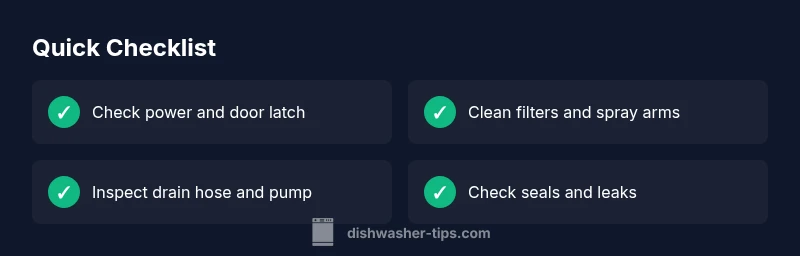
A logical diagnostic flow helps you isolate the issue without guesswork. Start with the simplest possibilities and progress to the more complex ones. Step-by-step logic: 1) Confirm power and door latch engagement; 2) Check for any error codes on the control panel and consult the user manual; 3) Inspect the filter, sump, and spray arms for blockages; 4) Examine the drain hose and pump for clogs or damage; 5) Test the motor and control board functionality by running a short cycle or diagnostic mode if available. Use a triage approach: if something is clearly faulty (e.g., a damaged door latch), address it first. If power and latch are fine, move to filters and drainage. If codes appear, cross-check them with Whirlpool’s guide and your model’s manual. Finally, if no obvious causes are found, or if you are uncomfortable with electronics, call a technician. Remember: many issues are resolved by a routine maintenance pass, not a full repair.
Not Starting? Focus on Door Latch, Control Board, and Safety Features
When a Whirlpool dishwasher won’t start, prioritize the door latch and the control board. A worn or misaligned door latch can prevent the cycle from engaging. Inspect the latch strike and the latch itself for wear or damage; replace as needed. If the latch seems fine, check the door switch and the float switch inside the tub; a malfunction here can also block starting a cycle. The control board is harder to assess; look for signs of moisture, burnt components, or obvious damage. If you suspect the control board is faulty, you may need professional diagnostics. Also consider a soft reset: unplug the unit for 60 seconds to reset the microprocessor, then plug it back in and attempt a test cycle.
Not Draining or Not Cleaning Dishes? Filters, Spray Arms, and Drain Pump
Drainage and cleaning issues are the most common Whirlpool dishwasher problems. Start by removing and cleaning the filter assembly; a clogged filter reduces cleaning efficiency and can trap debris that blocks drainage. Inspect the sump for debris; wipe it clean and rinse thoroughly. Check the spray arms for mineral buildup and clogs; remove them if necessary and clear nozzles with a pin or thin wire. Inspect the drain hose for kinks or clogs and ensure it is connected to the disposer or drain properly. If the pump sounds unusually loud or the water doesn’t drain after a cycle, the drain pump may be blocked or failing. In some cases, a defective check valve or impeller can cause drainage issues. After cleaning, run a quick cycle with a small amount of dish soap to verify drainage and cleaning performance improves.
Leaks and Water on the Floor: Seals, Hoses, and Detergent Handling
Water pooling near the base or leaking from hoses suggests a seal or hose issue. Inspect the door gasket for cracks or buildup and replace any damaged gaskets. Examine the tub seal around the base of the door for wear. Check all hose connections under the sink and at the back of the dishwasher for loose clamps or cracks. A loose intake hose can cause water leakage during wash cycles. Additionally, ensure you are using the correct detergent and amount; excessive detergent can lead to suds and overflow. If you notice water around the bottom of the unit after a cycle, wipe dry and observe for further leaks; persistent leaks often indicate a failing seal or cracked tub.
Maintenance to Prevent Future Breakdowns
Preventive maintenance reduces the likelihood of breakdowns and keeps your Whirlpool dishwasher running smoothly. Create a simple monthly checklist: (1) visually inspect door seals for wear, (2) clean the filter and spray arms, (3) run a cleaning cycle with a dishwasher-safe cleaner or white vinegar, (4) check the drain hose for kinks, and (5) ensure the detergent drawer is clean and free of clogs. Use a rinse aid as needed to improve drying and reduce mineral buildup. Consider running hot water through the sink faucet before starting a cycle to improve cleaning efficiency. Schedule a professional inspection if you notice persistent issues such as unusual noises, repeated leaks, or error codes that recur after resets.
When to Call a Technician: Signs You Need Professional Help
Some Whirlpool dishwasher problems require professional expertise. If you encounter persistent error codes, if you notice electrical burning smells, persistent leaks that cannot be traced to hoses or seals, or if the dishwasher won’t start even after power and latch checks, it’s time to call a technician. Also call a pro if you suspect a failed control board, motor, or pump, or if the unit is under warranty and you’re unsure about self-service steps. A qualified technician can safely diagnose electrical faults and component wear that aren’t visible to the untrained eye. If you attempt any internal repairs beyond cleaning and simple checks, you risk voiding warranties or causing further damage. The goal is to identify the exact fault and perform repairs with proper safety protocols.
Steps
Estimated time: 45-60 minutes
- 1
Power verification
Unplug the dishwasher, inspect the outlet for power using a lamp or tester, and check the circuit breaker. Restore power only if it is safe to do so. This step eliminates common power-related start failures.
Tip: If the outlet is controlled by a wall switch, ensure the switch is ON before testing. - 2
Door latch inspection
Close and latch the door firmly. If the latch seems loose or damaged, replace it. A faulty latch prevents the control from starting even when power is present.
Tip: Lubricate the latch with a small amount of silicone-based lubricant if it feels stiff, but don't use oil-based products. - 3
Initial reset
With power restored, unplug the unit for 60 seconds and plug back in. Attempt a quick cycle to see if the control board responds.
Tip: If the display shows any error codes after reset, note them for troubleshooting. - 4
Basic internal check
Inspect the interior for obvious signs of moisture on the control board area and around the door seal. If you see moisture or burnt components, stop and call a professional.
Tip: Take clear photos of any visible damage to share with a technician. - 5
Drain and rinse test
Run a no-load cycle with the drain function to verify drainage. Listen for the pump and watch for water movement. If there is no drainage or strange noises, inspect the drain hose and pump area.
Tip: Keep hands away from moving parts and ensure access panel is secure after inspection. - 6
Final assessment and plan
If the issue persists, schedule professional service or utilize a diagnostic visit under warranty terms. Document the steps you’ve taken and the codes displayed.
Tip: Record date, issue, and actions taken to help the technician diagnose faster.
Diagnosis: Dishwasher won't start
Possible Causes
- highPower supply issue (plug, outlet, breaker)
- highDoor latch not engaging
- mediumControl board fault
Fixes
- easyCheck outlet power with a lamp; test the circuit breaker and reset if tripped
- easyEnsure door latch engages fully; replace latch if damaged
- easyReset the control board by unplugging for 60 seconds and plugging back in
People Also Ask
Why won't my Whirlpool dishwasher start after I press the start button?
Common causes include a faulty door latch, a tripped circuit, or a malfunctioning control board. Start by checking power, then inspect the door latch for proper engagement. If these are fine, reset the control panel by unplugging for 60 seconds and trying again.
If it won't start, first check power and the door latch. If those look good, reset the control panel by unplugging for a minute and plugging back in, then try to start again.
My Whirlpool dishwasher won’t drain; what should I inspect first?
Begin with the filter and drain path. Clean the filter and sump, inspect the drain hose for kinks, and check the drain pump for debris. If drainage still fails, there may be a pump or valve issue requiring professional service.
Start with the filter and drain hose. Clean them, then check the pump. If it still won’t drain, you may need a pro.
Why are my dishes still dirty after a cycle?
Causes include clogged spray arms, dirty filters, and mineral buildup. Clean filters, remove debris from spray arms, and run a cleaning cycle with a dishwasher-safe cleaner. Check water temperature as well; insufficient heat reduces cleaning efficiency.
Clogged spray arms or dirty filters can leave dishes dirty. Clean those parts and run a cleaning cycle, making sure the water is hot enough.
There is water leakage around the base after a cycle. What gives?
Leaks often stem from door seals, tub gaskets, or loose hose clamps. Inspect seals for cracks, replace damaged gaskets, and tighten all hose connections. If leakage continues, the tub or seals may require professional replacement.
Leakage usually means a seal or hose issue. Inspect seals and clamps, tighten or replace as needed.
What should I do if I see an error code on the Whirlpool control panel?
Consult the user manual or Whirlpool’s online diagnostic guide for code meanings. Many codes indicate clogged filters, drainage problems, or sensor faults. Start with a power reset and then address the specific code guidance.
Error codes guide you to the fault. Check the manual and reset the unit, then address the code as directed.
Can I repair a Whirlpool dishwasher myself, or is professional service mandatory?
Basic maintenance like cleaning filters and hoses is safe for a confident homeowner. More complex issues like control boards, motors, or leaks behind panels should be handled by a licensed technician, especially if the unit is under warranty.
Simple cleaning is fine for homeowners, but for major faults, call a licensed tech, especially if under warranty.
Watch Video
What to Remember
- Start with power and latch checks to rule out simple causes
- Clean filters, spray arms, and drain components regularly
- Use a logical diagnostic flow before calling a technician
- Document codes and steps to speed up professional service