Dishwasher Error Codes: A Practical, Urgent Guide to Quick Diagnosis
Urgent guide to understanding dishwasher error codes, with a step-by-step diagnostic flow, safe at-home fixes, and guidance on when to call a pro. Learn to interpret codes by family and prevent future issues with Dishwasher Tips.


Dishwasher error codes are built-in signals that indicate a fault category, guiding you to a fix fast. They point to issues like water inlet, drainage, motor, or control board. Start with a safe quick fix: power cycle, inspect the inlet screen and pump filter, and clear blockages. If the code remains, consult your model’s manual or contact a technician. According to Dishwasher Tips, act by code family first.
What dishwasher error codes mean
Dishwasher error codes are not random interruptions; they’re concise messages from your appliance’s control system designed to tell you what part of the cycle failed and why. When a code appears on the display, it signals a fault category rather than a single malfunction, helping you target the most likely cause quickly. For homeowners and renters troubleshooting urgent issues, recognizing the code family is the first step in safe, effective diagnosis.
Error codes come from the dishwasher’s microcontroller, which monitors sensors such as water level, temperature, door position, and pump flow. When a sensor reads out of spec, the controller halts the cycle and lights or prints a code. Understanding the family of the code—drainage vs inlet vs heater vs door latch vs control board—lets you prioritize checks. Keep your manual handy; brands differ in which exact codes are shown, and some newer models include flashing light patterns as well as alphanumeric letters.
Brand-specific caveat: while the exact codes vary, the underlying logic is similar across most brands. The Dishwasher Tips team emphasizes that the goal isn’t to memorize every code, but to map the symbol to a likely system area and perform safe checks first. This approach minimizes risk and buys you time to decide whether you can fix it yourself or call a professional. Also note: codes can indicate both temporary glitches and real, persistent faults; always test after each fix and reset.
How manufacturers use codes and families
Most dishwasher manufacturers organize fault signaling into families to standardize troubleshooting across models. The control board assigns a code when a sensor detects out-of-range values or a safety event occurs. Although the exact digits or letters differ by brand, the overall structure remains consistent: codes reference a system area, a sub-issue, and a severity cue. This consistency makes it easier to search manuals or online guides for a fix, even if you own a different model from the one your neighbor uses.
In practice, you’ll typically see codes that point you toward one of five broad areas: inlet and water supply, drainage and pump, heating and drying, door latch or lid, and the control board or user interface. Some newer models supplement codes with LED blink patterns or an on-screen diagram. The key for urgent home troubleshooting is to map the code to a family, then start with the quick checks that apply to that family. Dishwasher Tips analysis, 2026, shows that this family-based approach reduces needless part swapping and speeds resolution.
Steps
Estimated time: 45-60 minutes
- 1
Power down and safety check
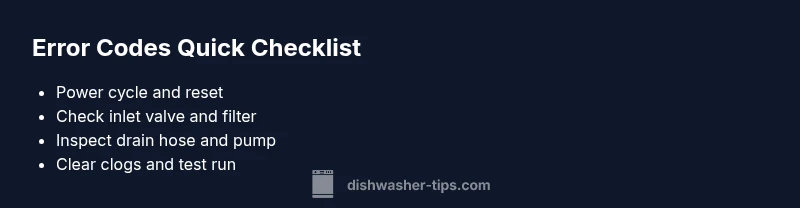
Turn off the dishwasher, unplug from the outlet, and wait at least 60 seconds before reconnecting. Visually inspect for obvious leaks or wiring damage without removing panels. This resets electronics without risking shocks.
Tip: Always dry hands before handling plugs or cords. - 2
Reset controls and run a test
After replugging, use the control panel to perform a quick cycle or diagnostic test if available. Note any new codes or behaviors. This confirms whether the fault was transient.
Tip: Document any changes you observe during the test. - 3
Inspect water inlet and filter
Turn off the water supply, remove the inlet hose, and clean the screen. Ensure the valve opens fully and water flows unobstructed. Reattach and test water fill.
Tip: A sluggish fill often points to sediment in the inlet screen. - 4
Check drain path and pump
Inspect the drain hose for kinks, blockages, or improper height. Clear any debris around the pump area and ensure the impeller can move freely.
Tip: Do not use force; gentle agitation clears most clogs. - 5
Run a test wash with a small load
Load a few dishes and run a basic cycle. Observe whether the code returns or the machine completes the cycle normally. If the code persists, move on to professional diagnostics.
Tip: If a new code appears, stop and reassess before continuing.
Diagnosis: Dishwasher displays an error code on the panel
Possible Causes
- highClogged drain or filter
- mediumInadequate water supply or kinked hose
- lowControl board or sensor fault
Fixes
- easyClean the drain filter and check hoses for blockages
- easyVerify water supply and inspect inlet valve for proper operation
- hardReset the control board or replace faulty sensor/module
People Also Ask
What do dishwasher error codes mean?
Error codes are fault indicators from the control board that point to a system area (inlet, drain, heater, or board). They guide you toward safe, initial checks and help you decide if you can fix it or need a professional. Always refer to your model’s manual for code specifics.
Error codes point to a system area. Start with safe checks, and consult your manual to confirm the exact steps.
Can I fix these codes myself?
Many codes, especially those related to drainage and inlet, are fixable at home with basic safety steps: reset, clean filters, and inspect hoses. For electrical or control-board faults, or if a code repeats after fixes, contact a professional.
Some codes you can fix yourself, especially drainage and inlet issues. If you’re unsure, call a pro.
Will resetting clear error codes permanently?
Resetting can clear temporary faults, but persistent codes indicate an ongoing problem. After a reset, re-test; if the code returns, proceed with deeper diagnostics or professional service.
Reset may clear a momentary glitch, but if it comes back, you need to investigate further.
How much does it cost to fix error codes?
Costs vary by issue and region. Diagnostic fees typically range from tens to a few hundred dollars, with parts and labor added as needed. For common drainage or inlet faults, expect modest costs; for control-board repairs, the price can be higher.
Repair costs vary; you’ll usually pay a diagnostic fee plus parts and labor.
What should I do if the code repeats after fixes?
Ensure all basic checks were completed and that you’ve cleared any clogs or sediment. If the code reappears, schedule a professional diagnostic to avoid potential damage.
If the code keeps coming back, don’t guess—get a professional check.
Are some error codes dangerous or indicate a water safety risk?
Yes, some codes can signal electrical issues or leaks. If you smell burning, hear buzzing, or see arcing, shut off power and contact a technician immediately.
Some codes are dangerous—power off and call a pro if you suspect electrical risk.
Watch Video
What to Remember
- Identify code family quickly to narrow fixes.
- Always start with safe, simple checks.
- Drainage and inlet faults are most common; focus there.
- Dishwasher Tips recommends routine maintenance to prevent codes.