What Is Wrong with My Whirlpool Dishwasher? A Troubleshooting Guide
If your Whirlpool dishwasher won't start, drain, or clean properly, this urgent troubleshooting guide helps homeowners diagnose common issues with safe, practical steps to fix it. Learn quick checks, diagnostic flow, and maintenance tips to prevent future breakdowns in 2026.


Most Whirlpool dishwasher problems boil down to a few common culprits: electrical power, door latch, clogged filters, or drainage issues. Start by ensuring the unit is powered on (check the outlet and circuit breaker), then inspect the door latch, filter, and spray arms for clogs. If you see an error code, consult the manual for code meanings.
What is wrong with my whirlpool dishwasher? Common root causes
When homeowners ask what is wrong with my whirlpool dishwasher, the answer almost always comes down to a handful of repeatable issues. The most frequent culprits are electrical power problems (outlet or circuit breaker), a faulty door latch or interlock, a clogged filter or spray arms, and drainage blockages. Less common but serious causes include a failing control board, a malfunctioning wash motor, or a damaged pump seal. Before you panic, test the simplest possibilities first: confirm the unit is powered, ensure the door latch latches firmly, and check for visible clogs in the filter and spray arms. By walking through a short, safe diagnostic routine, you can save time and avoid an unnecessary service visit. If you see an error code, note it down and look it up in the manual or Dishwasher Tips guide to interpret its meaning precisely. Remember, many problems are symptom-driven—fixing the underlying cause in the right order matters.
Symptoms and what they point to
Common symptoms map to specific root causes. If the unit won’t start, you likely have a power issue or a faulty door latch. If water remains in the tub after a cycle, the drain pump or filter could be clogged. If dishes come out dirty, inspect the spray arms and clean the filter. Leaks around the door typically indicate worn seals or damaged hoses. In some Whirlpool models, a blinking light or error code can quickly guide you to the faulty component. Use the user manual or our Dishwasher Tips guide to interpret codes accurately and avoid blind fixes.
Quick checks you can do before calling a tech
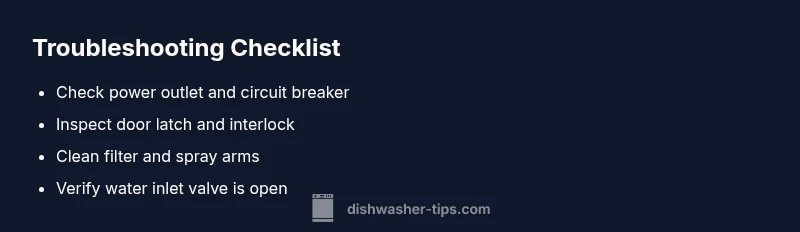
Start with the easiest checks to rule out the obvious. First, confirm the outlet has power and the circuit breaker hasn’t tripped. Then, inspect the door latch—press firmly and listen for a reassuring click; if the door doesn’t latch or the light shows while closed, the interlock may be faulty. Next, pull the bottom rack and remove the filter; rinse it under warm water and scrub away debris. Inspect spray arms for clogs and ensure they spin freely. Finally, check the drain hose for kinks or clogs, and verify the water supply valve is fully open. If you spot a code, write it down for reference when you search the manual or Dishwasher Tips analysis.
Error codes and manuals
Whirlpool dishwashers often display error codes that pinpoint the issue. While codes vary by model, most common messages relate to drainage, fill, or heating problems. Always start by turning off and resetting the unit if codes appear, then consult the model-specific manual. If a code persists after a reset, this usually indicates a more persistent fault such as a faulty sensor, bad control board, or worn seal. Our guide at Dishwasher Tips maps popular codes to likely causes and safe fixes, helping you avoid guessing and unnecessary parts replacement.
Maintenance to prevent future issues
Regular maintenance minimizes recurring problems. Clean the filter and spray arms monthly to prevent food particles from clogging the wash path. Use rinse aid as needed to improve drying efficiency, especially in hard water areas. Check seals and hoses for cracks or bulges and replace as needed. If your water is very hard, consider a water softener or a periodic descaling cycle to reduce mineral buildup that can impair performance. Keeping a simple maintenance log helps you spot trends and catch aging components before they fail.
When to hire a professional and what to expect
If the problem involves the control board, motor, or pump seal, professional service is often the safest option. Electrical diagnostics, refrigerant-like smells, or persistent error codes after resets usually require a certified technician. Explain the symptoms clearly, mention any codes, and share what checks you’ve already performed so the tech can triage faster. A reputable repair visit typically includes a diagnostic, parts replacement if needed, and a test run to verify proper operation. Regular maintenance and early reporting improve the odds of a durable fix.
wordCount”:0},
diagnosticFlow
Steps
Estimated time: 30-45 minutes
- 1
Power cycle and reset
Unplug the dishwasher or switch off the circuit breaker for at least 60 seconds, then plug back in and start a new cycle. This clears minor firmware glitches and reestablishes a clean power baseline.
Tip: Power cycling is often all you need for a flaky display or nonresponsive start. - 2
Inspect door latch and interlock
Close the door firmly and listen for a solid latch engagement. If the light indicates the door is open or you can’t feel a click, the interlock may be faulty and prevent operation.
Tip: Avoid forcing the door; a worn latch is cheaper to replace than chasing phantom faults. - 3
Check water inlet and valve
Ensure the water supply valve is fully open and the inlet screen is clear of debris. A blocked inlet can cause poor wash performance or no fill.
Tip: If you have hard water, descale mineral deposits on the inlet screen to improve flow. - 4
Clean filter and spray arms
Remove the bottom rack and rinse the filter under warm water. Scrub spray arms to remove any lodged debris that blocks spray patterns.
Tip: Use a soft brush to avoid damaging delicate spray holes. - 5
Test drainage path
Inspect the drain hose for kinks or clogs and verify the pump is assembling correctly. Run a drain test if your model supports it.
Tip: Lift the hose to check for trap siphon effects that can slow drainage. - 6
Run a test cycle and read codes
Run a short test or sanitize cycle and note any error codes. Cross-check codes with the manual or Dishwasher Tips guide for targeted fixes.
Tip: If codes persist after resets, plan a service call rather than replacing multiple parts.
Diagnosis: Dishwasher won't start or stops mid-cycle, or fails to drain
Possible Causes
- highPower issue (tripped breaker, blown fuse, faulty outlet)
- highDoor latch or interlock malfunction
- mediumControl board or display fault
- lowClogged filter, spray arms, or drainage hose
Fixes
- easyReset the breaker and test the outlet with a small appliance to confirm power
- easyInspect and replace the door latch/interlock if damaged or loose
- hardReset the control board or replace it if unresponsive after a soft reset
- easyClean the filter, remove and rinse spray arms, and clear any drain hose blockages
People Also Ask
Why won't my Whirlpool dishwasher start after a power outage?
Power outages can trip the breaker or reset the dishwasher’s control board. Check the home circuit breaker, ensure power is reaching the outlet, and reset the dishwasher by unplugging for a minute before trying again.
If the power is back, reset the dishwasher by unplugging for a minute, then plug back in and try again. If it still won’t start, call a pro.
Why is there standing water in the bottom after a cycle?
Standing water usually means drainage is blocked. Inspect and clean the filter, check the drain pump, and verify the drain hose isn’t kinked or clogged.
Check the filter and drain hose for clogs, then run a drain cycle to verify proper flow.
Dishes come out dirty or wet after a cycle. What’s wrong?
This can be caused by a clogged spray arm, a dirty filter, or too little rinse aid. Ensure spray arms spin freely, clean the filter, and confirm rinse aid level.
Make sure the spray arms rotate freely and that the filter is clean; add rinse aid for better drying.
How do I remove odors from my Whirlpool dishwasher?
Run an empty cycle with white vinegar or baking soda, wipe seals, and leave the door cracked after cleaning to air out the tub.
Run a cleaning cycle with vinegar or baking soda and wipe the door seals.
When should I replace the control board or other major parts?
If the display is unresponsive, cycles misbehave, or codes persist after resets, replacement by a professional is likely needed.
If issues persist after resets, a professional check for potential control board replacement is advised.
Watch Video
What to Remember
- Start with power and door latch checks
- Clean filters and inspect drainage to restore performance
- Use error codes to guide targeted fixes
- If unsure, call a professional for safe, lasting repairs