Maytag Dishwasher E4 F8 Troubleshooting Guide
Urgent, step-by-step guide to diagnose and fix Maytag dishwasher E4 F8 codes. Learn quick checks, a diagnostic flow, safe fixes, and when to call a pro for drainage errors.


According to Dishwasher Tips, Maytag dishwasher E4 F8 indicates a drainage/flow issue on many models. The fastest fix is to inspect and clean the drain filter, check for kinks or clogs in the drain hose, and run a dedicated drain cycle. If the error persists, inspect the drain pump and, if needed, reset or replace the control board.
What E4 F8 Means for Maytag Dishwashers
When you see Maytag dishwasher E4 F8 on the control panel, the machine is signaling a drainage or water-flow issue that prevents a safe end to the cycle. The exact meaning can vary by model, so consult your user manual and use the model number to map codes precisely. In many households, the problem is not a failed motor but a simple blockage or hose kink. The Dishwasher Tips team notes that addressing drainage basics often clears these codes without replacing major parts. Start with the simplest checks that address the most common causes of the E4 F8 combination: dirty filters, clogged drain paths, and a stiff drain pump. By focusing on drainage first, you can often resolve the issue quickly and restore normal operation.
Brand context: The team at Dishwasher Tips emphasizes practical, model-aware troubleshooting. For maytag dishwasher e4 f8, the quickest wins usually lie in accessible drain-line components rather than expensive part replacements.
In this guide, you’ll learn how to verify that the drainage path is clear, how to test the pump, and how to confirm that sensors and the control board aren’t falsely signaling a fault. These steps are designed to be safe for homeowners and renters who follow basic electrical and water-safety precautions.
Common Symptoms and Visual Cues When E4 F8 Appears
Typically, users notice the dishwasher halting mid-cycle with the E4 F8 error displayed, often followed by a warning light pattern or a beeping sequence. You may see standing water in the tub, a partially drained sump, or a persistent buzz or click from the pump while the unit tries and fails to drain. The signal often coincides with a clogged filter, a blocked or kinked drain hose, or a failed drain pump. In some models, a float switch or sensor fault can trigger an overfill condition that mimics drainage trouble. If you encounter these symptoms, the practical path forward is to check drainage components first and then move to electrical or control-system checks if the problem persists.
In this context, remember that E4 F8 is a drainage-focused fault in many Maytag configurations. If your model has a different mapping, consult the manual or a model-specific repair sheet. For safety and accuracy, write down your model number and the exact error sequence to reference later in the diagnostic flow.
Diagnostic Flow: Symptom → Causes → Fixes
Symptom: Dishwasher displays E4 F8 and stops mid-cycle or leaves water in the tub. Possible causes (ordered by likelihood):
- drain filter clogged or debris buildup (high)
- drain hose kinked, twisted, or blocked (medium)
- drain pump failure or impeller jam (medium)
- overfilled sump due to a stuck float or sensor fault (low)
- control board fault or miscommunication between sensors (low)
Fixes (ordered by ease):
- Clean the drain filter and sump area to remove food particles and debris (easy)
- Inspect drain hose for kinks or clogs and straighten or replace if necessary (easy)
- Test the drain pump operation (requires modest plumbing knowledge) and replace if it remains stubborn or makes grinding noises (hard)
- Check the float switch and water level sensor for proper movement (easy to medium)
- Reset the control board or replace it if other fixes fail (hard)
Step-by-Step Fix for the Most Common Cause
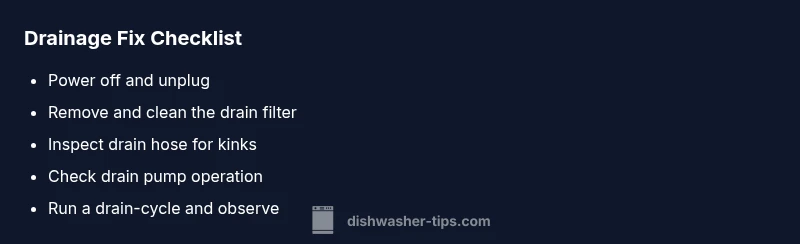
- Power down and unplug the dishwasher before any inspection to ensure safety. This reduces the risk of electric shock and prevents inadvertent startup.
- Tip: Keep a towel handy for any residual water.
- Remove the lower access panel and locate the drain filter. Wipe away debris and rinse the filter under running water until it’s clean.
- Tip: A coffee cup or small bowl helps catch loose debris as you rinse.
- Inspect the drain hose for kinks, bends, or blockages. Detach the hose carefully and run water through it to verify free flow.
- Tip: If the hose is discolored or cracked, plan for a replacement hose to avoid leaks.
- Check the drain pump by listening for a humming or buzzing sound when the unit attempts to drain. If the pump doesn’t run or sounds abnormal, the pump or impeller may need replacement.
- Tip: Inspect the impeller area for debris that can hamper rotation.
- Reassemble, plug in, and run a drain-focused cycle or the default reset cycle. Observe if drainage completes and if E4 F8 reappears (or not).
- Tip: If the error recurs, document the model and run the test with a service manual or a professional diagnostic.
Other Possible Causes and How to Address Them
Beyond clogged filters and hoses, several other issues can mimic the E4 F8 signal. A faulty float switch, water level sensor, or a worn valve can cause improper drainage signaling. A damaged control board or wiring fault may intermittently trigger error codes even with a clear drain path. To address these, check the float and sensor alignment, inspect wiring for loose connections, and consider replacing the control board if symptoms persist after the drainage path is verified.
If you recently installed or replaced any components, double-check that all connectors match model-specific diagrams. In some cases, a recurring E4 F8 indicates a more systemic issue that benefits from a professional evaluation.
Safety, Costs, and When to Call a Pro
Safety first: always disconnect power before opening the appliance and never bypass safety interlocks. If you’re uncomfortable with electrical work or testing the drain pump, contact a licensed technician. Cost estimates for fixes vary by region and model; a simple filter cleaning is inexpensive, while pump replacement or control-board work can be more costly and time-consuming. If the codes persist after basic drainage maintenance, professional diagnosis is advised to prevent water damage or electrical hazards. Dishwasher Tips’s analysis emphasizes using model-specific guidance to avoid incorrect repairs.
When to call a pro: persistent E4 F8 after performing all recommended checks, strange noises from the pump, or visible water leakage. Also consider professional service if your unit is under warranty or if you lack the tools necessary for safe electrical testing. Pro repair often includes a written quote and a parts warranty, which helps you gauge the value of repair versus replacement.
Prevention: Routine Maintenance to Avoid E4 F8 in the Future
Adopt a simple maintenance routine to minimize drainage-related faults. Regularly clean the drain filter after cycles, and run an empty test cycle with a cleanwater flush to verify drainage flow. Use a compatible deodorizing cleaner to prevent buildup in sump areas and hoses. Inspect hose connections and clamps during routine cleaning to prevent leaks. Keep your model’s user manual handy for model-specific guidance on sensor calibration and float operation. By staying proactive, maytag dishwasher e4 f8 errors become rare events rather than recurring problems.
Quick Checks After Any Repair
- Reconnect all hoses securely and confirm there are no leaks under the unit.
- Run a test cycle without dishes to ensure there’s no standing water after draining.
- Monitor the control panel for any repeated fault codes and document your model number for future reference.
- If the code returns, consult the official service manual or Dishwasher Tips for next-level troubleshooting steps.
Steps
Estimated time: 30-60 minutes
- 1
Power down and unplug
For safety, unplug the dishwasher and turn off the household breaker if accessible before touching any components.
Tip: This prevents electrical shock while you inspect drainage parts. - 2
Access and clean the drain filter
Remove the lower panel, pull out the filter, and rinse away debris with running water until clear.
Tip: Use a soft brush to remove stubborn buildup without damaging the mesh. - 3
Inspect the drain hose
Disconnect the drain hose and check for kinks, twists, or blockages. Clear or replace as needed.
Tip: Ensure hose ends are oriented correctly to avoid backflow. - 4
Test the drain pump and float
With power restored, listen for the pump and confirm the float moves freely. If the pump doesn’t run or groans, consider replacement.
Tip: A stuck float can falsely trigger drainage faults. - 5
Run a drain-focused test cycle
Run an empty cycle aimed at drainage to confirm proper water evacuation. Monitor for errors.
Tip: If E4 F8 reappears, move to professional diagnosis.
Diagnosis: Dishwasher displays E4 F8 and stops mid-cycle
Possible Causes
- highClogged drain filter
- mediumDrain hose kink or blockage
- mediumDrain pump failure
- lowControl board fault or sensor issue
- lowOverfill/float sensor fault
Fixes
- easyClean the drain filter and inspect the sump area
- easyCheck drain hose for kinks or clogs and straighten/clear
- hardTest and, if needed, replace the drain pump
- mediumInspect float switch and sensor for proper operation
- hardReset or replace the control board if necessary
People Also Ask
What does E4 F8 mean on a Maytag dishwasher?
E4 F8 typically signals drainage or water-flow issues. Start with basic drainage checks—clean the filter, inspect the drain hose, and ensure the pump is functioning—before pursuing more complex repairs.
E4 F8 usually points to drainage problems. Begin with simple checks like cleaning the filter and hose, then test the pump before calling a pro if it persists.
Can I fix E4 F8 myself?
Yes, many homeowners can resolve drainage-related E4 F8 faults with basic steps, including cleaning filters and hoses. If the code persists or you’re unsure, seek professional help.
You can try the basics, but if it sticks around, a pro is safer.
Should I run a cleaning cycle when E4 F8 appears?
A cleaning or drain-focused cycle can help flush debris and verify drainage. If water remains in the tub after the cycle, stop using the unit and proceed with deeper checks or professional service.
Yes, try a drain-focused cycle, but don’t ignore signs of persistent drainage issues.
What other causes can trigger E4 F8 besides clogs?
Other causes include faulty float sensor, water level sensor, or control board issues. These require careful testing and may need replacement parts by a professional.
Sensors or the control board can trigger this code if drainage parts seem fine.
When should I call a professional for E4 F8?
Call a pro if basic drainage checks don’t resolve the issue within one or two cycles, if you notice leaking, or if the unit is under warranty and requires internal work.
If basic fixes don’t solve it, a technician is the safest option.
Watch Video
What to Remember
- Fix drainage first; most E4 F8 issues resolve without major parts.
- Clean filters and check hoses before replacing pumps.
- If codes persist, consult a professional to avoid water damage.
- Routine maintenance reduces future drainage faults.